Two ways to sign in
Both put you into a working account instantly.
① One-click role picker easiest
/qa.html② Magic link — your own account like the real thing
/sign-in.html, enter your own email.How the league is organised
Four building blocks — the mental model the whole platform is built around.
How they connect: a Club contains Teams → each Team has a roster of Players → a Match is two Teams playing 5 games. Subscribers follow from the outside. You register any of the four on the one registration page (/register.html), and a Team can be created with or without a club. Manage a club on its Club page, a team on its Team page — both are tabbed hubs the manager/captain can edit.
The big picture — what changed
Two themes this round: a 2026 modernization of the whole interface, plus a stack of new features.
✨ Modernization new look
Pages now use the “knowledge-panel” pattern — tabs that swap content in place (no full page reloads), and every row is directly clickable. Team, Club and Profile pages became tabbed hubs (Overview / Matches / Squad / Stats); the league pages share one sub-nav. The goal: testers and members find things fast instead of digging around.
📖 Rules now come from the rulebook consistency
The league's Rules & Regulations are enforced by one rules engine instead of checks hard-coded in different screens. Match format (5 games, played to 21), the gender of each game (Ladies / Men's / Mixed), the “no repeated mixed pair” rule, and the substitution & loan rules (R&R §1.5 — a borrow may only go Division B → A, a Division C player can't play up, max 3 per team, no subs in Division C matches) are all read from the rulebook. Change a rule once and every screen follows it. While doing this we also found and fixed a substitution rule that had quietly stopped firing.
🆕 This round — communication, confirmations & fair-play please test these
The theme of this round is human-in-the-loop: the platform now keeps every pending decision visible to the right people and lets a human act on it — and it never decides on a timer. A result, a reschedule, an eligibility check or a payment is settled when a person agrees to it, never when a clock runs out. Screenshots + step-by-step tests are in the walkthrough below; here's the map.
🏛️ Contact the League Office
Any member can now message the league office on a topic (Registration / Payment / Schedule / General). It reaches the right role + all admins, who reply in the same thread. Before this, only captains could reach the Registrar and admins couldn't even see those messages.
Test: Messages → 🏛️ Office → pick a topic → send. Then sign in as Registrar → 🏛️ Office inbox → reply.
🔔 It tells people what happened
The platform was silent at almost every hand-off. Now it notifies: result is final (both teams), a reschedule/ dispute accepted or declined (the captain who asked), a match forfeited (the opponent), a player verified eligible, a fee reminder. No one is left guessing.
Test: confirm a score / accept a reschedule, then check the other party's 🔔 notifications.
🗓️ Reschedule = the opponent agrees
A reschedule used to jump straight to the Division-Rep while the UI falsely promised the opponent had “48h”. Now the opposing captain accepts or declines it (a human), the whole team sees it in the banner to nudge them, and there is no timer. The Division-Rep stays as a human fallback.
Test: as a Captain propose a reschedule → sign in as the opposing captain → the top banner offers Accept / Decline.
✅ Eligibility & 💳 payment — surfaced, never blocked
The Registrar gets a list of players to verify eligible (anti-sandbagging / DUPR band); Finance gets a list of unpaid teams with contact details + a manual “Send reminder”. Both are visibility only — a human decides; nothing is auto-blocked or auto-expired.
Test: Registrar → Eligibility to verify tab; Finance → Unpaid teams tab.
🧩 Richard's working list — now built test these
The items from your latest working list, cross-checked against the live build and now closed. The rule changes are switched ON in this sandbox so you can test them; turning them on for the live league is a one-click toggle per rule — your committee's call.
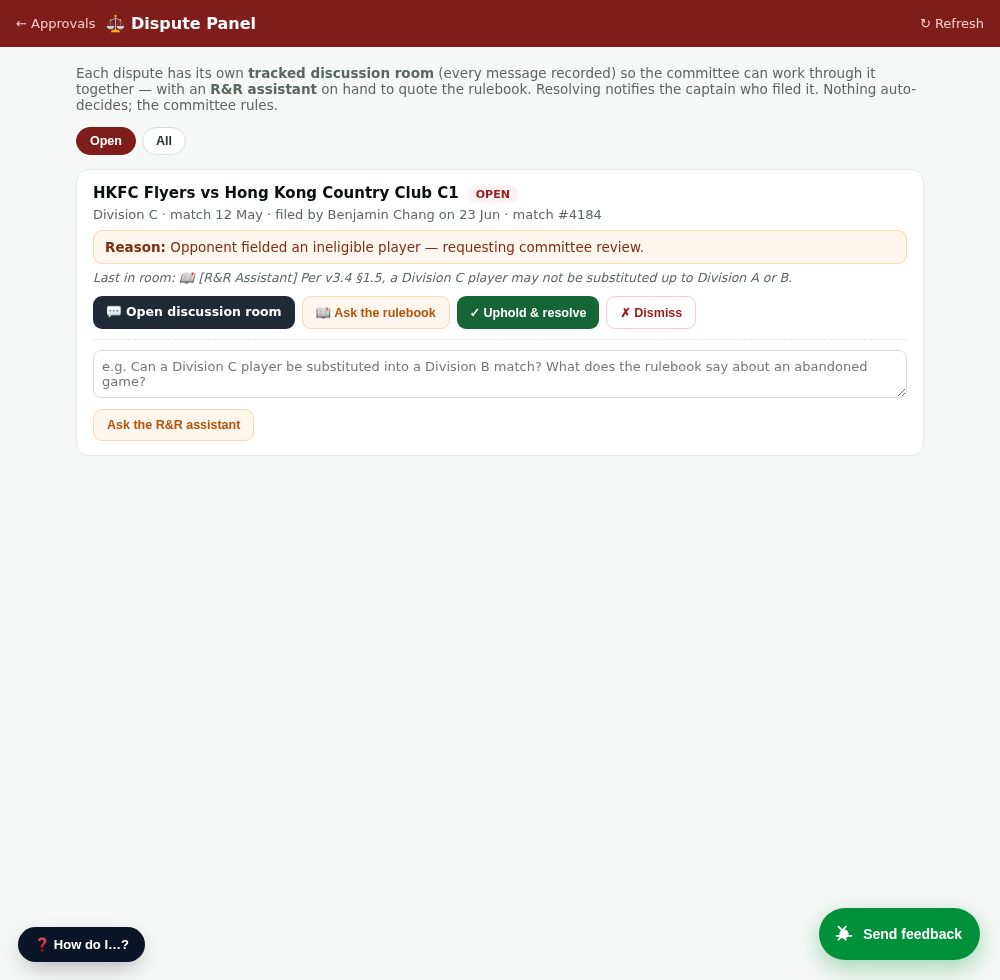
⚖️ Dispute Panel — discussion room + R&R assistant 🆕
What: every dispute gets its own tracked discussion room (every message recorded) where the committee works through it together, with an R&R assistant that quotes the rulebook on demand. Resolving notifies the captain who filed it.
We did: built the panel + the per-dispute room + the assistant. A filed dispute now opens its room automatically and alerts the workgroup + the opposing captain. The committee rules with final authority — nothing auto-decides.
Test: as a captain, file a dispute on a match. Then sign in as Division-Rep / Registrar / Admin → ⚖️ Disputes (top of the approvals page, or the Admin “Disputes” tab) → open the room, Ask the rulebook, and resolve it — Uphold, Dismiss, or Order a rematch (one click sets: replay at a neutral court, cost split 50/50, HKPL referee required — recorded in the room + sent to both teams).
🚫 NR can't play up a division
An unrated (NR) player can no longer be substituted UP a division (e.g. Div C → B). Rated players are unaffected; the on-court judge can still override with a reason.
Test: as a judge, try to substitute an unrated player into a higher-division match → politely blocked with the rulebook reason.
🔁 3-use play-up cap
A substitute can only play UP a division 3 times per season (per R&R). The 4th attempt is blocked, with the count shown.
Test: sub the same player up a 4th time → blocked (“used 3/3”).
📧📱 Email + phone now both required
Player sign-up now requires both an email and a phone number (was either-or) — a registered contact for every member.
Test: start a player sign-up with only one of the two → it won't submit until both are filled.
🔒 Complaints are never anonymous
Every complaint channel — Contact the League Office, dispute rooms, direct messages — needs a logged-in registered account, so a complaint always has a real name behind it.
Test: all of these are inaccessible while logged out.
🎯 Singles DUPR cap now bites 🆕
Your “3.64 singles into Div C” case: each division now has both a singles and a doubles DUPR cap. A player whose applicable rating exceeds the division ceiling — whichever format they enter on — is caught at sign-up / add-player. (Sandbox seeded with the doubles caps as defaults; committee can adjust each division's singles number.)
Test: try to add a player with a singles rating above the division ceiling → blocked with the band shown.
🛟 Order a rematch — one click 🆕
In the Dispute Panel, alongside Uphold and Dismiss, the workgroup now has ⚖️ Order rematch: one form sets a neutral court, cost split 50/50, and HKPL referee required. The directive is recorded in the discussion room + posted to both teams; the original finalised result is left untouched (the replay is scheduled via the normal reschedule flow).
Test: file a dispute → as the workgroup, ⚖️ Order rematch → confirm → both teams get the notification and the room shows the order.
🤖 Help assistant learned the new features 🆕
The in-app help assistant was out of date — it predated this round's features and couldn't explain them. It's been refreshed with how-to entries for every new function (Contact the Office, score co-sign, reschedule-accept, the Dispute Panel + rematch, eligibility verify, unpaid, the team banner, sub rules) and now links to this guide (so you also get the picture). For rules questions it's grounded in what the system actually enforces, so it can't contradict the engine.
Test: in the chat help, ask “how do I contact the league office?” or “can a Division C player sub into A?” — concrete steps + the right rule answer.
How the R&R assistant stays accurate: it's now grounded in the league's actually-enforced rules — so its answers on eligibility, substitutions and bands match exactly what the system enforces (it correctly tells you a Div C player can't sub up to A/B). It still also reads the general rulebook text for anything not yet codified as an automatic rule, so always treat it as a helpful reference, not the final ruling — the committee has final authority.
The rules engine — how it works, and how to test it
The biggest under-the-hood change this round. The league's Rules & Regulations no longer live as code scattered across screens — they sit in one engine every screen consults. Here's how to prove it.
How it works
Whenever someone does something a rule governs — set a lineup, submit a score, substitute or borrow a player — the screen asks the engine “is this allowed?”. The engine reads the rulebook and answers with a clear block + the rule citation (e.g. “§2.1 — games are played to 21”), a warning, or OK. Because there's one engine, the captain's screen, the referee's console and the back-office all enforce the same rules. Change a rule in the rulebook once → every screen follows it, no new code.
Enforced from the rulebook today: match format (5 games — Ladies / Men's / Mixed ×3, played to 21), gender per game, no repeated mixed pair (§3.1), substitution caps + “no Division C playing up” + “no subs in a Division C match” (§4.0), and roster borrows “Division B → A only, max 3 per team” (§1.5).
How to test it — each should be politely blocked with the reason
- Wrong score — as a Captain on a scoresheet, enter a game won at 15 → blocked: “games are played to 21”.
- Wrong gender — in a lineup, put two men in the Ladies' Doubles slot → blocked: needs 2 female players.
- Repeated pair — reuse the same mixed pair in two Mixed games → blocked (§3.1).
- Illegal borrow — as a Captain tap “↔ Borrow”: allowed players are selectable; a Division C player is greyed out with the reason (“can't play up”) — read straight from the rulebook.
- Illegal substitution — as a Referee start a substitution: same — eligible vs blocked candidates, each with its rulebook reason.
- Override — an admin / official can force past these where the rules permit, and the override is logged.
Screen-by-screen walkthrough
Every key screen with a picture. 🆕 new/changed ✨ modernized ✓ verified
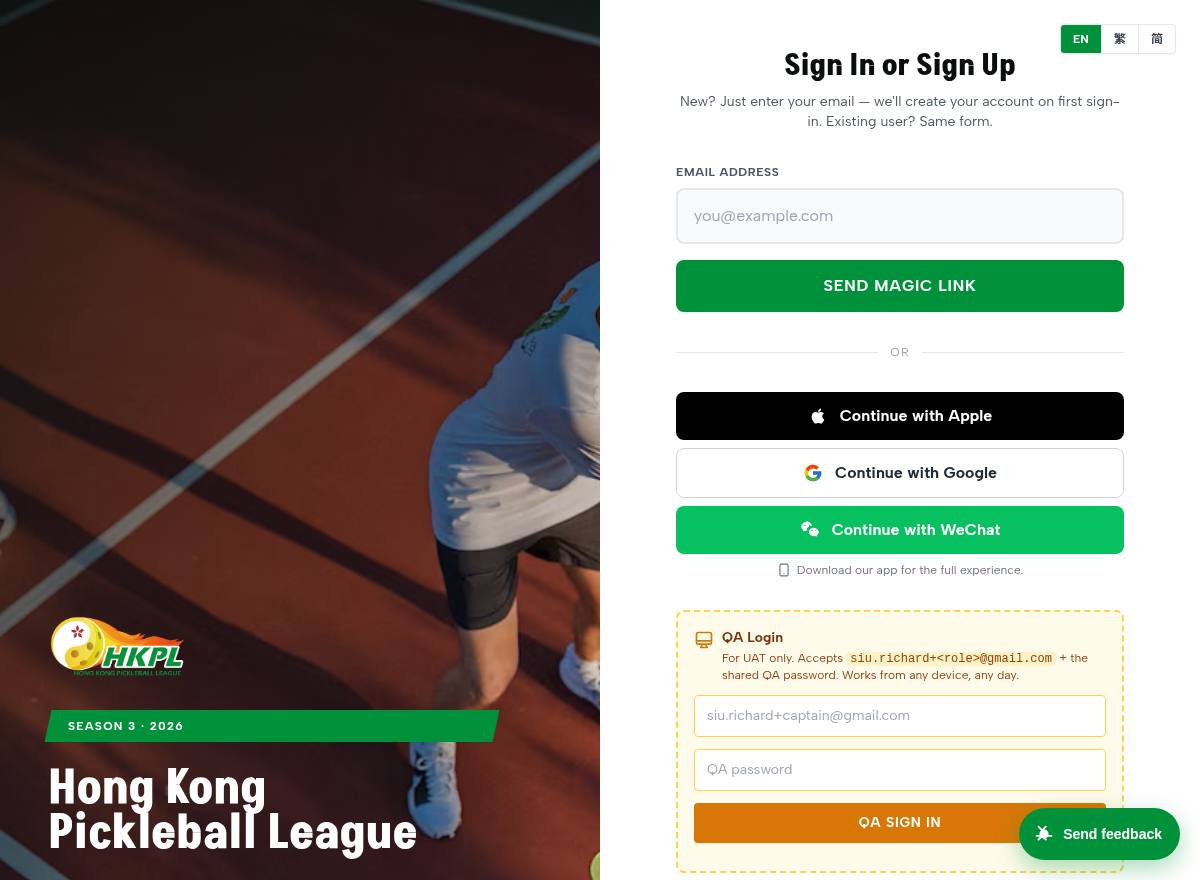
Sign in (magic link) 🆕
What: passwordless sign-in — enter your email, get a one-tap link.
We did: in the sandbox your link now shows on screen (emails aren't sent from UAT), and the link correctly points to this site.
Test: type your email → tap “Tap here to sign in” → you're signed in as your own account.
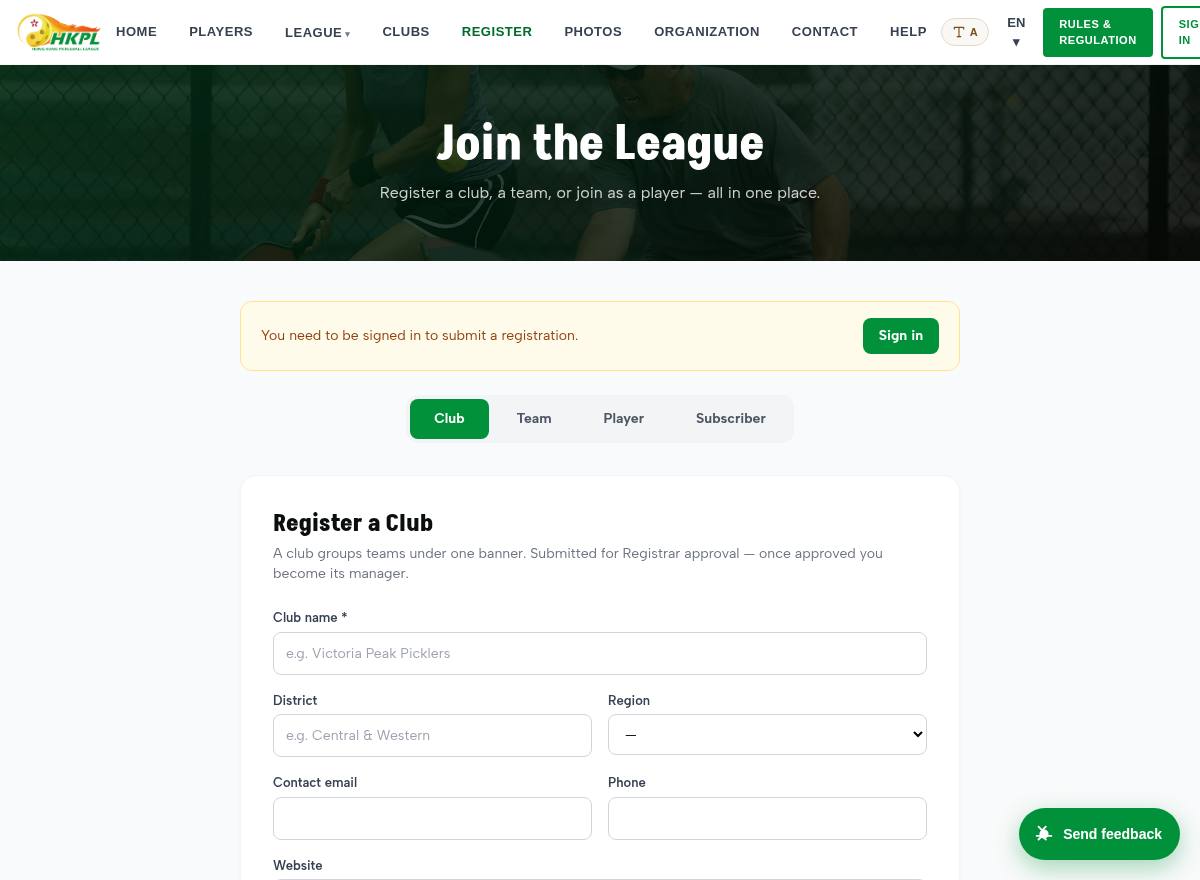
Registration hub 🆕
What: one page to register a Club, Team, Player or Subscriber.
We did: merged four separate forms into tabs; minimal essential fields; club is optional.
Test: open each tab; submit the Player or Subscriber tab — it routes to the Registrar.
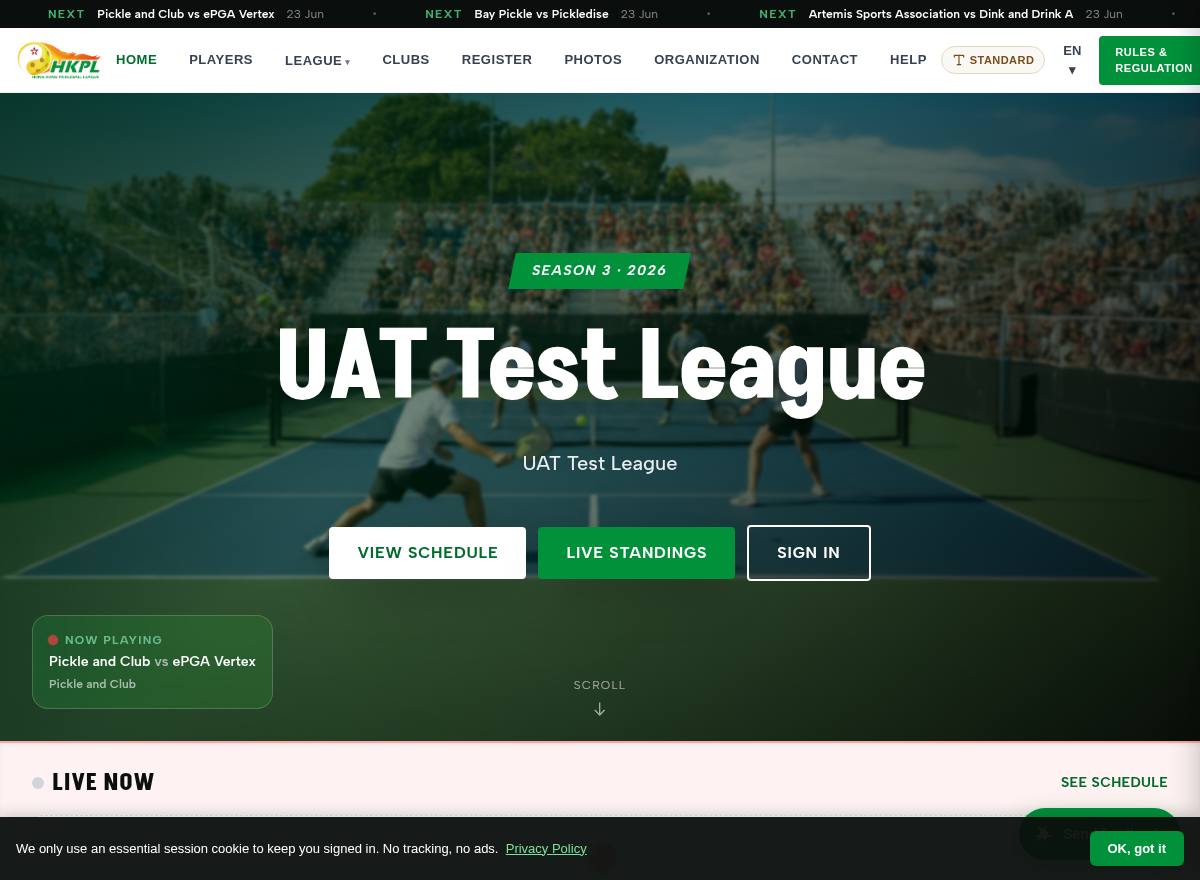
Home
What: the league landing page — live matches, standings snapshot, news.
Test: browse; switch language with EN / 繁 / 简 in the top bar.
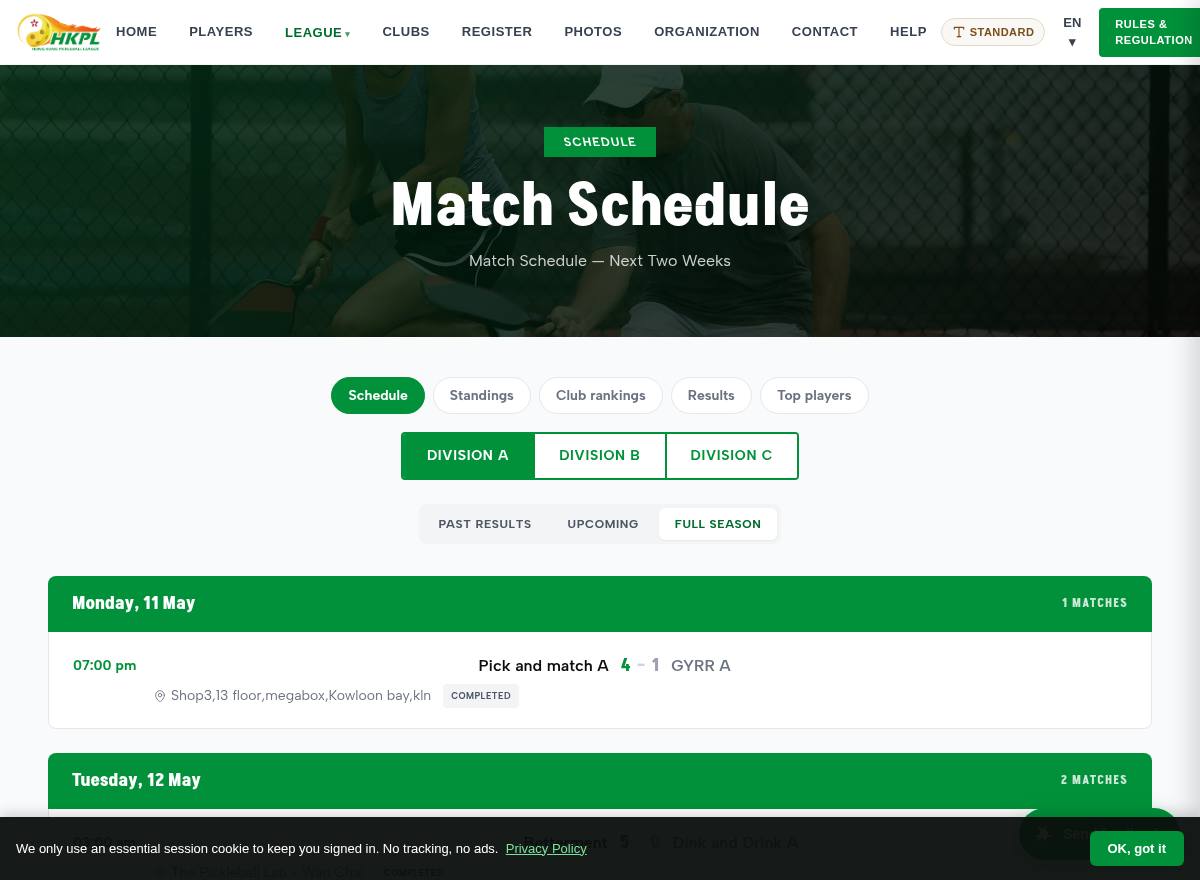
Schedule
What: fixtures by division and date.
We did: Schedule + Results + History live under one shared league nav.
Test: switch divisions; off-season shows a clean message, not an error.
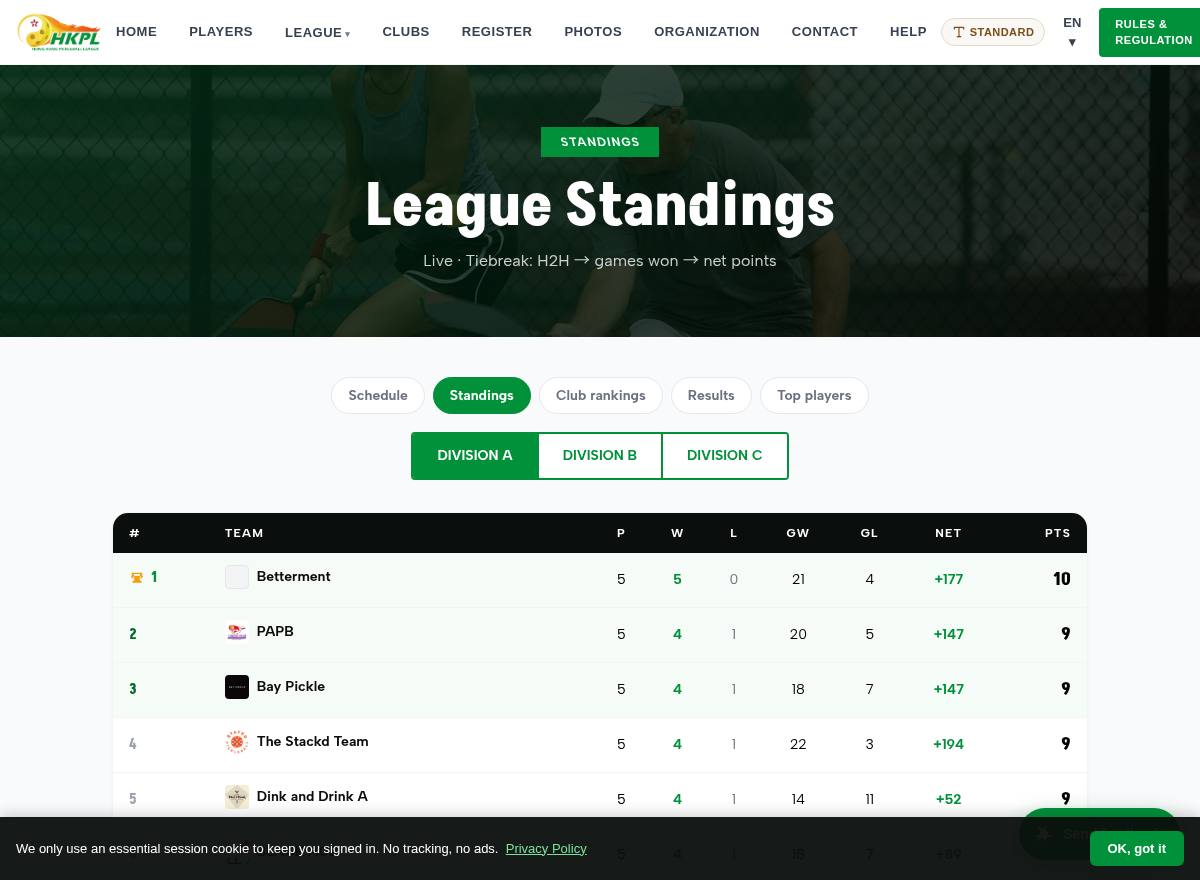
Standings ✓
What: the live league table per division.
We did: division tabs now build from the active season (work for any naming).
Test: tap each division tab; click a team to open its page.
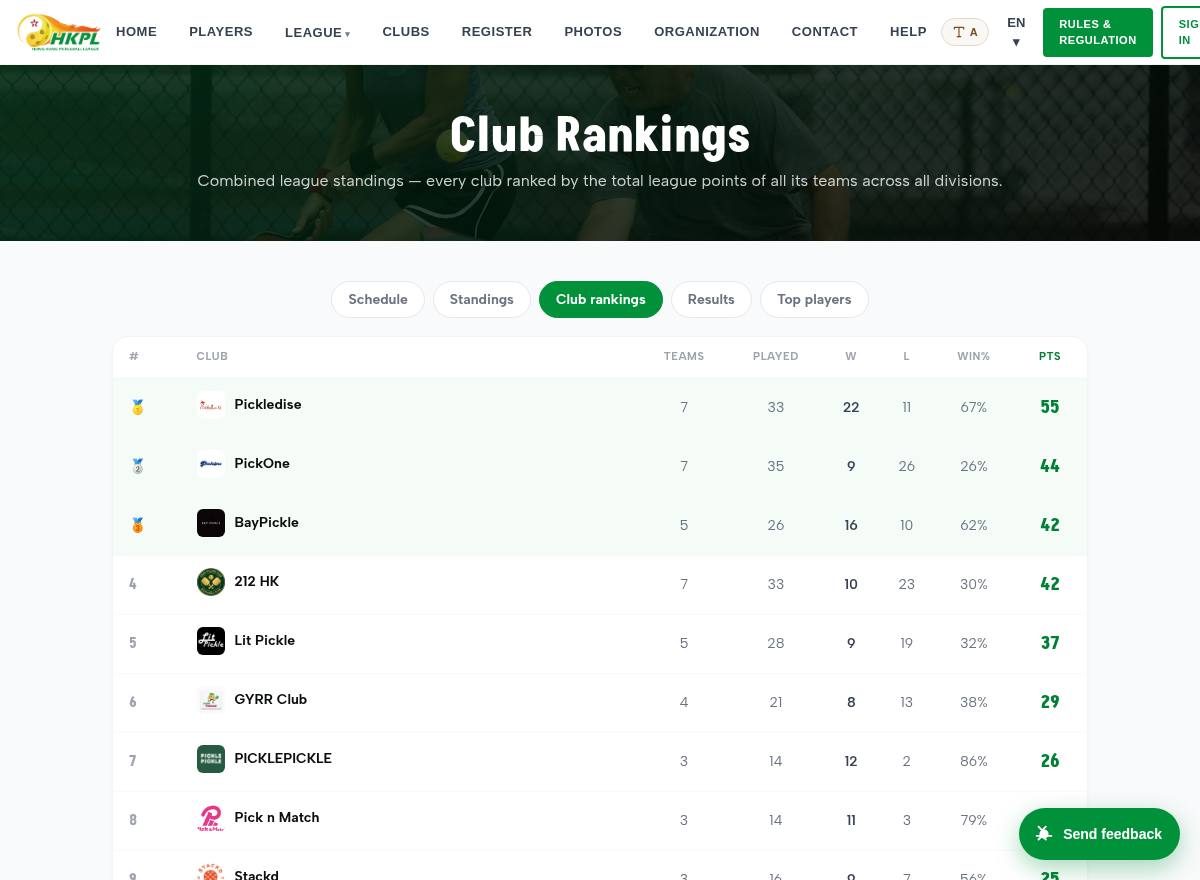
Club rankings 🆕
What: a combined leaderboard ranking clubs across all divisions.
Test: view the ranked clubs; click one to open its page.
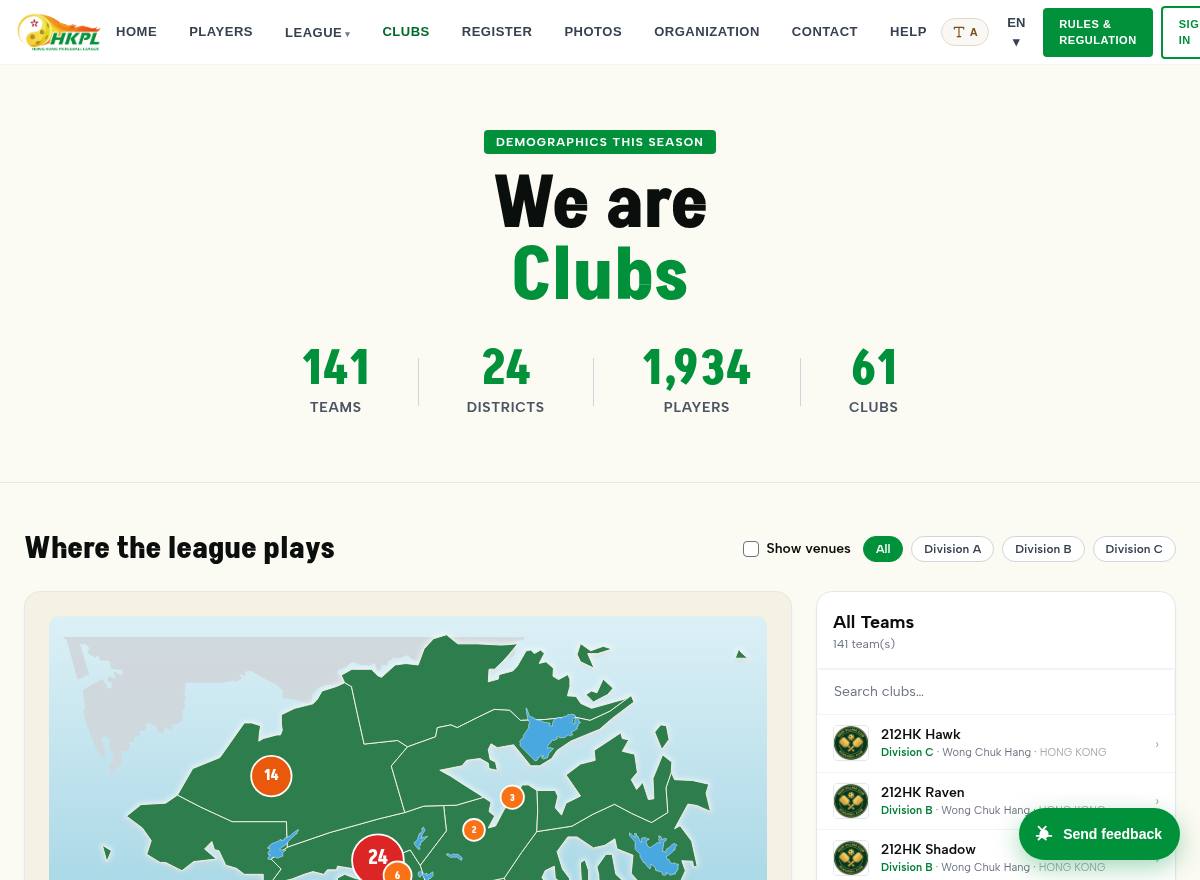
Clubs directory 🆕
What: every club in the league, with a map.
We did: now shows clubs that have no team yet (previously hidden); every card clickable.
Test: click any club card → its page opens.
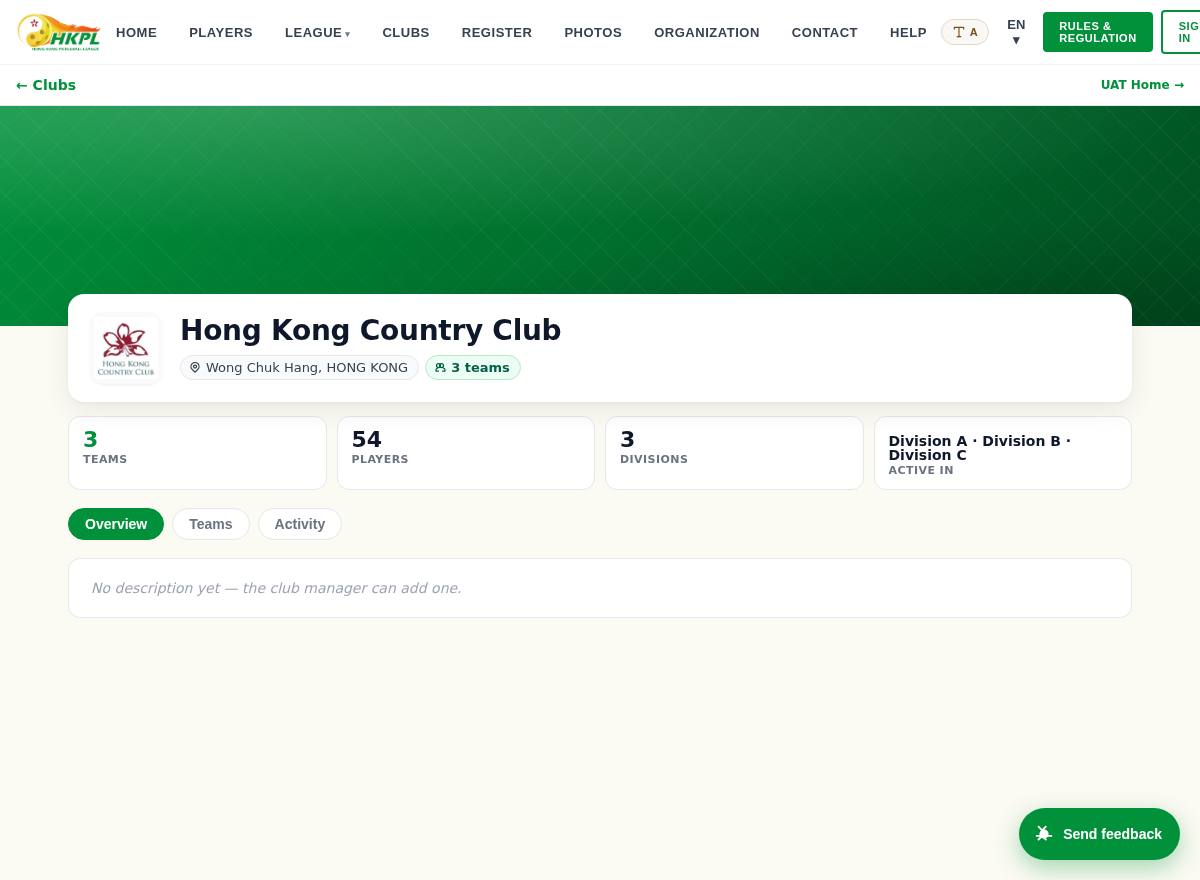
Club page ✨
What: a club's hub — About / Teams / Activity tabs, sponsors, theme.
We did: rebuilt as a tabbed knowledge panel; club managers can edit it, theme its colours, show/hide sections.
Test: tap the tabs; sign in as a club manager to edit.
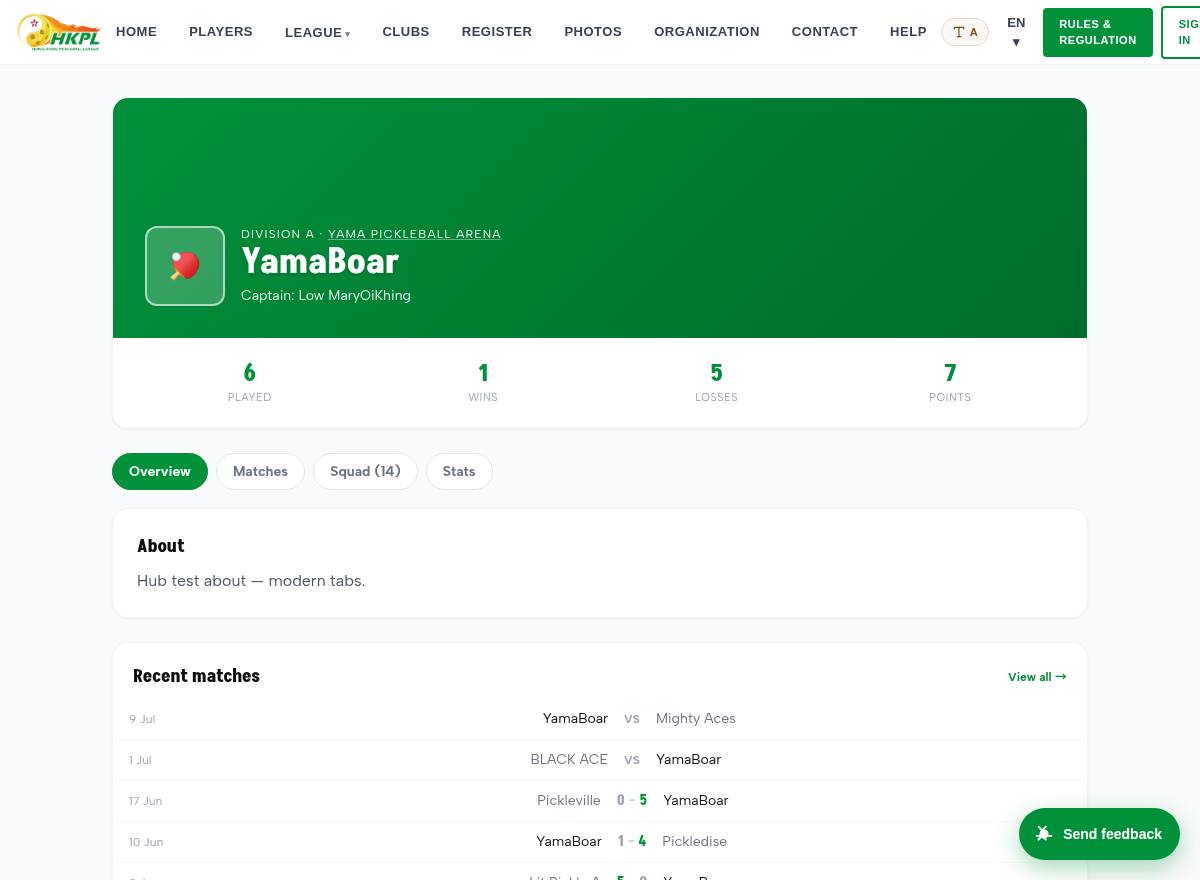
Team page ✨
What: a team — Overview / Matches / Squad / Stats tabs.
We did: tabbed hub; the captain/manager can edit the team's page.
Test: tap the tabs; works for club teams and independent (no-club) teams.
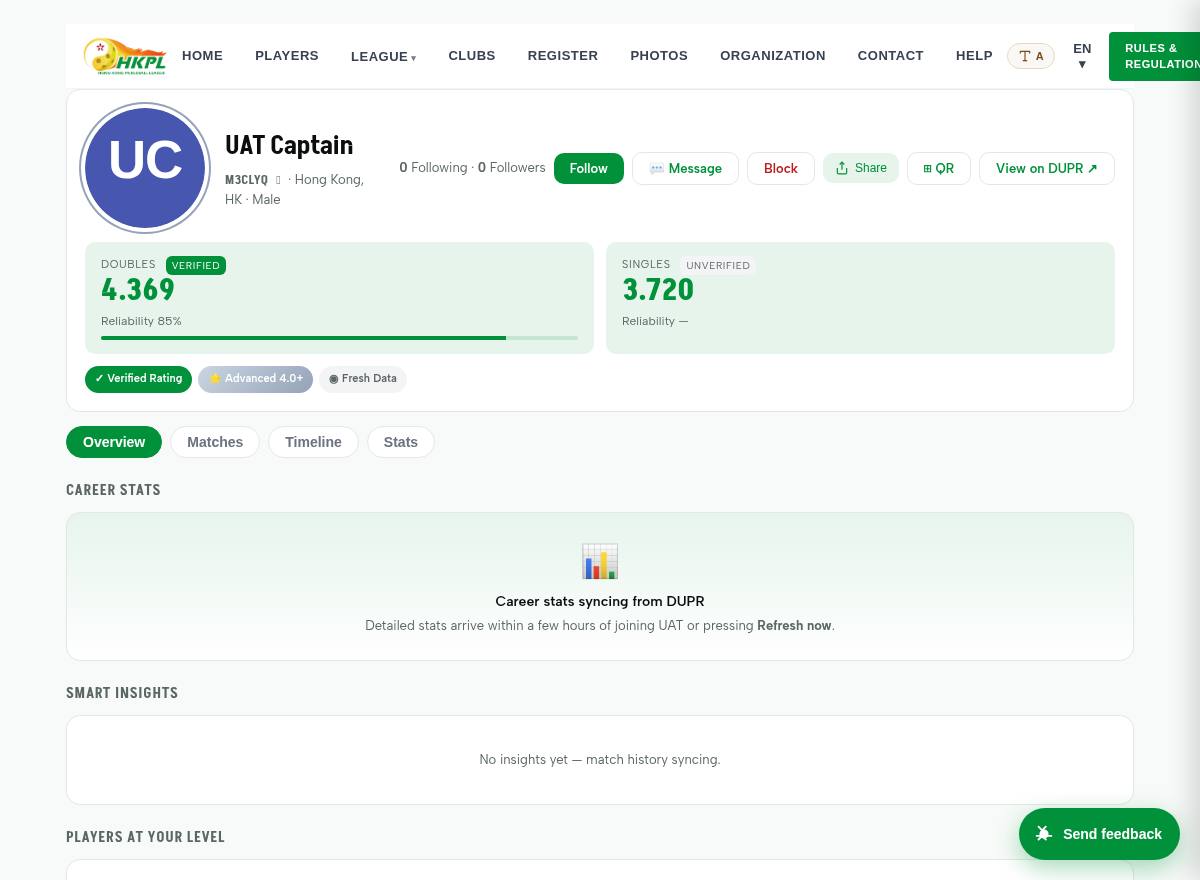
Player profile 🆕
What: a player's page — rating, match history, teams.
We did: players without a DUPR rating now have a reachable profile too (no more dead link).
Test: open a player from the directory or a roster.
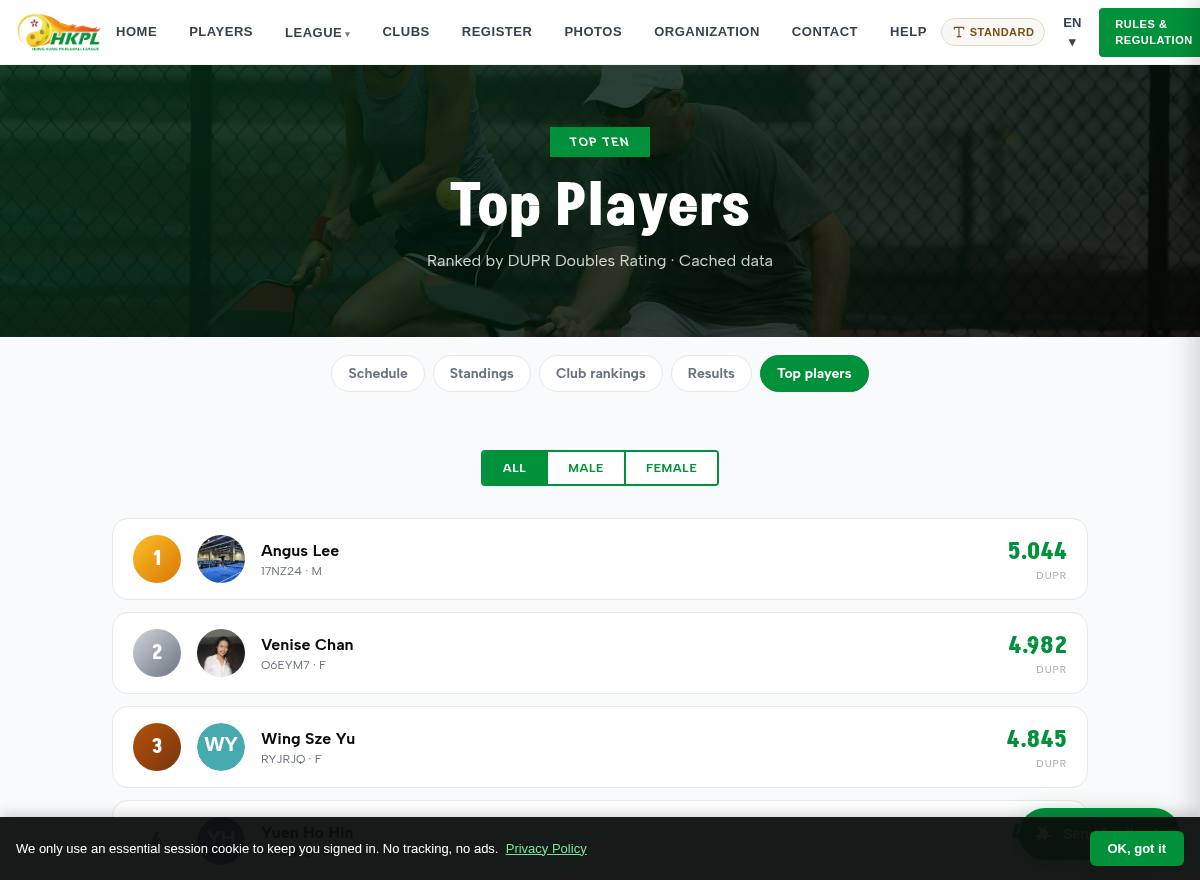
Top players & Matchup
What: the DUPR top-ten leaderboard; “Matchup” previews two teams head-to-head.
Test: browse the top ten; open Matchup from the league menu.
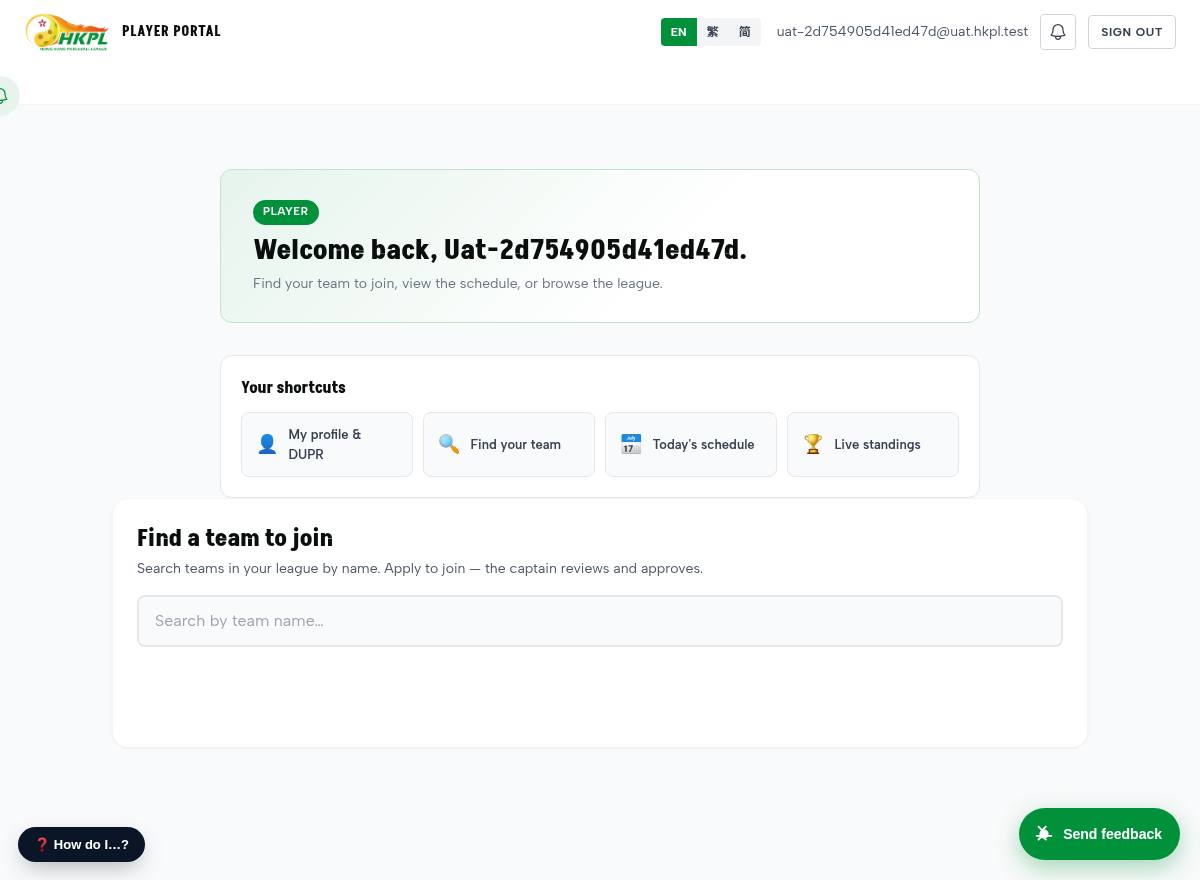
Player portal 🆕
What: your home — shortcuts, “find a team to join”, your profile.
We did: the “My profile & DUPR” shortcut now opens your profile (it was broken).
Test: tap each shortcut; tap “find a team”.
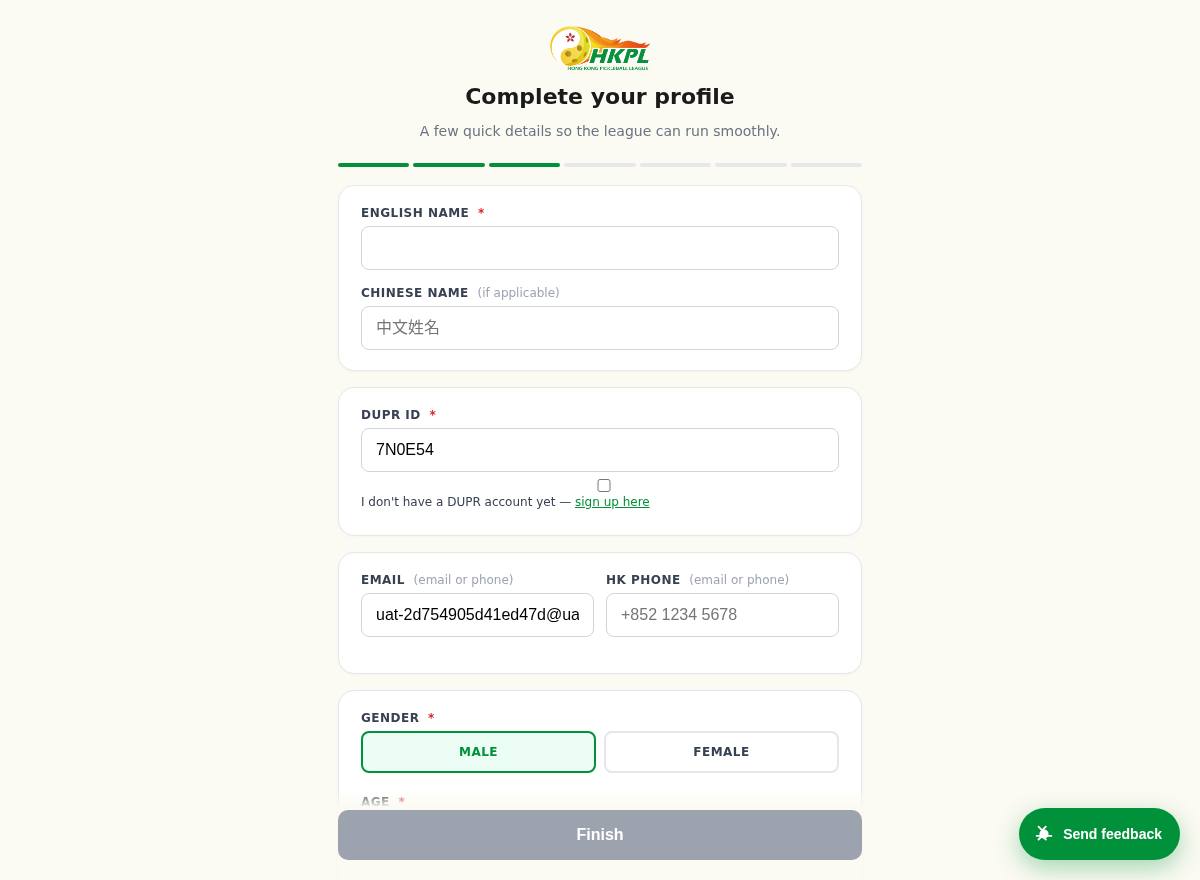
Player sign-up 🆕
What: the join form a new member fills in.
We did: email or phone; birthday = month + year only; gender required; a “no club” option; and a club → team picker.
Test: fill it with phone only (no email); tick “no club”; pick a club and watch its teams appear.
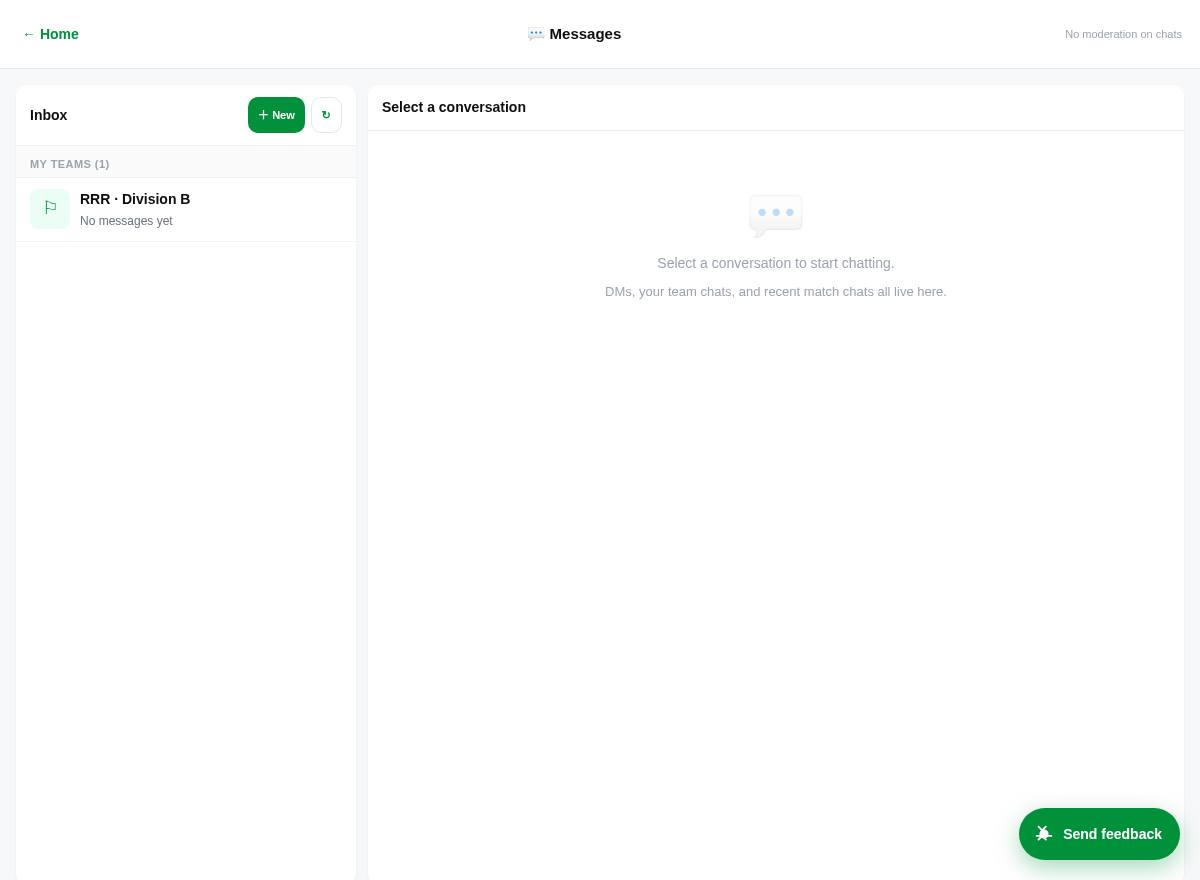
Messages & chat 🆕
What: direct messages between members, team chat channels, and a notification bell.
Test: open a conversation and send a message; check the bell for notifications.
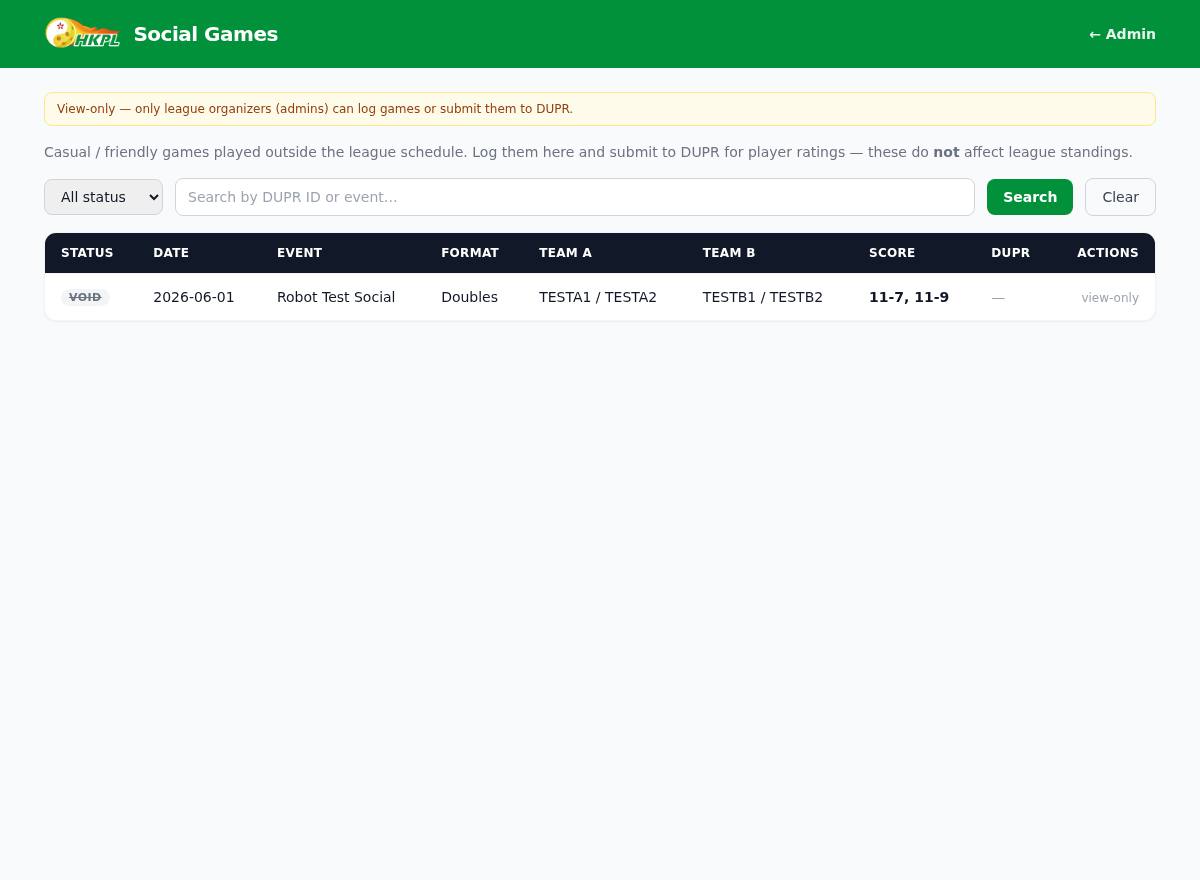
Social games (DUPR log) 🆕
What: log casual/social games so they count toward DUPR.
Test: open it from the player area; add or view a social game.
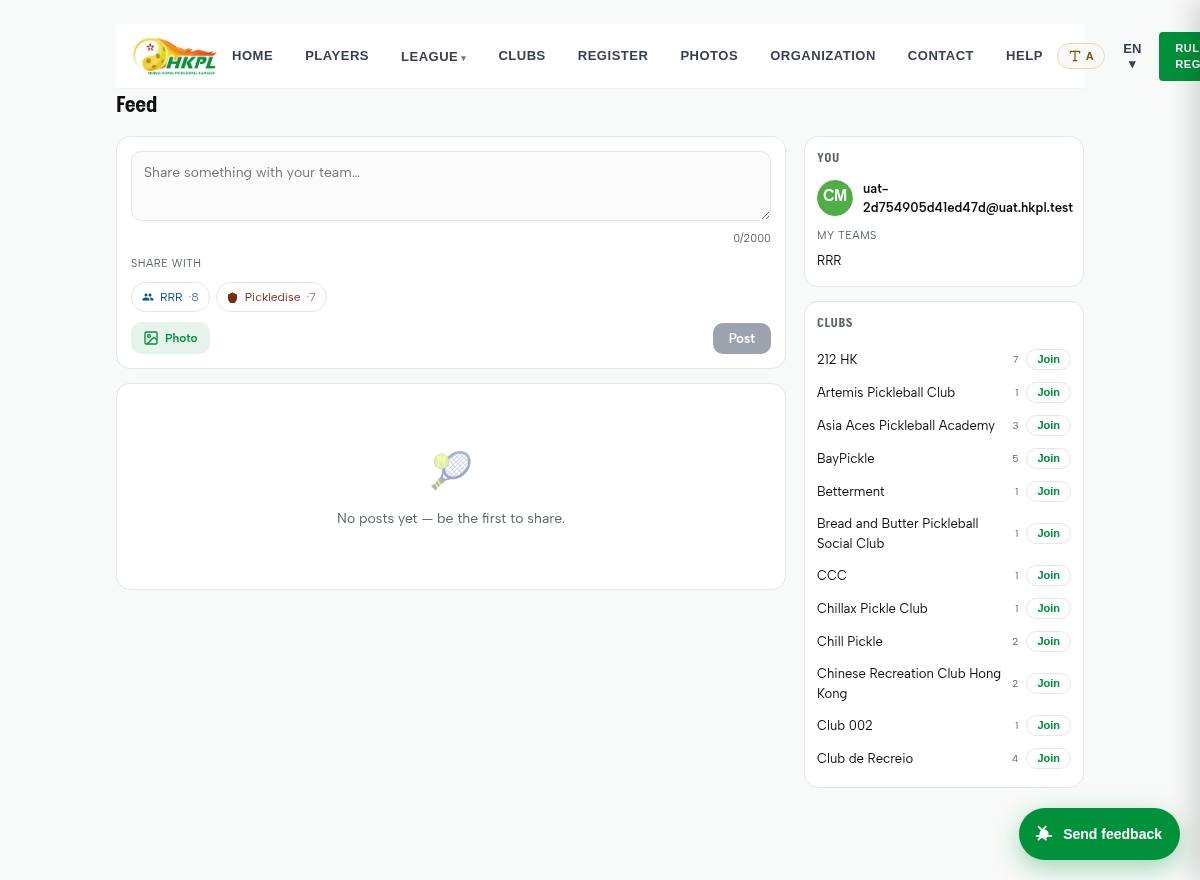
Activity feed
What: club & team posts with kudos and comments.
Test: view the feed; react to a post.
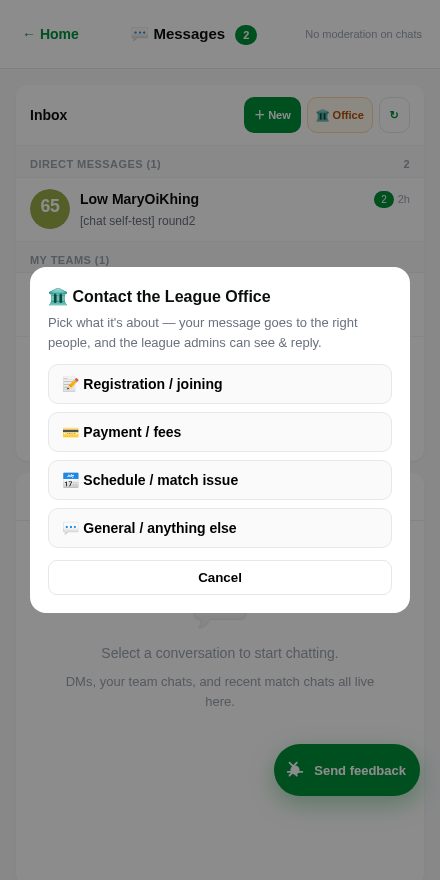
Contact the League Office 🆕
What: any member can message the league office about Registration, Payment, Schedule or anything else — it routes to the right role and all admins, who reply in the same thread.
We did: before this, only captains had a “message the Registrar” shortcut and admins couldn't even see members' DMs — players/subscribers had nowhere to turn. Now everyone can reach the office, and the office (role + admins) sees and answers. Suppliers/sponsors stay private (not contactable).
Test: Messages → 🏛️ Office → pick a topic → send. Then sign in as Registrar → header 🏛️ Office inbox → open the thread → reply. (Finance won't see a Registration thread — correct.)
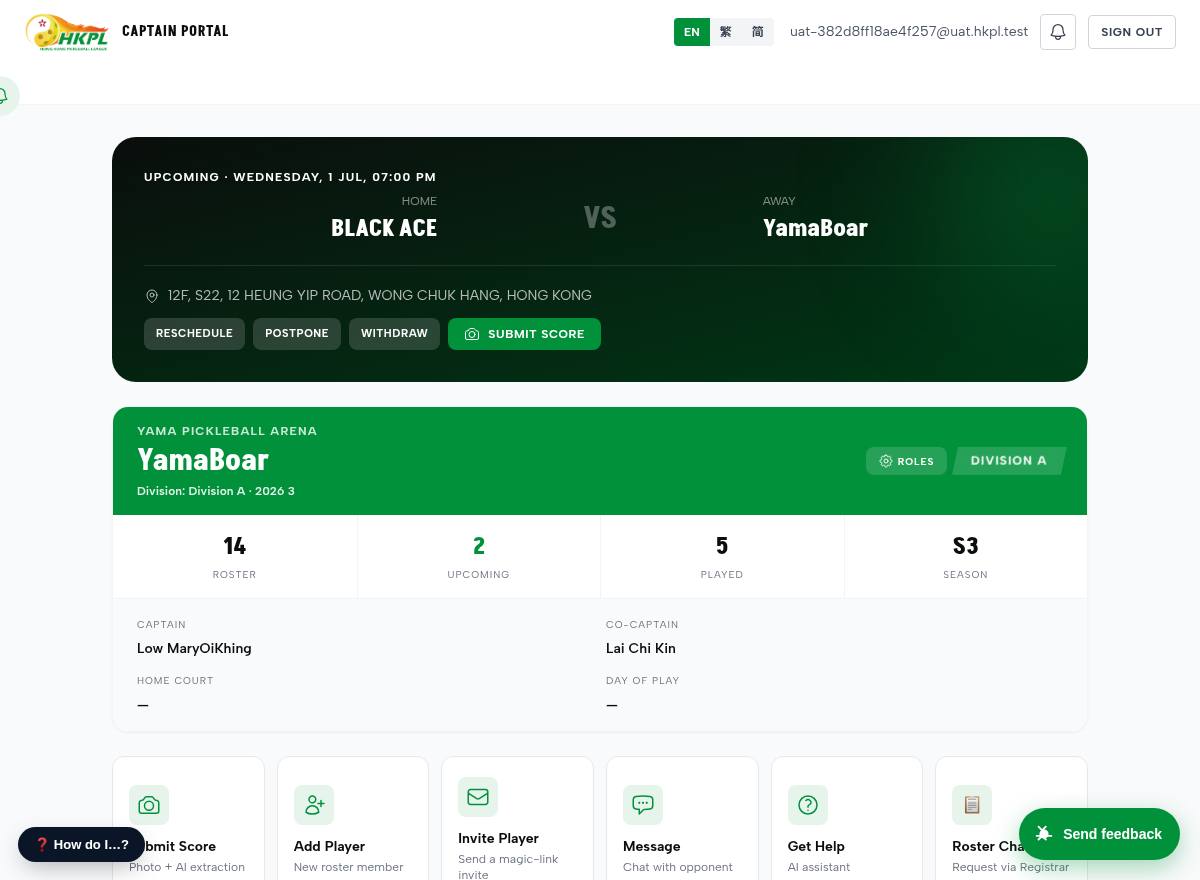
Captain dashboard
What: your team, roster, upcoming matches; add players, register a team, manage roles.
We did: each match row now has a direct 📝 Plan lineup link; “Register Team” no longer forces a club.
Test: add a player; register a team (try leaving the club blank = independent).
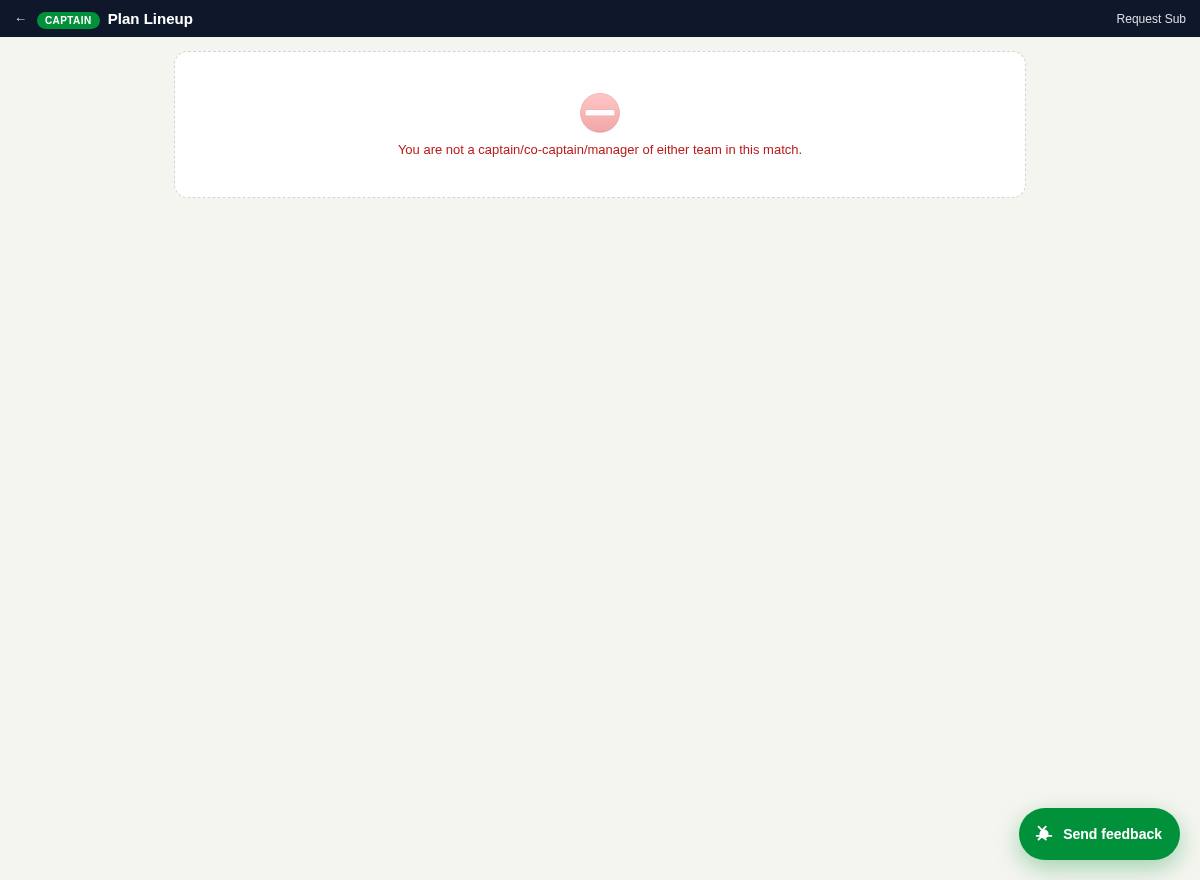
Lineup planner ✓
What: set the players for each of the 5 games (10 slots).
We did: a player with no DUPR shows as disabled with “needs DUPR” instead of a confusing blank.
Test: pick players into the slots and Save.
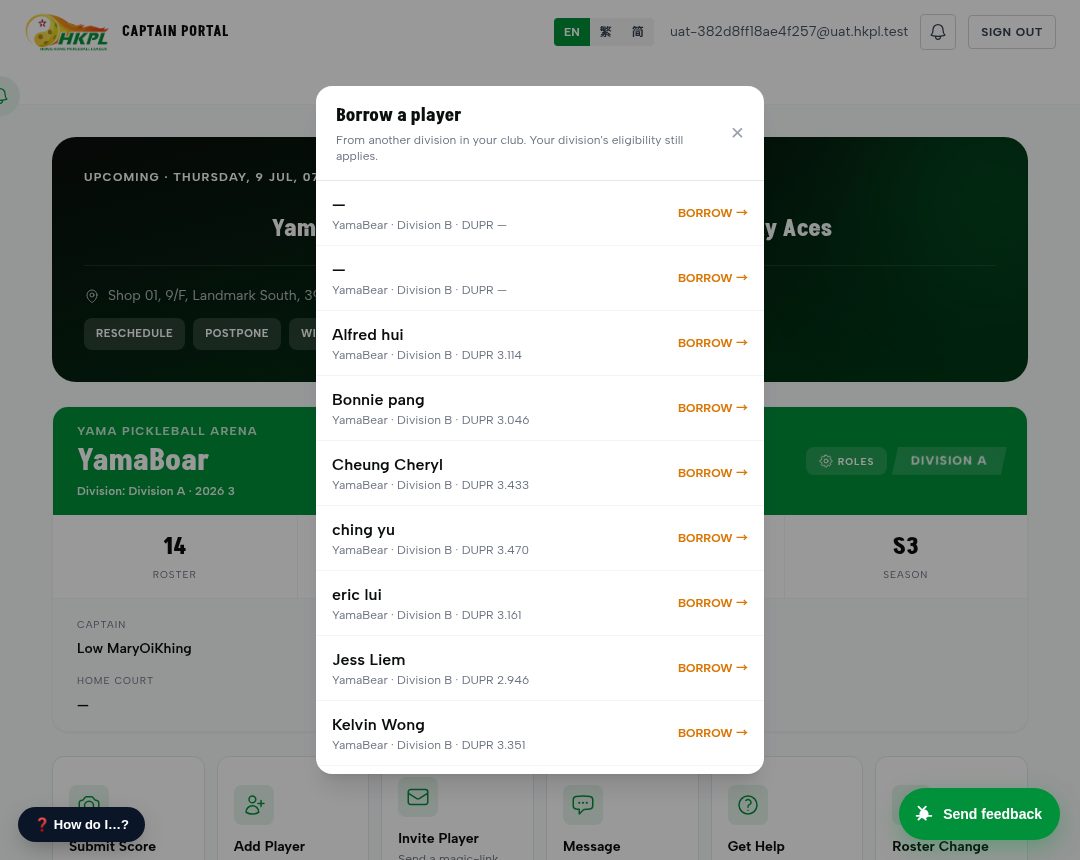
Borrow a player (loan) 🆕
What: short of players? Borrow one from another division in your club (R&R §1.5).
We did: the picker now shows who you're allowed to borrow (✅) and greys out the rest with the reason — read straight from the rulebook, not guessed. Borrowed players carry a “Loan” badge and can be returned.
Test: on a match/roster row tap “↔ Borrow” → eligible players are selectable; pick one → it joins your roster as a loan.
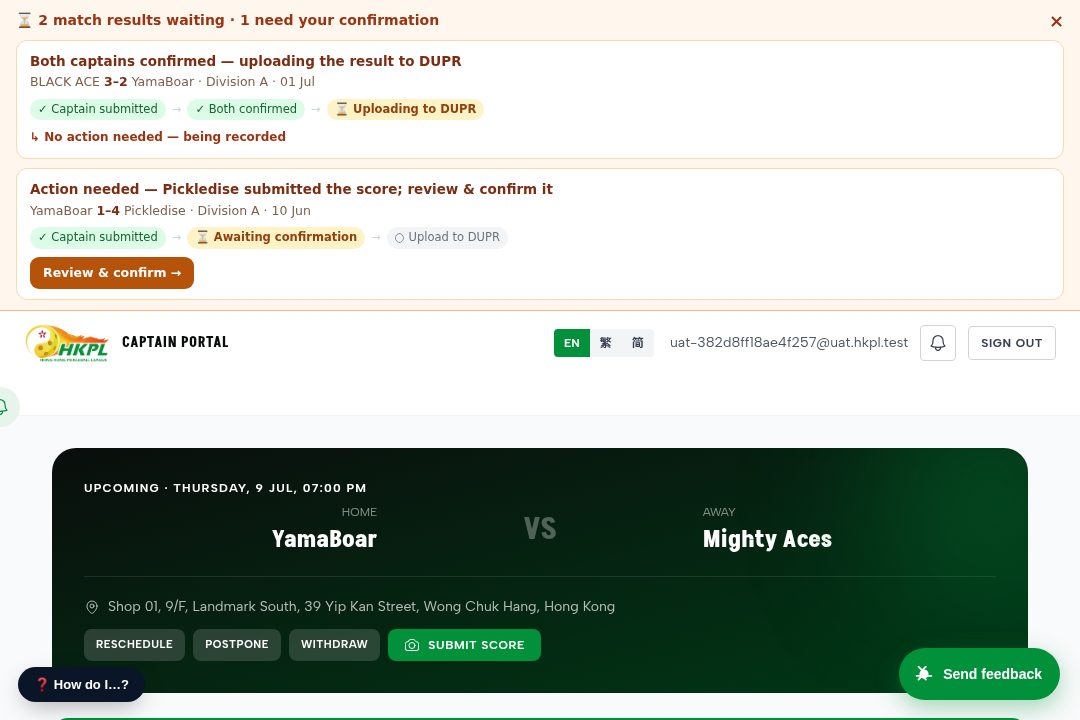
Match awaiting confirmation — team banner 🆕
What: a score isn't final when one captain submits it — the other captain must confirm (both sides co-sign), then it goes to DUPR. A result is two sides agreeing, not one side deciding.
We did: a banner now appears at the top of every page for all members of the involved teams, showing the flow — Captain submitted → Awaiting confirmation → Upload to DUPR — with the score. The awaiting captain gets a “Review & confirm” button; everyone else sees the status so they can nudge their captain. If the opponent ignores it, the whole team sees it and pushes — human-in-the-loop so results don't get stuck.
Test: a Captain submits a score → sign in as a player on either team → the banner shows that match “awaiting confirmation”; sign in as the other captain → the banner offers “Review & confirm”. (Two live examples are already seeded in the sandbox.)
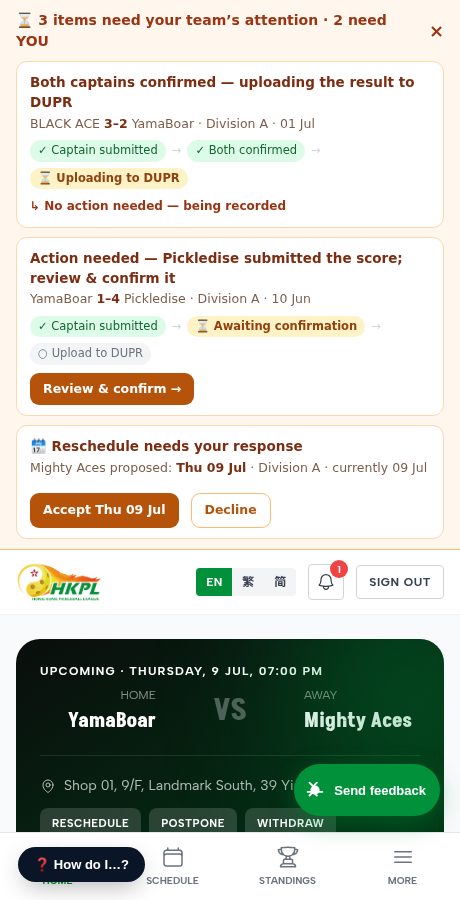
Reschedule — the opponent captain accepts 🆕
What: a captain proposes new date(s); the opposing captain accepts or declines, and the match moves only when they agree.
We did: a reschedule used to skip the opponent entirely (it jumped to the Division-Rep) while the screen falsely said “the opponent has 48h”. Now the opposing captain decides (a human), the whole team sees the pending reschedule in the top banner with Accept / Decline right there, and there is no countdown — nothing auto-times-out. The Division-Rep stays a human fallback if the two can't agree. (This shot also shows the score co-sign banner above it.)
Test: as a Captain on a scheduled match → Reschedule → propose dates. Sign in as the opposing captain → the banner shows “🗓️ Reschedule needs your response” with Accept / Decline; the proposer is notified of the outcome.
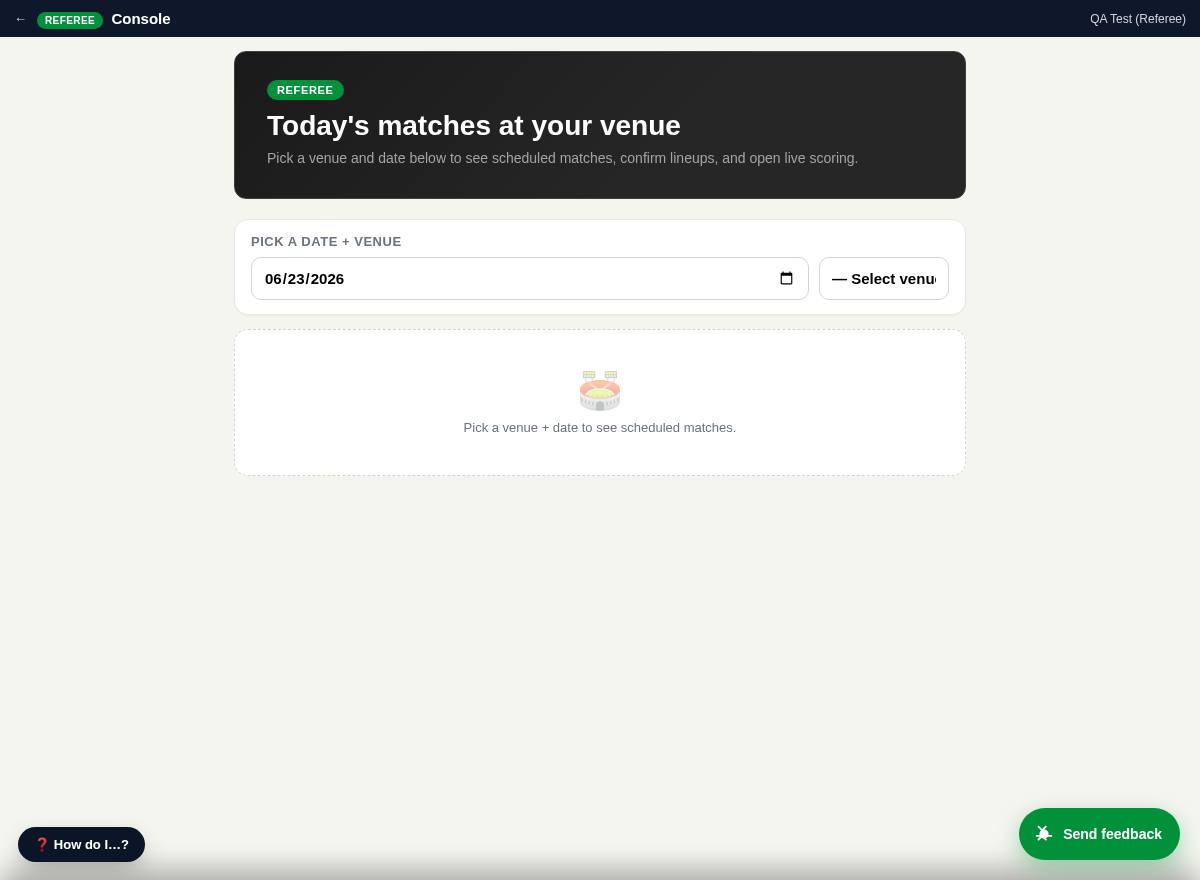
Referee console — find a match ✓
What: referees find today's matches by venue + date.
Test: pick a venue and date → matches list → open one.
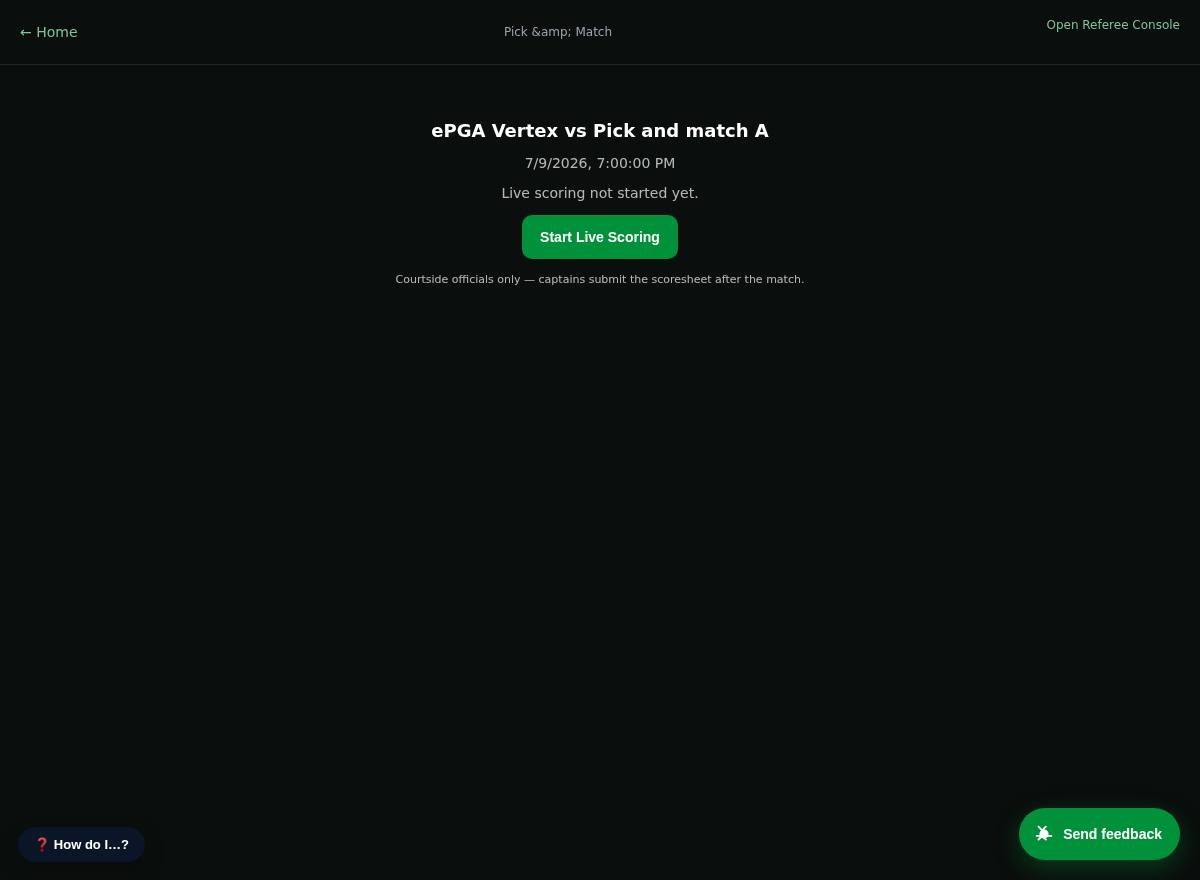
Live scoring ✓
What: enter scores live, set the lineup, do substitutions, finalize.
We did: a completed match's “View Result” now opens here (no more dead-end).
Test: open a match, enter a game score.
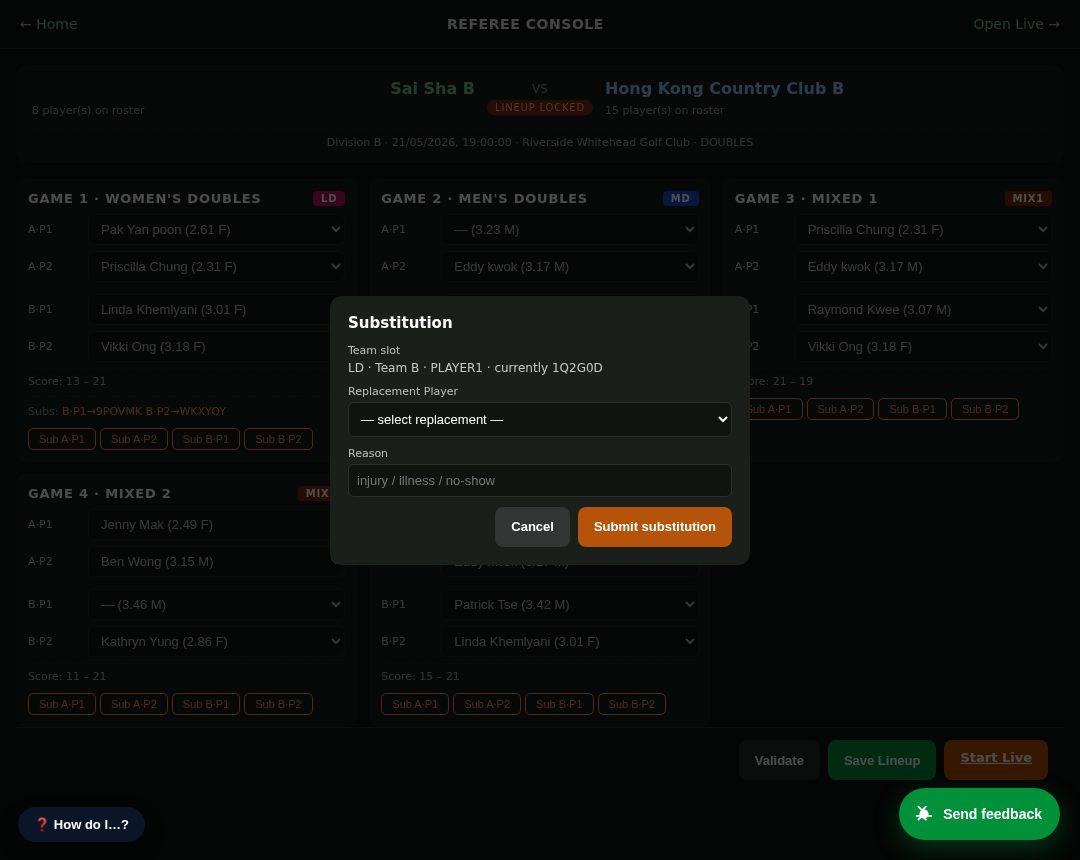
Substitutions & loans 🆕
What: during a match the referee can substitute a player — including a same-club loan from another team.
We did: the replacement list is grouped “Your roster” + “Loan · <division>”; eligible players are selectable and ineligible ones are shown with the rulebook reason (e.g. a Division C player blocked from playing up to A/B).
Test: open a match → start a substitution → see eligible vs blocked candidates, each with its reason.
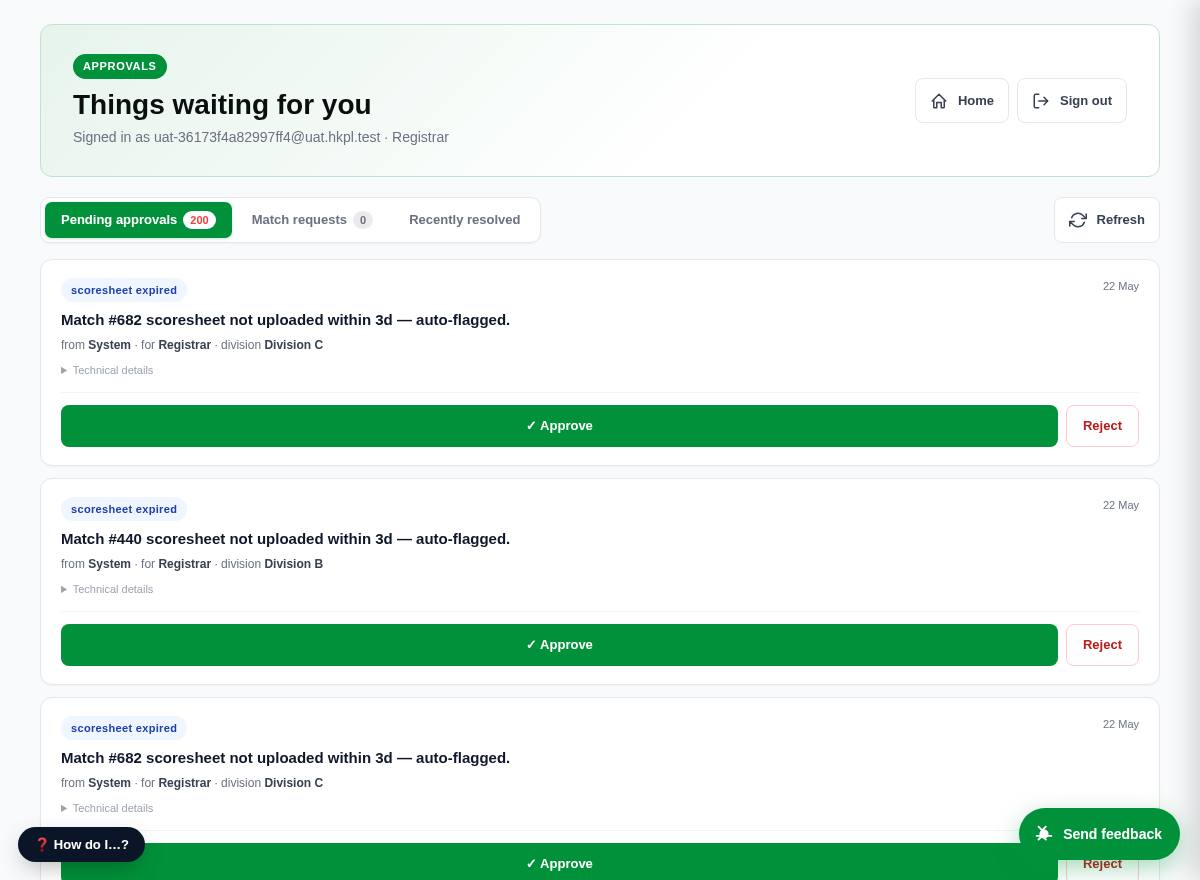
Approvals queue (Registrar / Finance / Division Rep) ✓
What: approve club/team registrations, verify payment receipts, resolve match requests.
We did: receipt verification works (old error gone); an unassigned Division-Rep now sees a helpful message.
Test: sign in as Registrar → approve a registration; as Finance → verify a receipt.
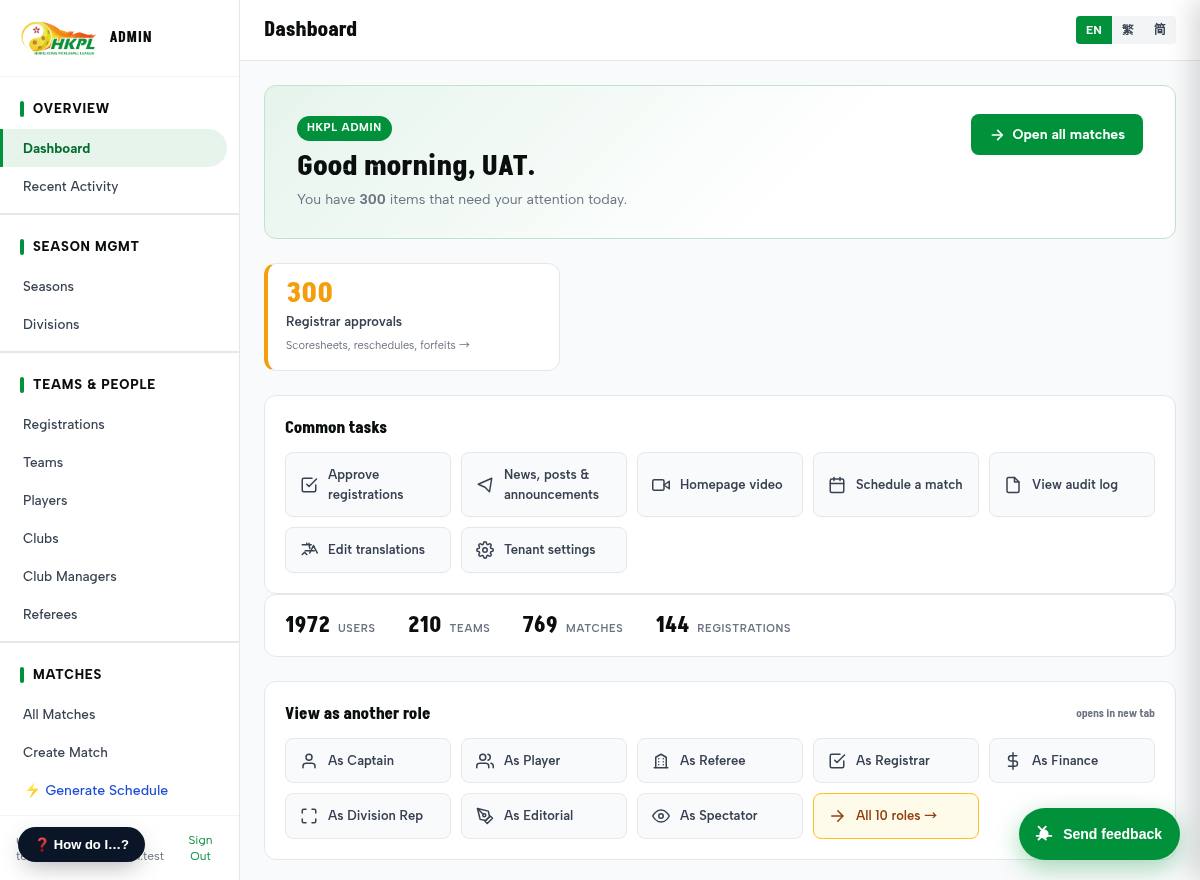
Admin console 🆕
What: run the whole league — users, teams, clubs, seasons, divisions, matches, rules, venues, sponsors.
We did: you can now create a season and a division yourself (+ New buttons) and registration opens automatically — no engineer needed.
Test: Seasons → + New season (tick “active”) → Divisions → + New division.
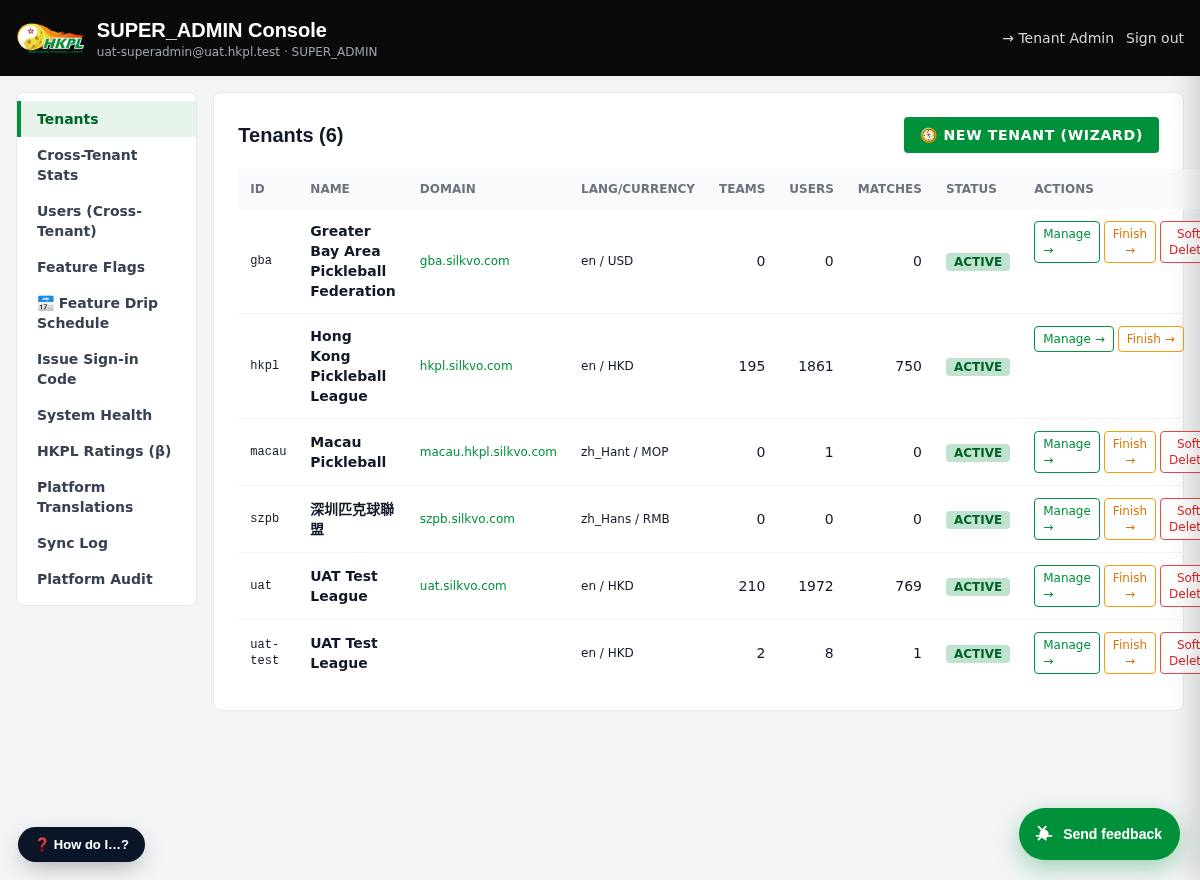
Cross-tenant ops (Super Admin)
What: platform owner — create/provision leagues, impersonate a user to debug.
Test: open /super.html as Super Admin; view the tenant list.
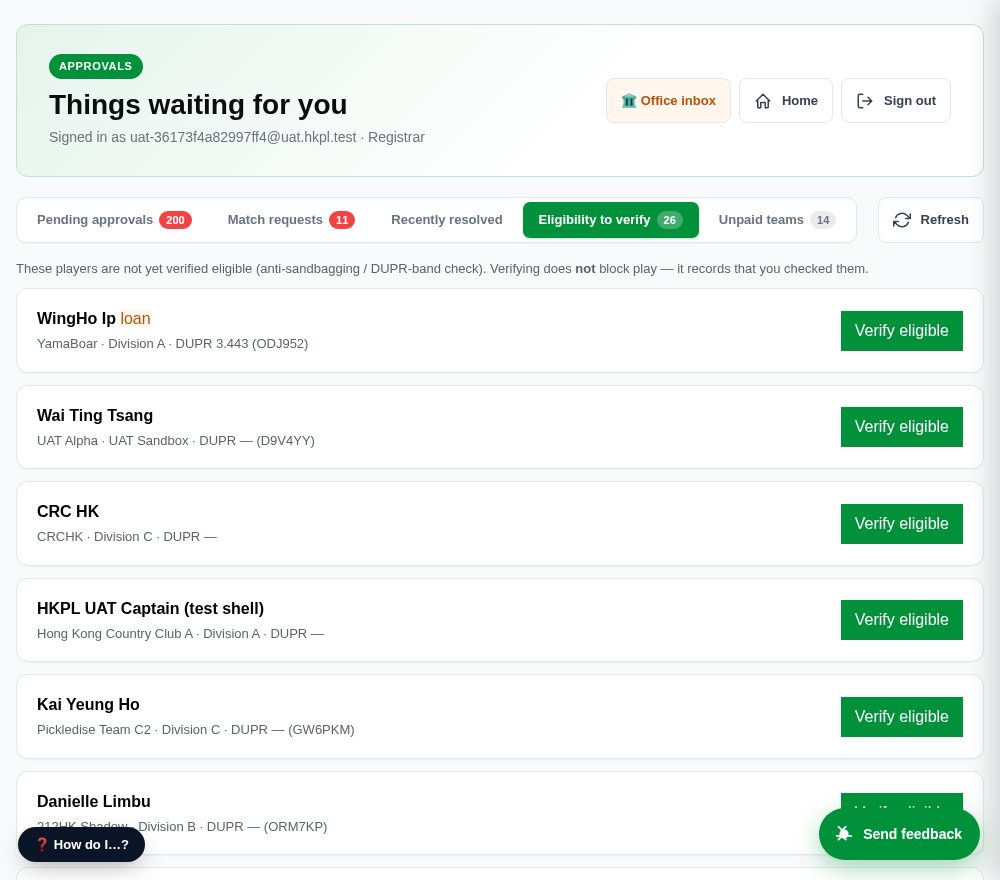
Eligibility to verify (Registrar) 🆕
What: the anti-sandbagging / DUPR-band check — the Registrar gets a list of players whose eligibility isn't confirmed yet and marks them verified.
We did: this check existed in the data model but was never surfaced or actioned. Now there's a clear list + a one-tap Verify eligible (which notifies the captain). It is visibility only — it does not block anyone from playing; a human decides.
Test: sign in as Registrar → Eligibility to verify tab → tap Verify eligible on a player.
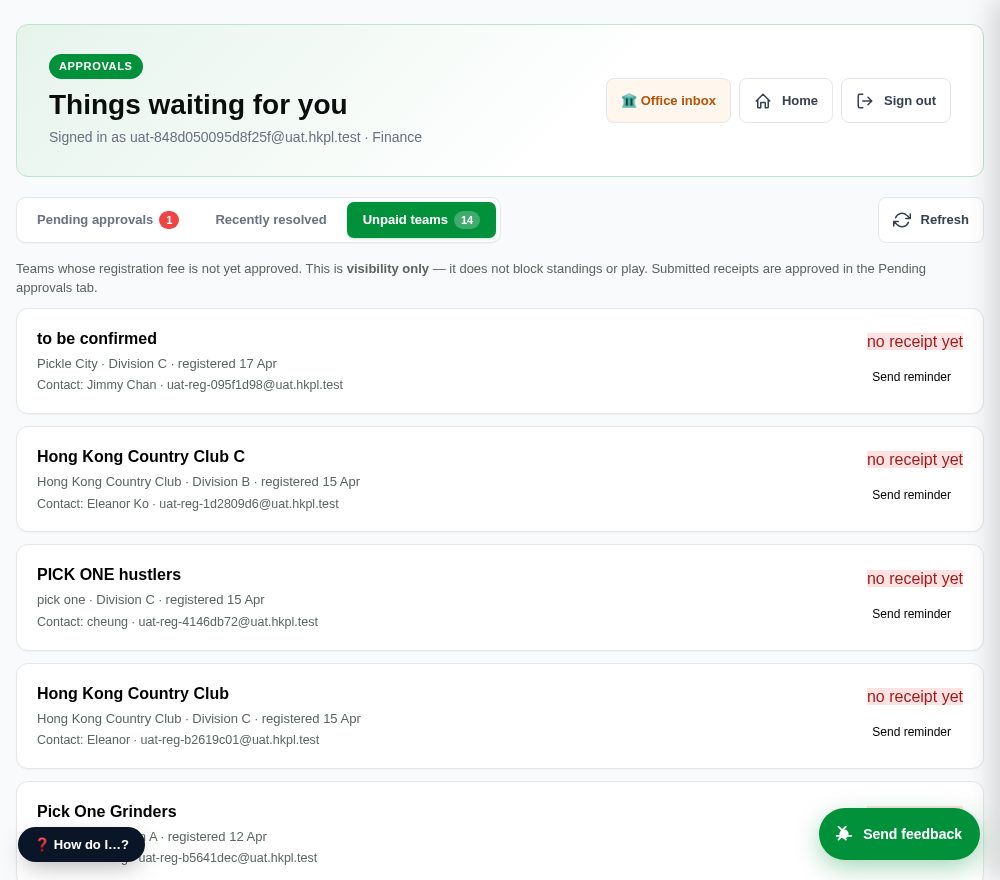
Unpaid teams (Finance) 🆕
What: teams whose registration fee isn't approved yet — including those who never uploaded a receipt — with the captain's contact details and a manual Send reminder.
We did: teams could appear and play before paying with nobody tracking it. Finance now sees the full unpaid list and can follow up (email/phone shown, or a one-tap in-app reminder). It is visibility only — it does not block standings or play (many leagues approve, then collect).
Test: sign in as Finance → Unpaid teams tab → tap Send reminder. (Submitted receipts are still approved in the Pending approvals tab.)
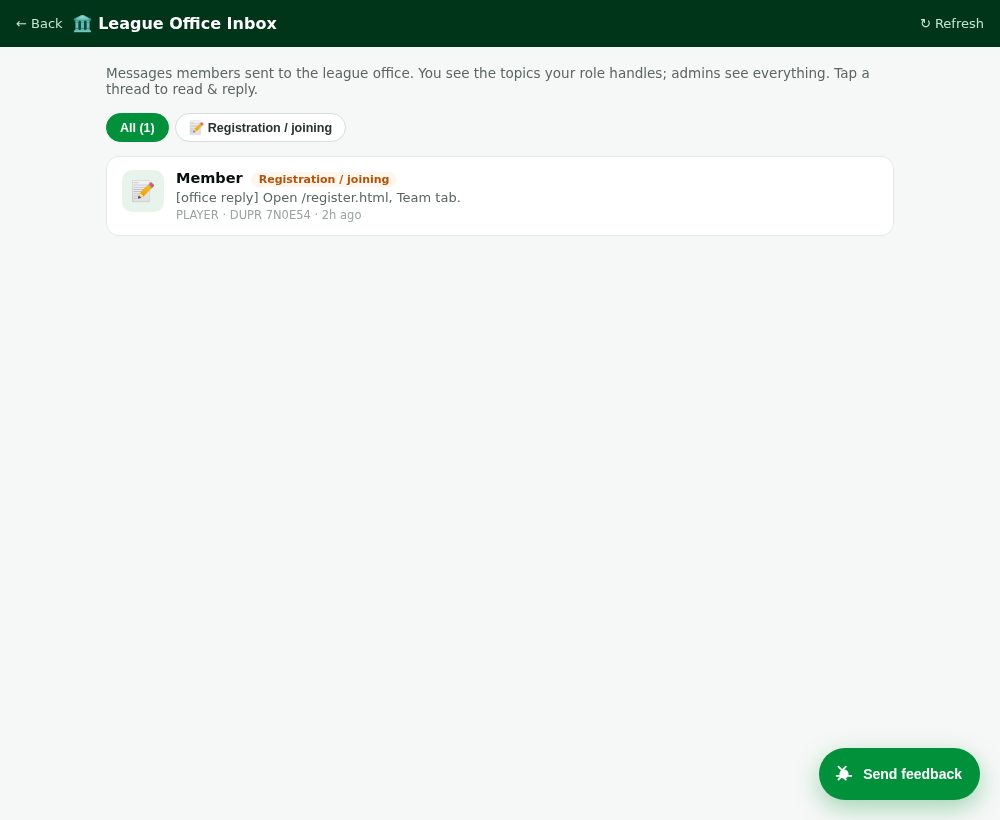
League Office inbox (staff) 🆕
What: where Registrar / Finance / Division-Rep / Admin read & answer the messages members sent the office. Staff see the topics their role handles; admins see everything.
Test: have a member send an office message first (see “Contact the League Office” above), then sign in as Registrar → 🏛️ Office inbox (top of the approvals page) → open the thread → reply; the member sees it.
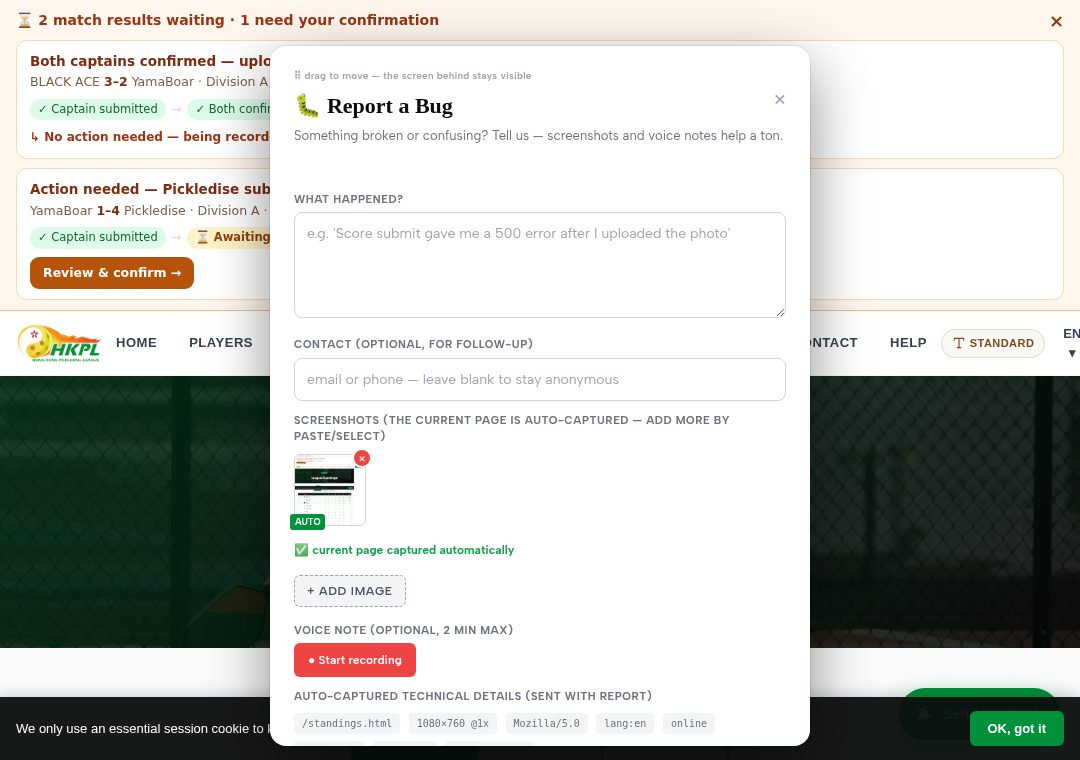
Report a bug — on every page 🆕 fixed
What: the floating button (bottom-right of every page) opens a report form — it auto-captures a screenshot of the page you're on; you can add a typed message, more screenshots, or a voice note.
We did: fixed the two things you hit — voice recording now works on iPad (it was using a format Safari can't record), and submit is robust (a voice note still uploading no longer blocks the report — the text always sends). Voice notes are auto-transcribed to text (English + Cantonese) for us.
Test: tap it on any page → type a note and/or record a voice note (try it on an iPad) → Submit. It reaches us directly. Every report is kept — the nightly reset never deletes them.
Everything new — a checklist to test
Every function we added, changed or fixed this round, grouped so you can tick through them. Many you couldn't reach before — the bugs blocked them, and without magic-link sign-in you couldn't even get into your own account — so treat them all as new to test.
🔑 Getting in & registration
- Magic-link sign-in with your own email (now works in the sandbox — you couldn't test this before).
- One-click role picker (
/qa.html) into any role. - One registration page — Club / Team / Player / Subscriber tabs.
- Sign up with email OR phone; birthday = month + year; gender required; “I'm not in a club” option; club → team picker.
🌐 Public & discovery
- Standings — division tabs build from the live season.
- Schedule + Results + History under one nav; clean off-season message.
- Clubs directory (now includes clubs with no team yet) + Club rankings leaderboard.
- Team pages & Club pages = tabbed hubs (Overview / Matches / Squad / Stats); independent (no-club) teams work.
- Player profiles — even players with no DUPR are reachable (no more dead link).
💬 Chat & announcements verified
- Person-to-person direct messages (open a profile → message).
- Team channels — chat with your team.
- Admin broadcast — an admin sends an announcement to a whole role.
- Notification bell for replies + announcements.
🧑🤝🧑 Players & social
- Player home — “My profile & DUPR” shortcut (was broken → fixed) + “find a team”.
- Browse players incl. a “Not yet on DUPR” section.
- Social games (DUPR log) — log a casual game.
- Activity feed — posts, kudos, comments.
👥 Captains & teams
- Register a new team — club optional (independent allowed).
- Add / invite a player; per-match 📝 Plan lineup link.
- Submit a score; both captains co-sign before it's final → DUPR.
- ↔ Borrow a player — eligible cross-team players selectable, ineligible greyed with the rulebook reason.
- 🆕 Match-awaiting-confirmation banner — the whole team sees a pending result + its status, to nudge the captain to confirm.
🎽 Referees · 📖 Rules · 🛠 Back-office
- Referee — find a match by venue+date, live scoring, “View Result” (fixed for judges).
- Substitutions & loans — eligible vs blocked candidates with reasons.
- Rules engine — try the 6 “should be blocked” tests above (to-21, gender, repeated pair, borrow, sub, override).
- Admin — create a season + division yourself; manage users / teams / clubs / matches / venues.
- Registrar approvals · Finance receipt verify (fixed) · Division-Rep match requests · Editorial content · Super-Admin cross-tenant.
- 🆕 Eligibility to verify (Registrar) · 🆕 Unpaid teams + reminder (Finance) — both non-blocking.
🏛️ Communication & fair-play new this round
- Contact the League Office — any member messages a topic → the right role + all admins reply (🏛️ Office in Messages).
- Office inbox for staff (Registrar / Finance / Division-Rep / Admin).
- Reschedule — the opposing captain accepts/declines in the banner; no 48h timer.
- Notifications at every step — result final, request accepted/declined, forfeit, eligibility verified, fee reminder.
- “Requests you filed” — your pending disputes/withdrawals show in the banner so you can track them.
- Principle: pending things are surfaced for a human — the system never auto-decides on a timer.
🐞 Bugs we found & fixed (so you can re-test them)
- Report-a-bug voice on iPad — never recorded (wrong audio format) → fixed; voice is auto-transcribed to text.
- Report-a-bug submit — could stall on a voice upload → now robust; text always sends; reports are never deleted.
- A substitution rule had silently stopped firing (Div C couldn't be stopped from playing up) → found & fixed.
- Profile follower-count + QR broke on your own profile → fixed. Judge “View Scoresheet” bounce → fixed. Finance receipt 422 → fixed.
- Zero-team clubs hidden · raw division IDs shown · “all clear” shown while approvals were pending → all fixed.
- The platform was silent at every workflow hand-off (result final, reschedule outcome, forfeit…) → it now notifies the right people.
- A match could auto-expire on a timer if no scoresheet was uploaded → changed to flag a human instead — no auto-decision.
- Reschedule promised the opponent “48h” but had no opponent step → built the opponent accept/decline; removed the false timer.
- An internal data-shape mismatch on the new eligibility screen would have errored → caught & fixed before you ever saw it.
Fully transparent: small things we already know
- Profile follow-count & QR — ✅ fixed. Viewing your own profile previously blocked the follower count + QR code; both now load on every profile.
- Division-Rep & Finance “act” buttons — ✅ fixed. The sandbox now always has a pending match-request and a pending receipt to act on (guaranteed after every nightly reset), so the “resolve” and “verify” buttons are fully testable.
- Found something? Use the in-app bug-report widget (bottom-right on every page) — it reaches us directly.
Good to know
- The sandbox resets every night — create, approve, score, delete anything.
- Everything is bilingual (EN / 繁 / 简) and works on phone & desktop.
- Fully isolated from the live league — no real data is touched.