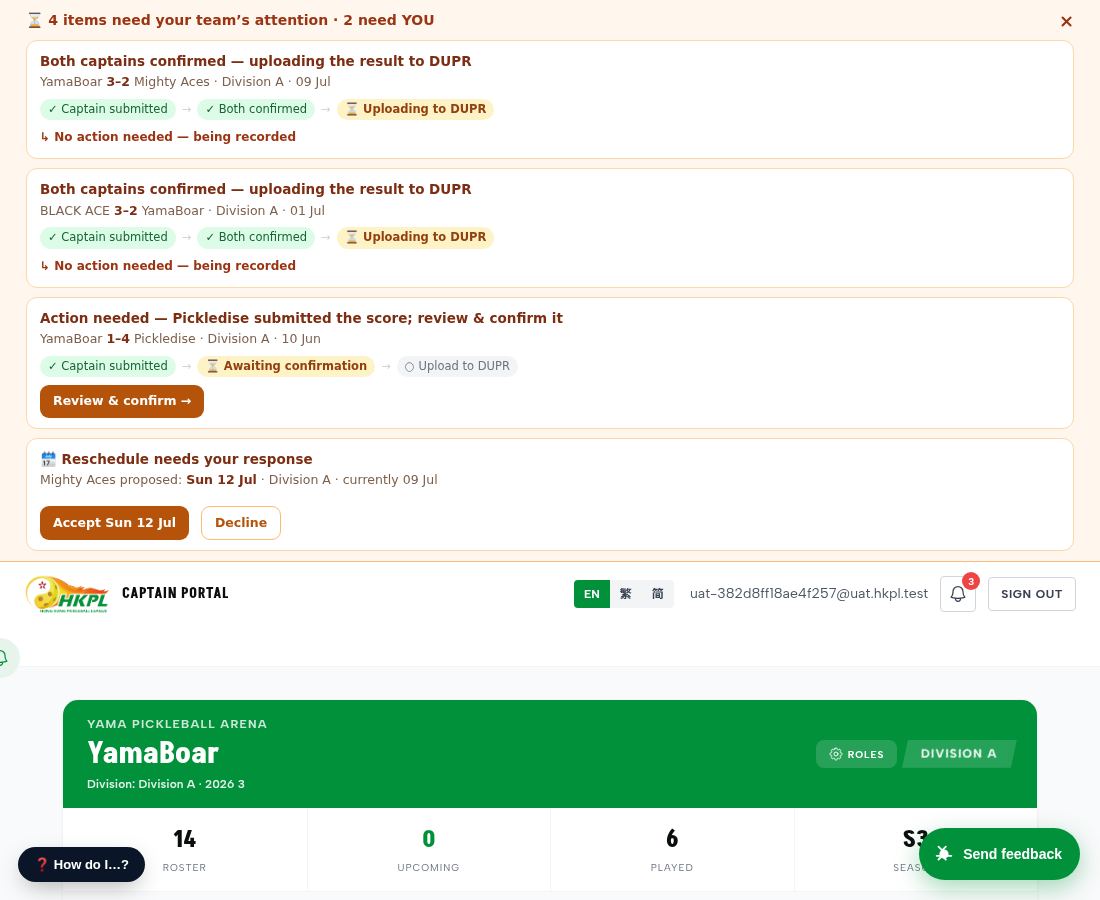
The most-touched workflow on the platform: a captain enters the result, the opposing captain confirms, and everything else — standings, club page, player stats, DUPR — updates with zero admin action. This page shows what each person sees at each step.
| ✓ | 1. Home captain opens scoresheet | roster + score inputs visible |
| ✓ | 2. Home captain submits scores | http=200 ok |
| ✓ | — home side now signed | signed_a=yes, signed_b=no, status=SCHEDULED |
| ✓ | 3. Home captain sees the pending banner | stage=awaiting_confirmation i_can_confirm=false |
| ✓ | 3b. Non-captain team member sees the banner | user=7b3dccab — screenshotted live via /qa/as/ |
| ✓ | 4. Away captain would see "Review & confirm" | awayCap=96a471c4, on_teamB=true |
| ✓ | 5. Match auto-completes on second sign | status=COMPLETED, winner=559eae8a, 3-2 |
| ✓ | — both teams' leaders got "result final" notification | 3 notifications fired |
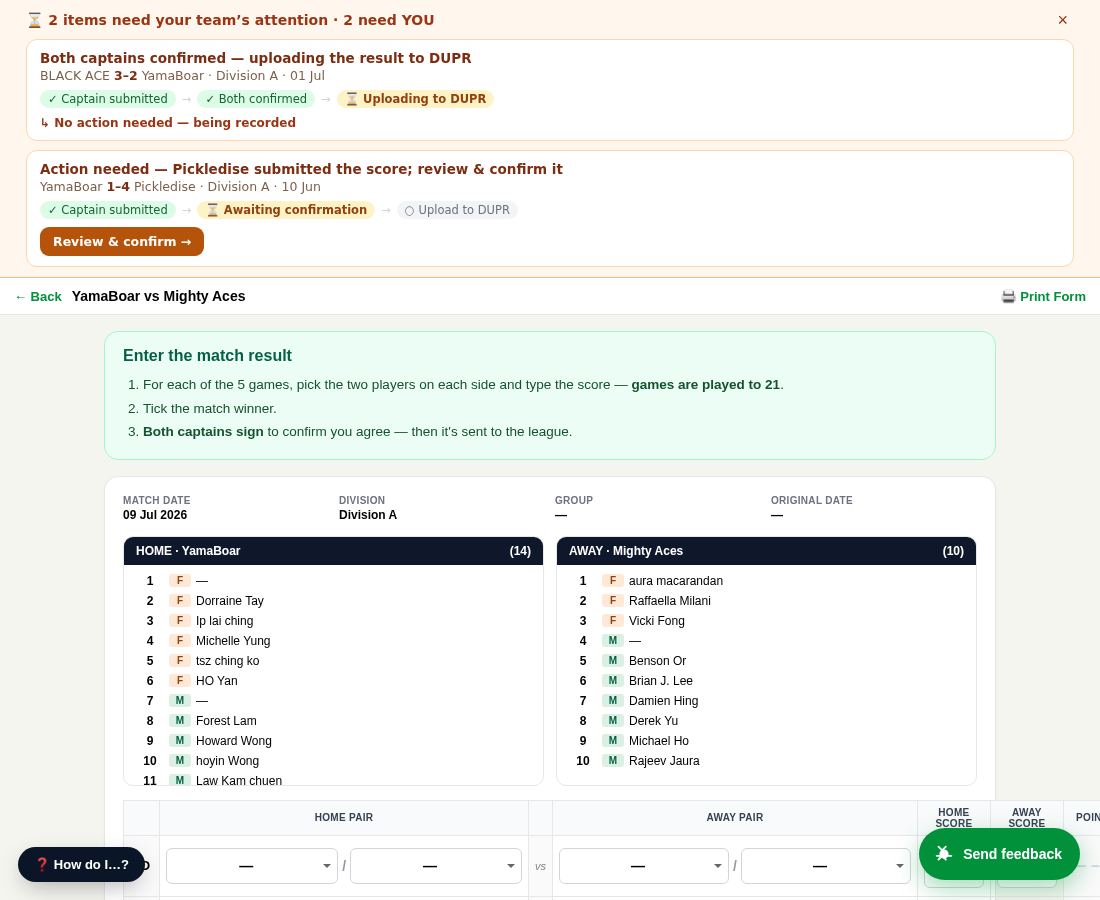
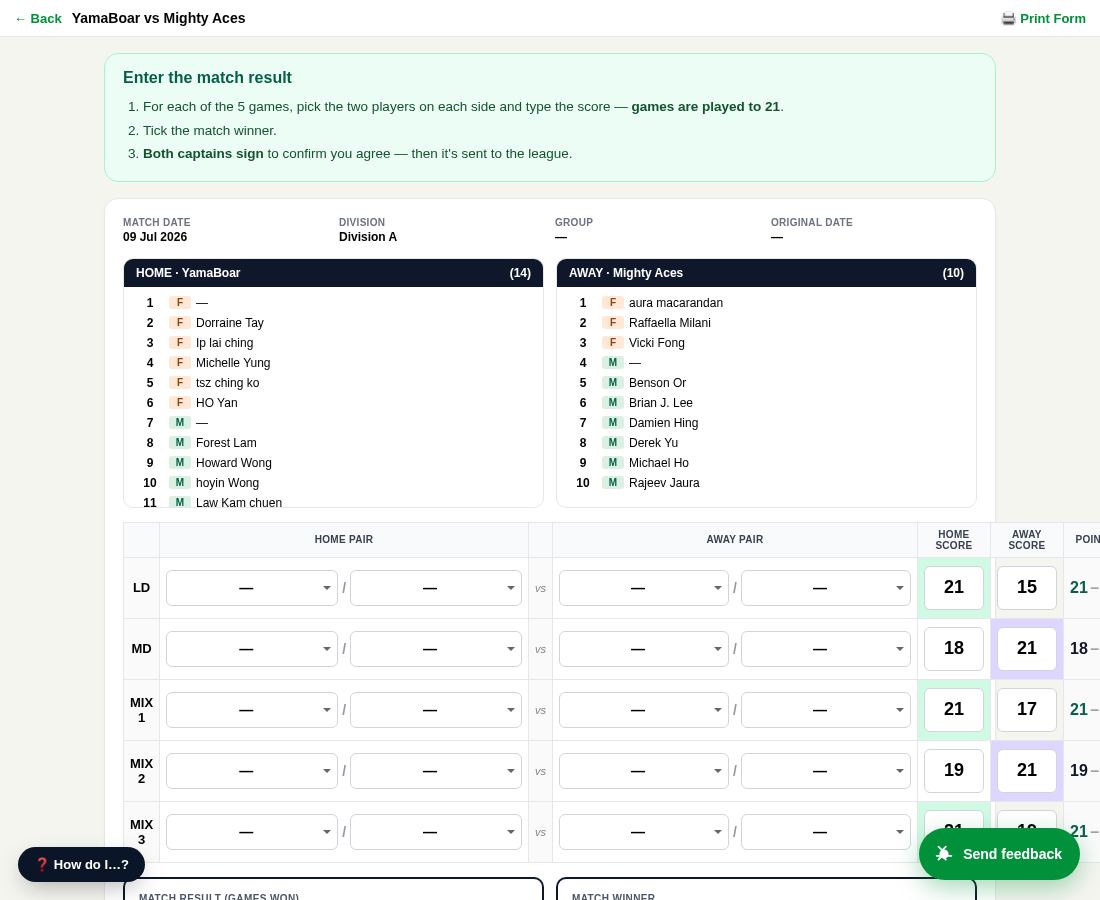
1. Home captain opens the scoresheet
Match landing — both teams' rosters with player numbers shown side-by-side, score inputs ready for each of the 5 games (LD / MD / MIX1 / MIX2 / MIX3). Clear "games are played to 21" instruction.
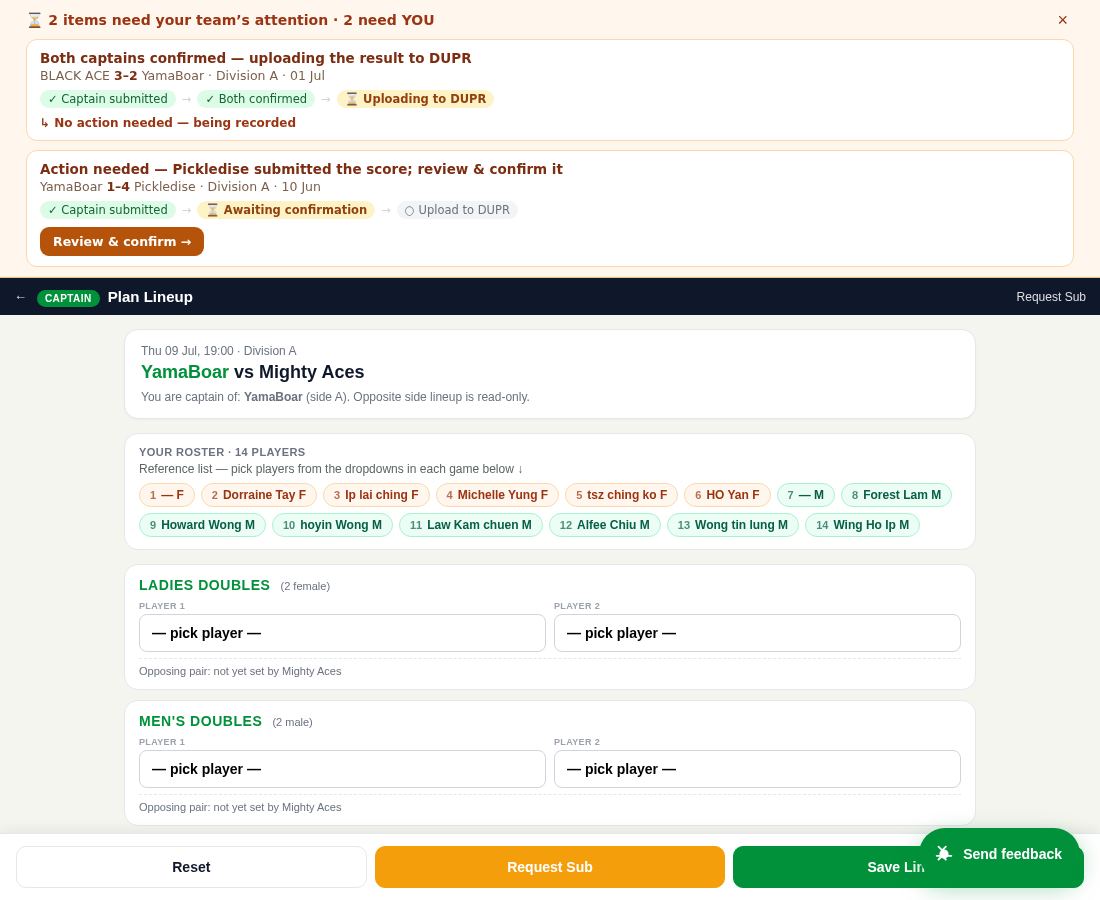
2. Plan lineup — pick players for each game
The lineup planner: tap-friendly numbered player chips for the team roster, per-game sections (LD / MD / MIX) with required gender hints, sticky Save Lineup bar. Engine rules (gender mix, eligibility, no-repeat-pairs) validate as you go.
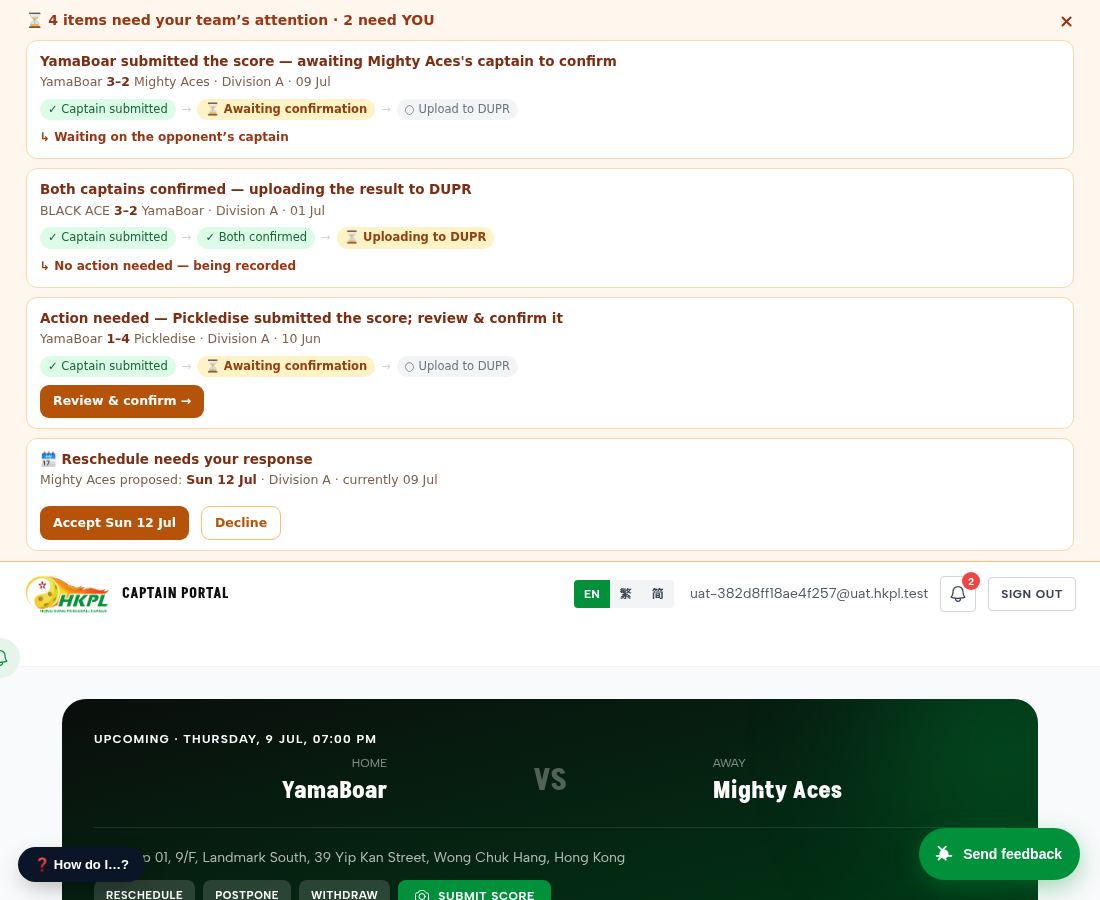
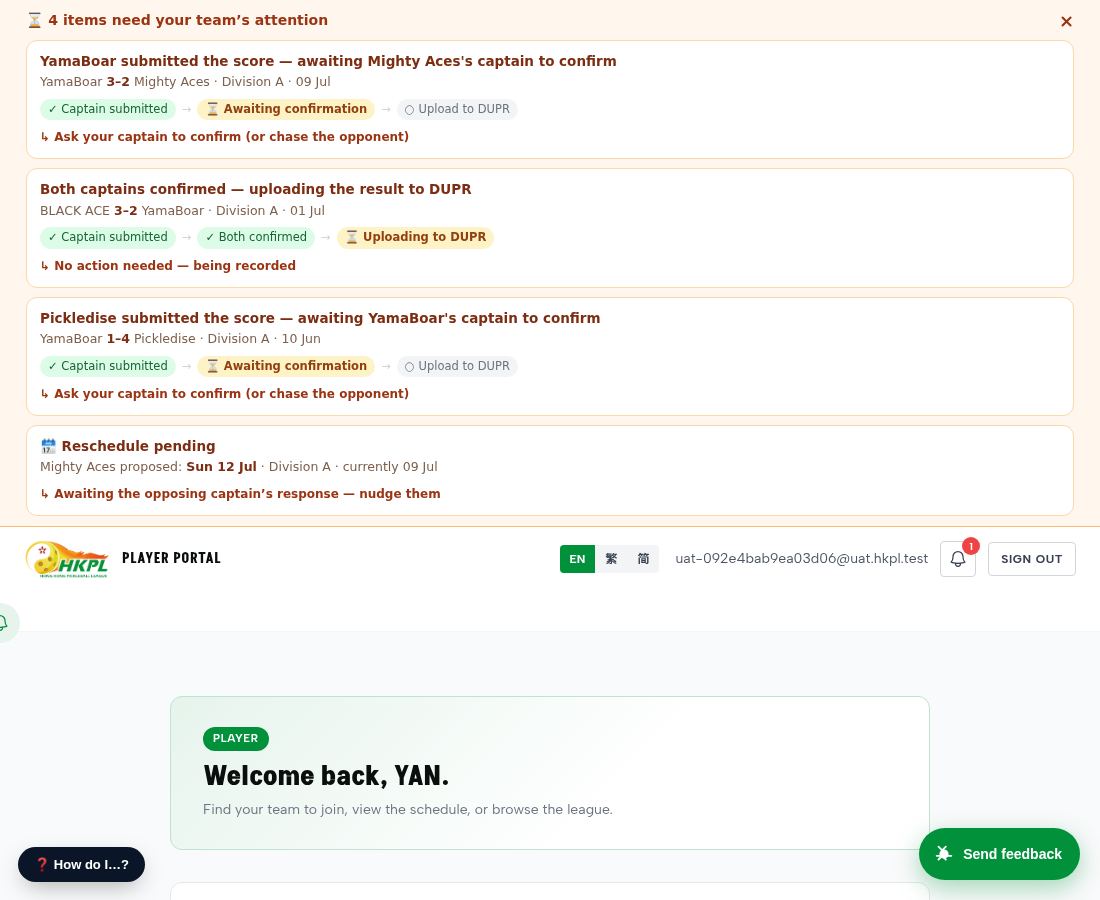
3. After submit — home captain sees "awaiting confirmation"
After the home captain submits, the top banner immediately shows: "YamaBoar submitted — awaiting Mighty Aces's captain to confirm" + "✓ Captain submitted → ⏳ Awaiting confirmation → ○ Upload to DUPR" + the score.
3b. A non-captain teammate sees the same banner
Logged in live as a regular (non-captain) team-A player via /qa/as/:userId. They see the SAME pending banner with the score and the flow — so the whole team can chase their captain. No special access; just being on the team is enough.
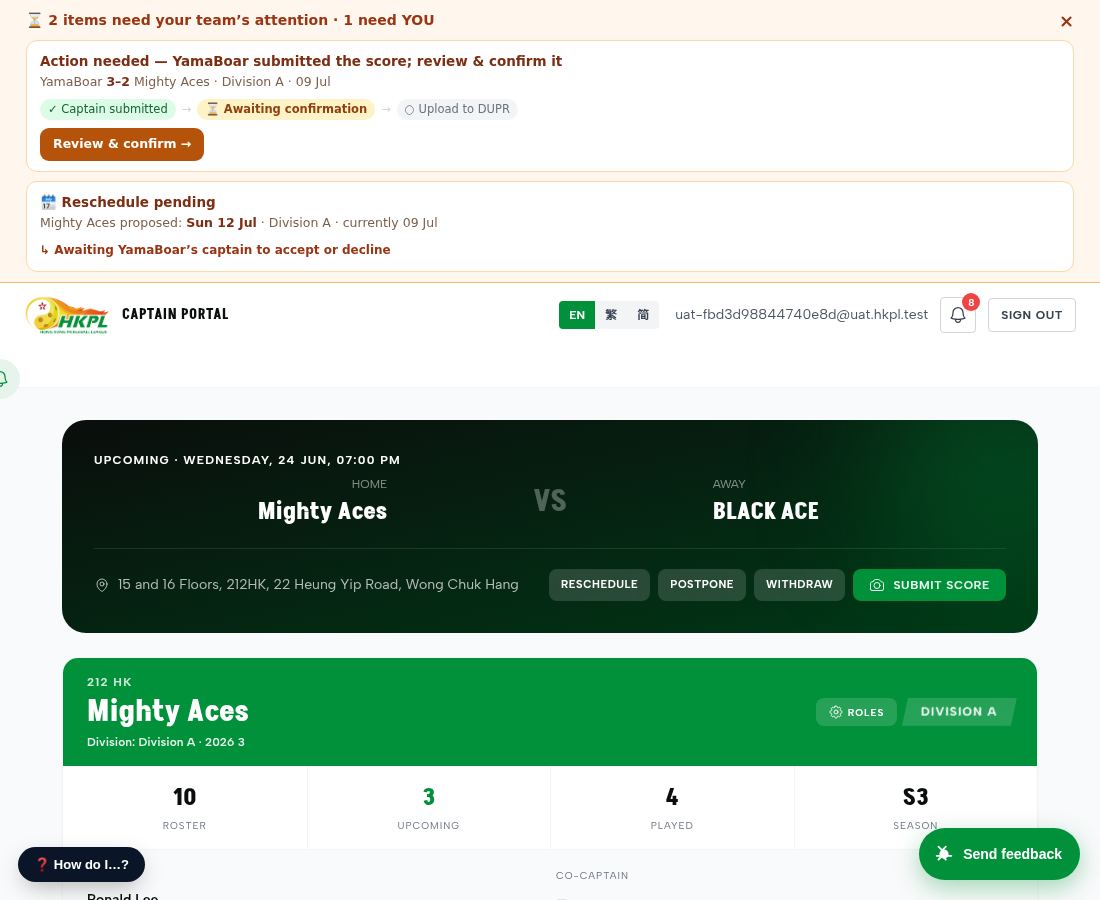
4. Away captain sees "Review & confirm"
Logged in live as the opposing team's captain via /qa/as/:userId. Their top banner shows the same flow + a direct "Review & confirm →" button (i_can_confirm=true for them).
4b. Away captain opens the scoresheet to review
Clicking "Review & confirm" opens the scoresheet for the SAME match — the away captain sees all 5 game scores the home side entered and the lineups. A single "Confirm" gesture finalizes the match (or they can edit if there's an error).
5. Both signed → match completes
When the away captain confirms, the match auto-completes: winner computed, both teams' leaders get a "result is final" notification, standings + club page + player stats update, and the result is queued to DUPR. Zero admin action required.