HKPL — Round 14 · New feedback + a platform-wide polish pass · 11 July 2026 · updated 12 July
A lot is new for you to try this round. Alongside Richard's league & division-management requests and the newest tester reports, we did a broad polish pass across the whole site — registration, full Chinese, a smarter assistant, smoother navigation, and a new “delight” layer. It's all live now on UAT — the highlights below are things you'll see and use straight away.
Best way to explore: open
the role picker, sign in as any role, and follow the "please try" notes below. Toggle
EN / 繁 / 简 in the top-right on any page. The
assistant is the green bubble, bottom-right — ask it anything.
New — one window, no more juggling logins: the role picker now signs you in right in the same tab. Pick a role and this window becomes that person; to try someone else, use the “Testing as … · Exit / new user” bar at the bottom — no more opening a separate login window for every role.
45+Improvements live
5Owner (Richard) requests
5Tester reports
0Blocked on you
🧪 How to test Round 14 — a step-by-step guide by role
This is a big round, so here's the exact way to try everything. Every step below was walked on the live UAT site before we wrote it — the buttons, pages and counts are real. Pick a role, follow its steps, and you'll see the new features in context.
▶ Start here — one window, no juggling logins
- Open the role picker: uat.silkvo.com/qa.html. Tap a role and this same tab becomes that person — no separate login windows any more.
- To try a different role, use the “Testing as … · Exit / new user” bar at the bottom of the screen. One window, switch anytime.
- On any page: toggle EN / 繁 / 简 at the top-right (the whole site translates, forms and drop-downs included), and tap the green assistant bubble bottom-right — it answers questions and gives your role its own steps.
🧑 Player
Role picker → Player · or just use Register (no login)
- Register: top menu → Register → Player tab. Enter name, email, gender, DUPR ID (optional) and optionally pick a team to join → email me a sign-in link. If you chose a team, that captain gets your request.
- Your home: a greeting + shortcuts. Open My profile & DUPR → your real rating shows (or “setting up…”, which fills itself in).
- Applications & invites show their status at the top of your home — no page-hunting.
🎾 Captain the big one
Role picker → Captain
- You land on your hub: “Welcome back” + how many teams you captain and clubs you manage.
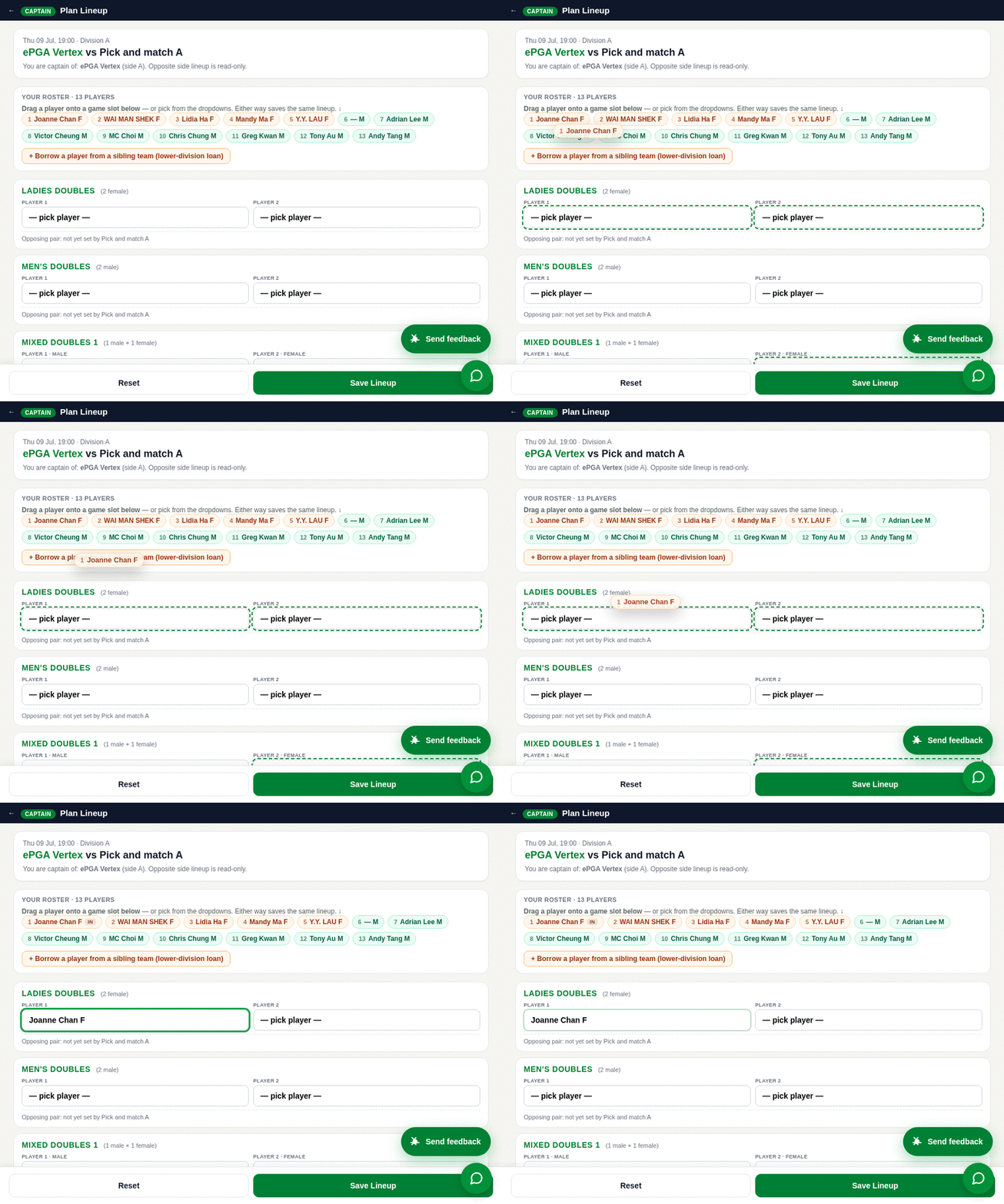
- Drag-and-drop lineup: scroll to an upcoming match → tap the green 🎾 Plan Lineup button → drag a player chip from your roster onto a game slot (Ladies / Men’s / Mixed); eligible slots glow → drop → Save Lineup.
- Scoresheet: on a match, tap 📋 Scoresheet for the digital sheet.
- Many teams / a club? Use the “Switch N” bar at the top to jump between teams (grouped by club), and the “Club you manage” card → Manage.
🛠 League Admin
Role picker → League Admin · left sidebar
- Set who can do what: System → Roles & Permissions → search a person → assign their role.
- Make someone a club manager: Teams & People → Club Managers → assign a user as a club’s manager (co-managers allowed).
- Assign / change a team’s captain: Teams → click a team → set captain, co-captain, manager + roster + home court.
- Terry’s standings: League ▸ Standings → a division → the Game% / Match% columns are in the table.
- DUPR: Teams & People → DUPR Operations (now in the menu).
✅ Registrar
Role picker → Registrar
- You land on “Pending approvals” with a live count.
- Bulk approve: tick Select all → ✓ Approve selected; or approve one at a time with each row’s ✓ Approve.
- Other queues along the top: Player sign-ups, Eligibility to verify, Unpaid teams, Match requests.
🏟 Referee
Role picker → Referee
- Pick a date + venue → the matches scheduled there appear.
- On a match, Confirm Lineup →, then open live scoring.
🌐 Anyone — quick checks
No sign-in needed
- Full Chinese: toggle 繁 / 简 top-right on any page — menus, forms and drop-downs all switch.
- Assistant: green bubble → ask “how do I join?” or “how do I submit a score?”.
- All committee reports: role picker → 📚 All reports (or /committee-archive.html).
✨ New this round — with screenshots + how-to
Every screenshot below is a live capture from UAT taken during an automated click-through — not a mock-up. Click any image to open it full-size. Verified end-to-end (real content, real data), not just "the page loaded".
NewRegister → Player
Register as a player — one short form, almost no typingJoining is now a single form: name, email, gender (drop-down), DUPR ID, and (optional) the team you'd like to join — a drop-down of all 150 teams. We email a secure sign-in link (no password). Your profile is then nearly complete, and if you picked a team, a join request goes to that captain automatically.
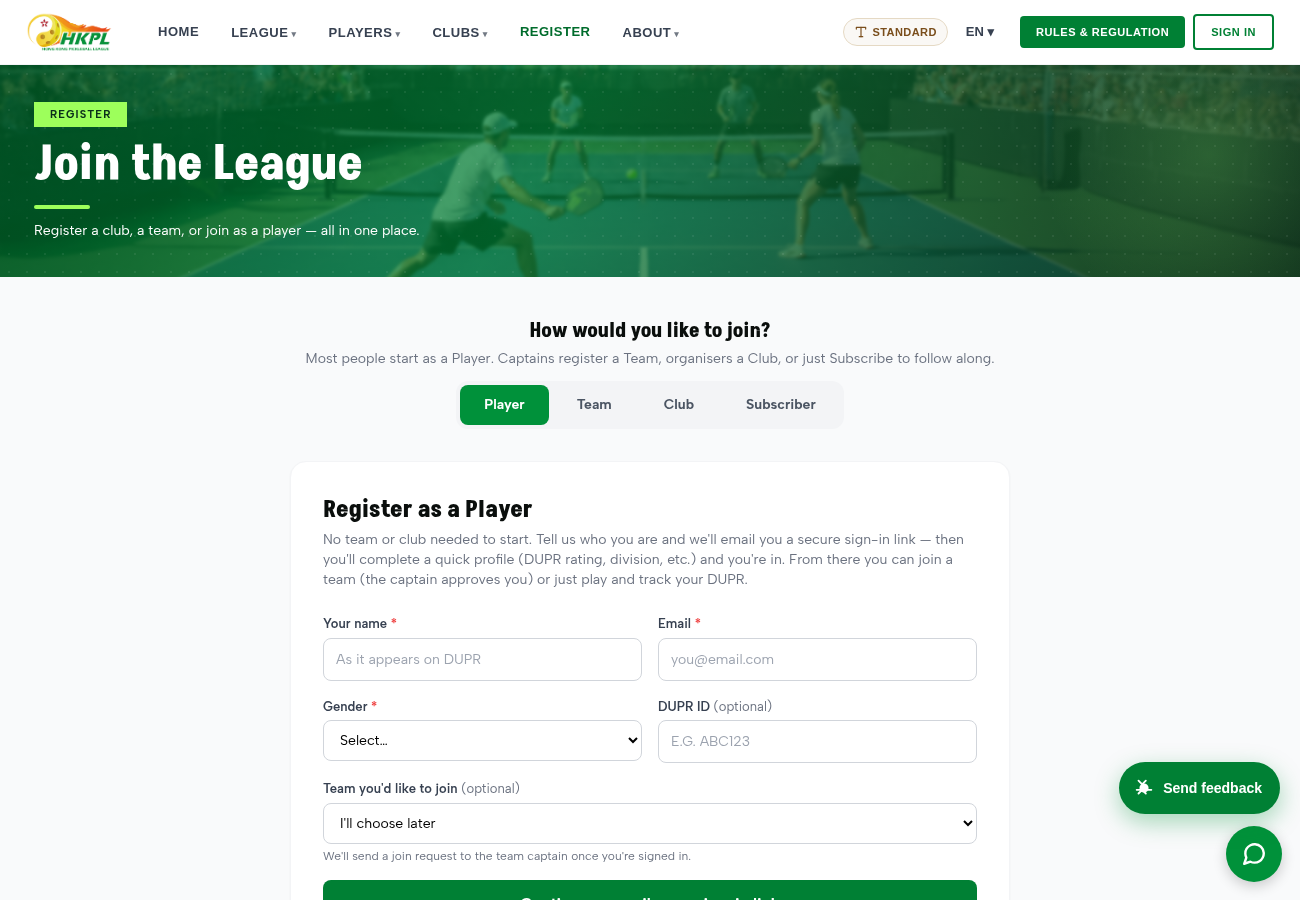
How to use
- Top menu → Register (the Player tab is already selected).
- Enter your name + email, pick your gender, add your DUPR ID (optional), and optionally pick a team to join.
- Tap Continue — email me a sign-in link. Open the link → your profile is pre-filled; if you chose a team, the captain gets your request.
→ Try it live
NewEvery page · top-right EN / 繁 / 简
Full Chinese, everywhereThe whole site — every page, form label, drop-down, option and button — now switches cleanly between English, 繁體中文 and 简体中文. Below is the same registration screen in Traditional Chinese.
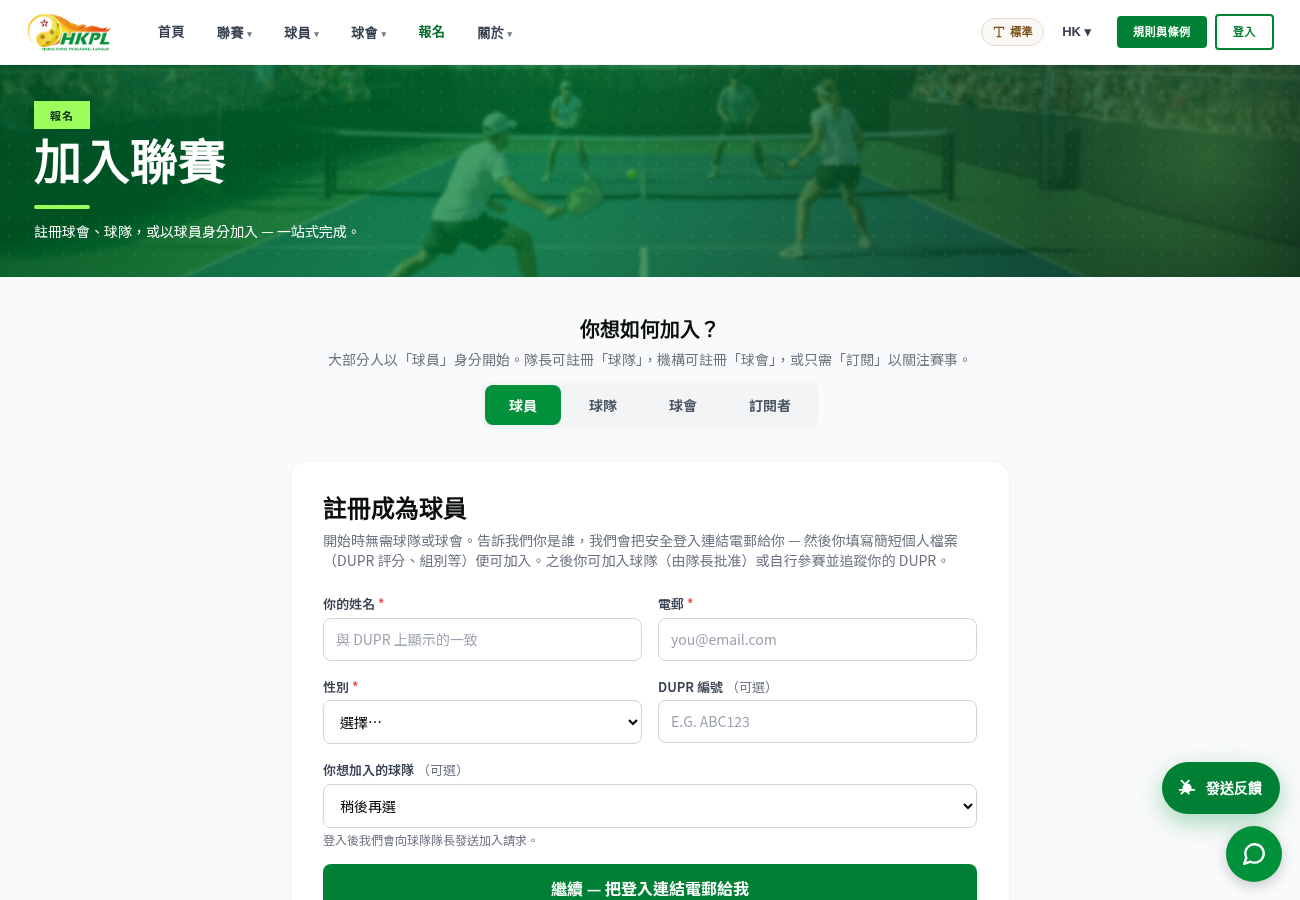
How to use- Use the language toggle at the top-right of any page (EN / 繁 / 简).
- The whole site re-renders — including drop-down options — while still saving the correct values underneath.
New — wowCaptain → any upcoming match → 🎾 Plan Lineup
Real drag-and-drop lineup planning — watch it belowThe clip below is our site, live (nothing faked): you pick up a player from your roster and drop them onto a game slot. Eligible slots light up as you drag; a wrong-gender slot politely refuses; the roster tags who's already IN. It's touch on a phone, mouse on desktop. And it isn't just a nice animation — dropping a player writes the exact same value the dropdowns do, so Save and every gender/pair rule behave identically (in this very clip the slot really got set). Prefer the dropdowns? They still work — drag is just faster.
Where to find it — it now has its own button
- Sign in as a Captain → open your team → scroll to an upcoming match.
- On that match, tap the green 🎾 Plan Lineup button. (This round we made it a clear button — before, it was a tiny unlabeled icon that was easy to miss.)
- Drag a player chip from your roster onto a game slot (Ladies / Men's / Mixed). Eligible slots glow; drop to set it → tap Save Lineup.
→ Role picker · sign in as Captain
NewStandings + scoresheet — Terry's requests
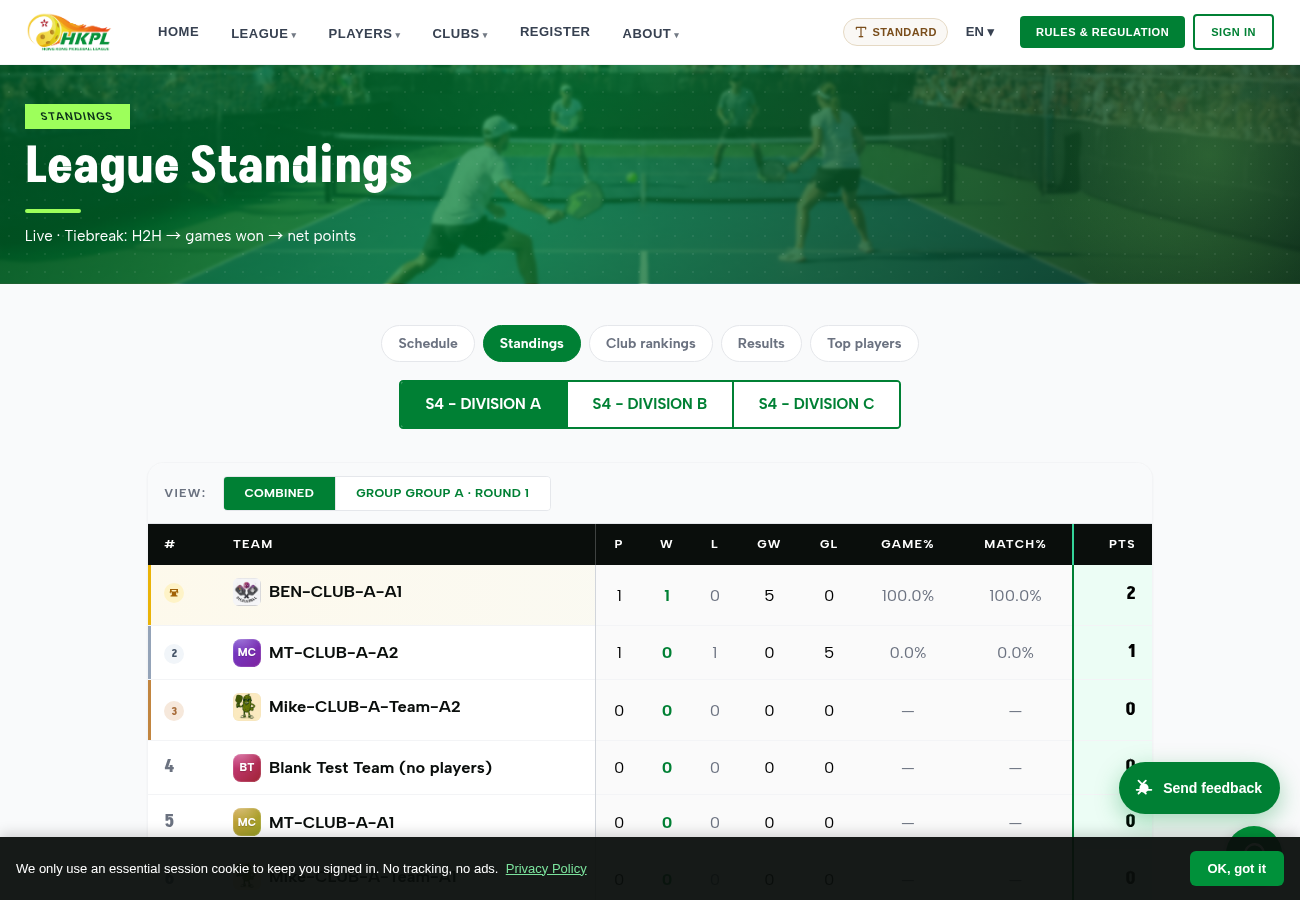
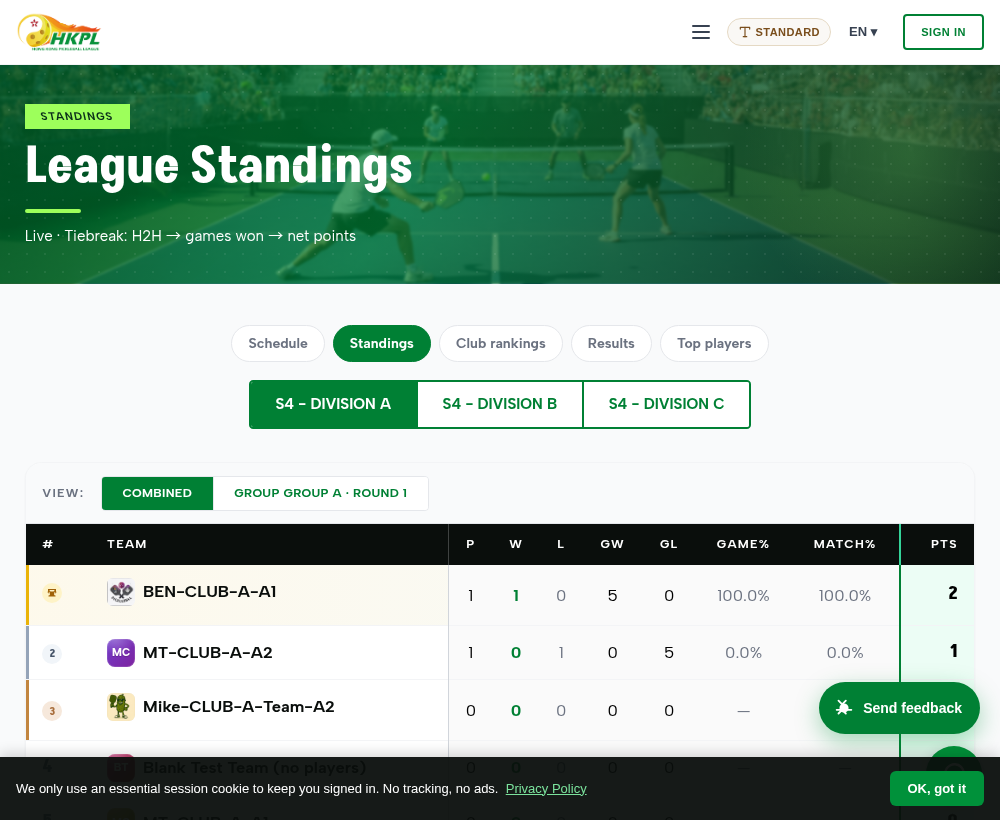
Richer standings + a club-wide substitute poolTwo things Terry asked for are now live. Standings show Game% and Match% (games-won and matches-won percentages) next to W / L / points, so a team's real form reads at a glance — screenshot below. And on the scoresheet, when a team is a player short, the captain or referee can pull a substitute from the whole club's pool — not just that one team — matching how HKPL actually runs substitutions.
How to use
- Standings: top menu → League ▸ Standings → pick a division → the Game% / Match% columns are right in the table.
- Club substitute: on a match scoresheet (or Plan Lineup), use borrow / add a player → the list now includes eligible players from other teams in the same club.
→ See the standings
NewAny page · green bubble, bottom-right
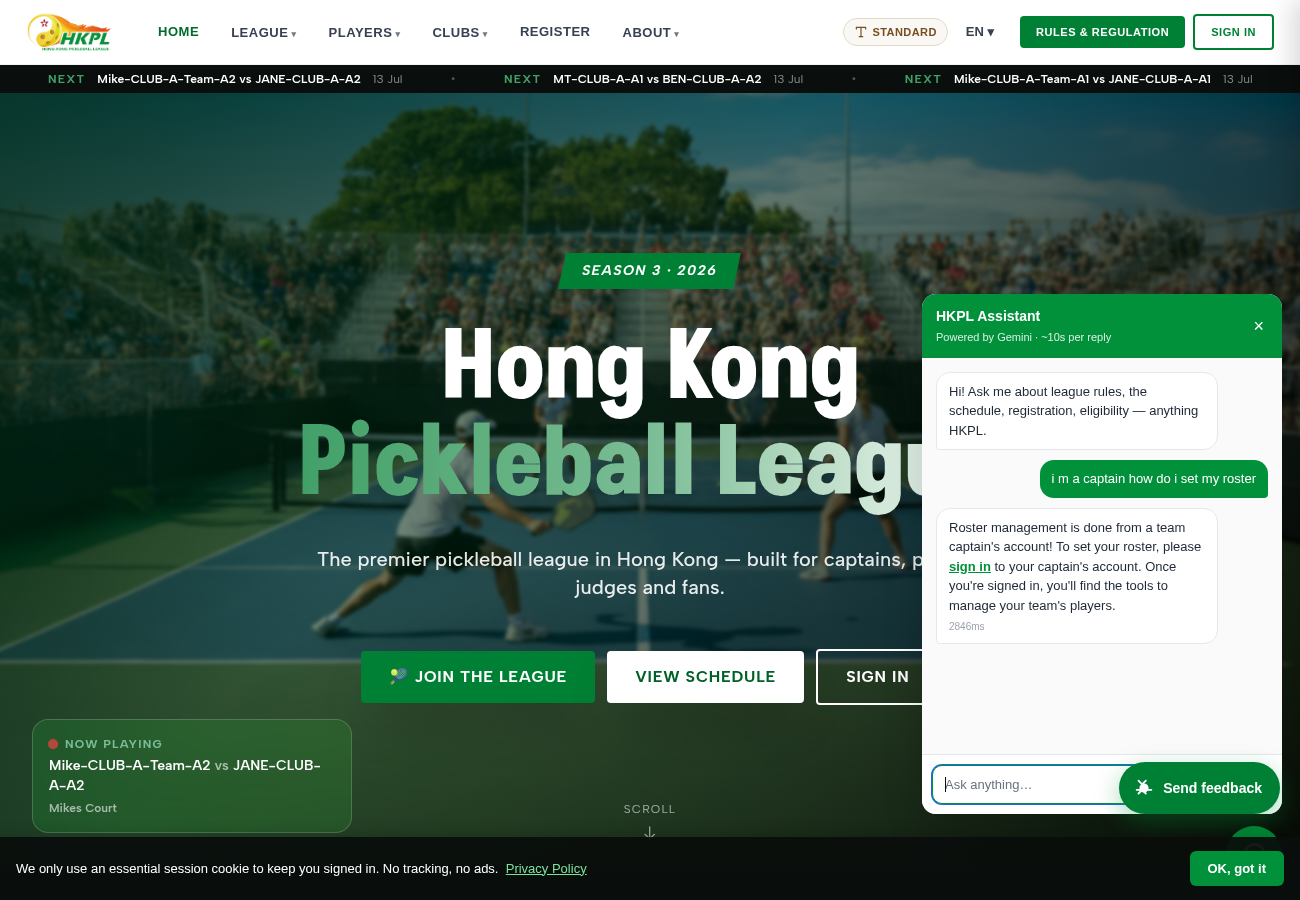
One assistant — friendly, role-aware, with real linksThere's now one helper that answers league questions and "how do I…" steps, in your language. It knows who you are: it only gives a role its own how-to, and gives every answer a clickable link. The capture below shows a logged-out visitor asking a captain question — it correctly says it's a captain task and offers a sign-in link, rather than leaking captain steps.
How to use- Tap the green bubble (bottom-right) on any page.
- Ask anything — "can I join?", "is there an age limit?", "how do I submit a score?". Signed-in captains/referees get their own step-by-step; visitors get guided to the right page.
→ Ask the assistant
NewThroughout the app
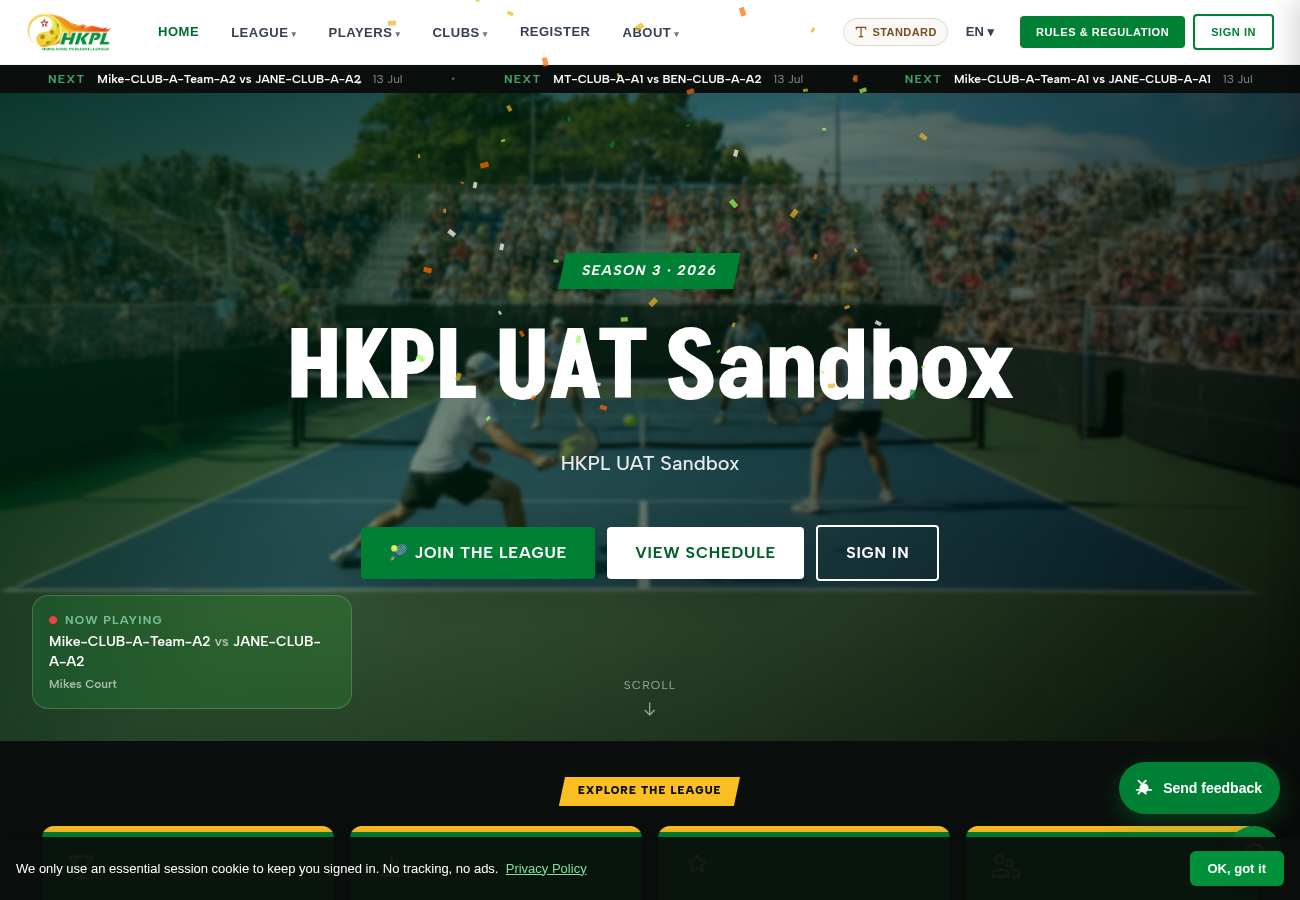
A modern "delight" layerButtons give a gentle press + a light buzz on phone; approvals show an instant "Approved ✓ · Undo"; the scoresheet lets you tap a slot to swap a player; and a burst of confetti celebrates a completed score (captured below).
NewProfile · sign-in · join a team
Your profile sets itself up — and never dead-endsThe player journey is now smooth end-to-end: a fresh profile shows "Setting up your DUPR profile…" and fills itself in (rather than a blank/error), or offers a one-tap "Link my DUPR". Your team applications show a clear status ("Waiting for the captain's approval" → "Approved 🎉"), and a captain can see + refresh an applicant whose rating is still syncing. (Real ratings are already loaded — 1,700+ players carried over from the existing HKPL data; they refresh from DUPR, with photos + history filling in.)
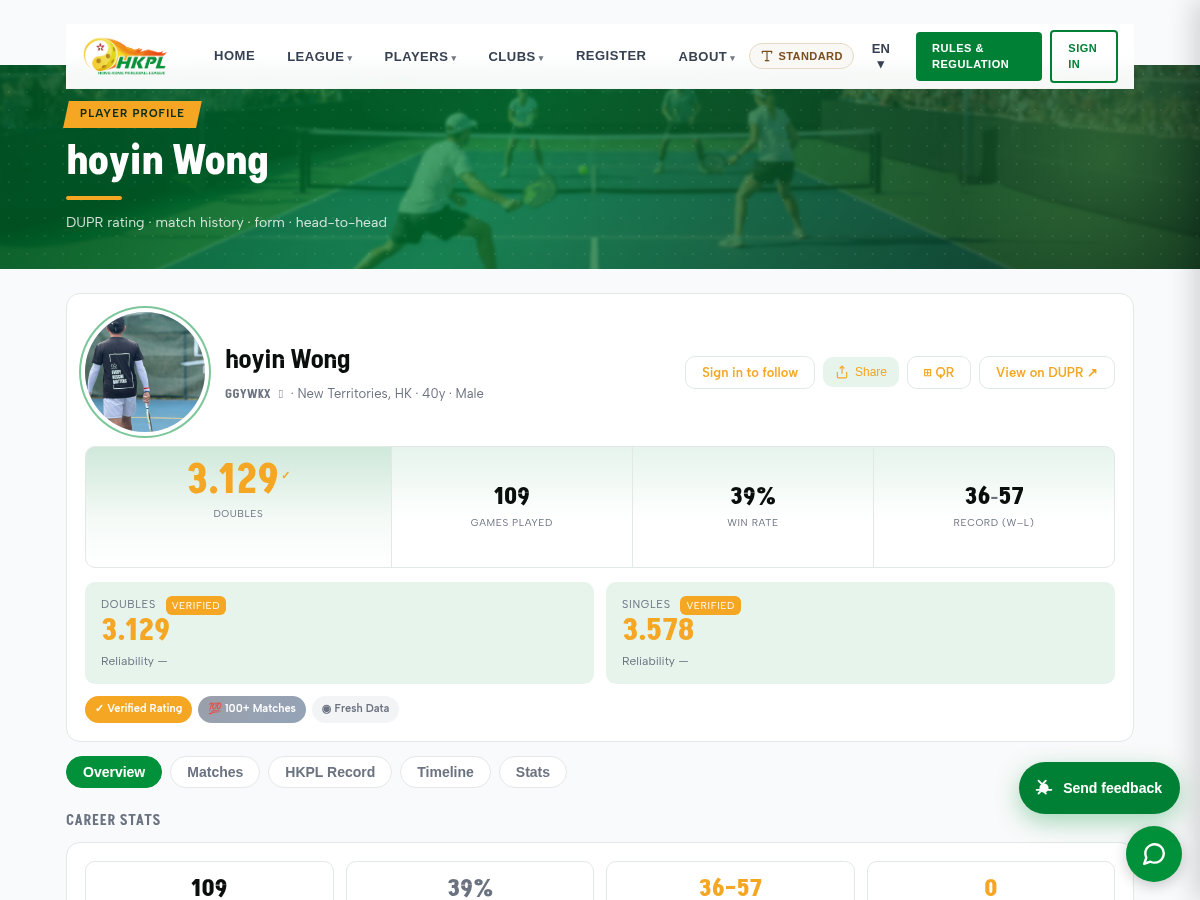
How to use- Sign in → open your profile from the "My Profile" button in the top menu.
- If it says it's setting up, wait a moment — it refreshes on its own; or tap Link my DUPR if you haven't connected DUPR yet.
PolishWhole site — latest theme + wow on by default
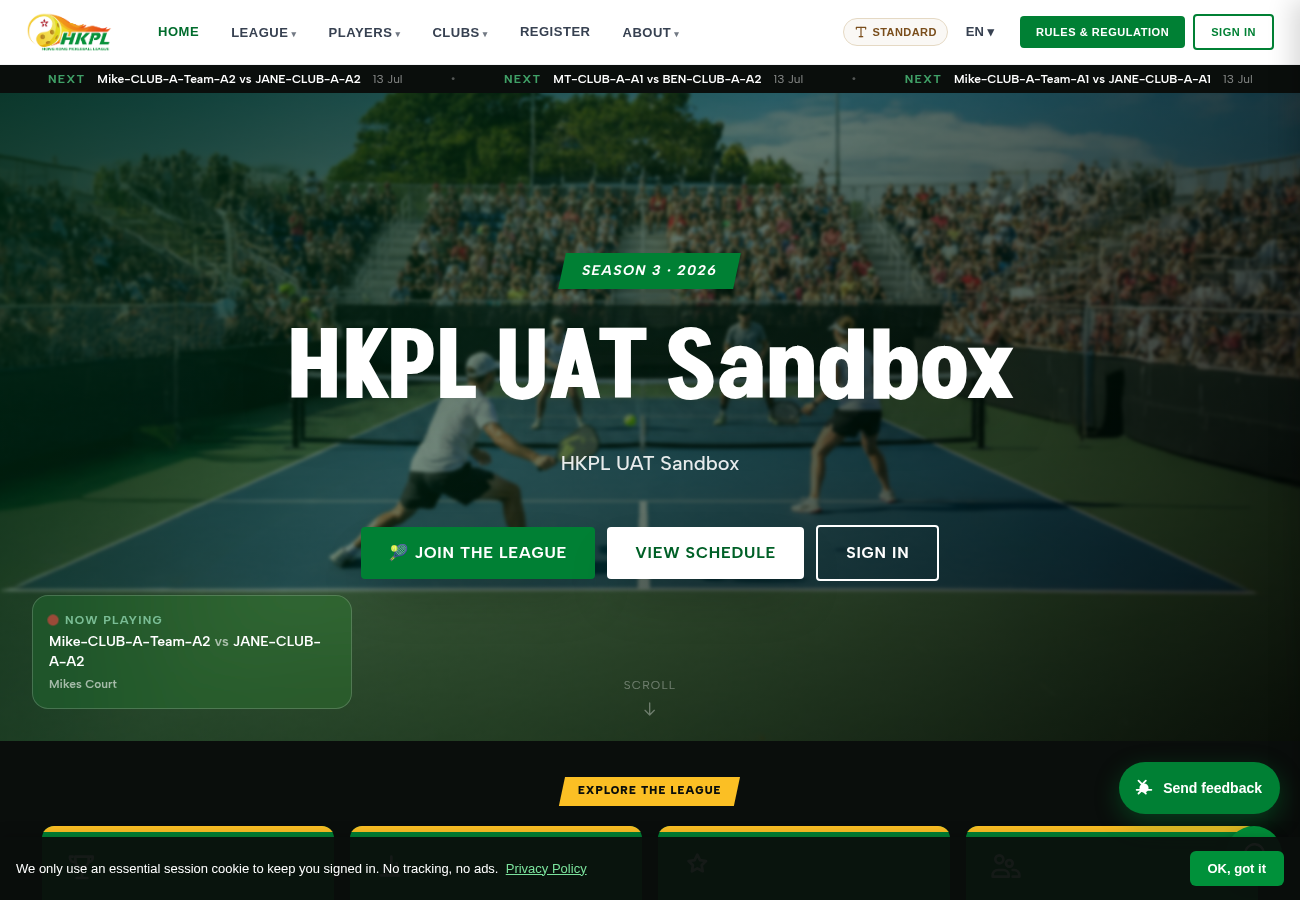
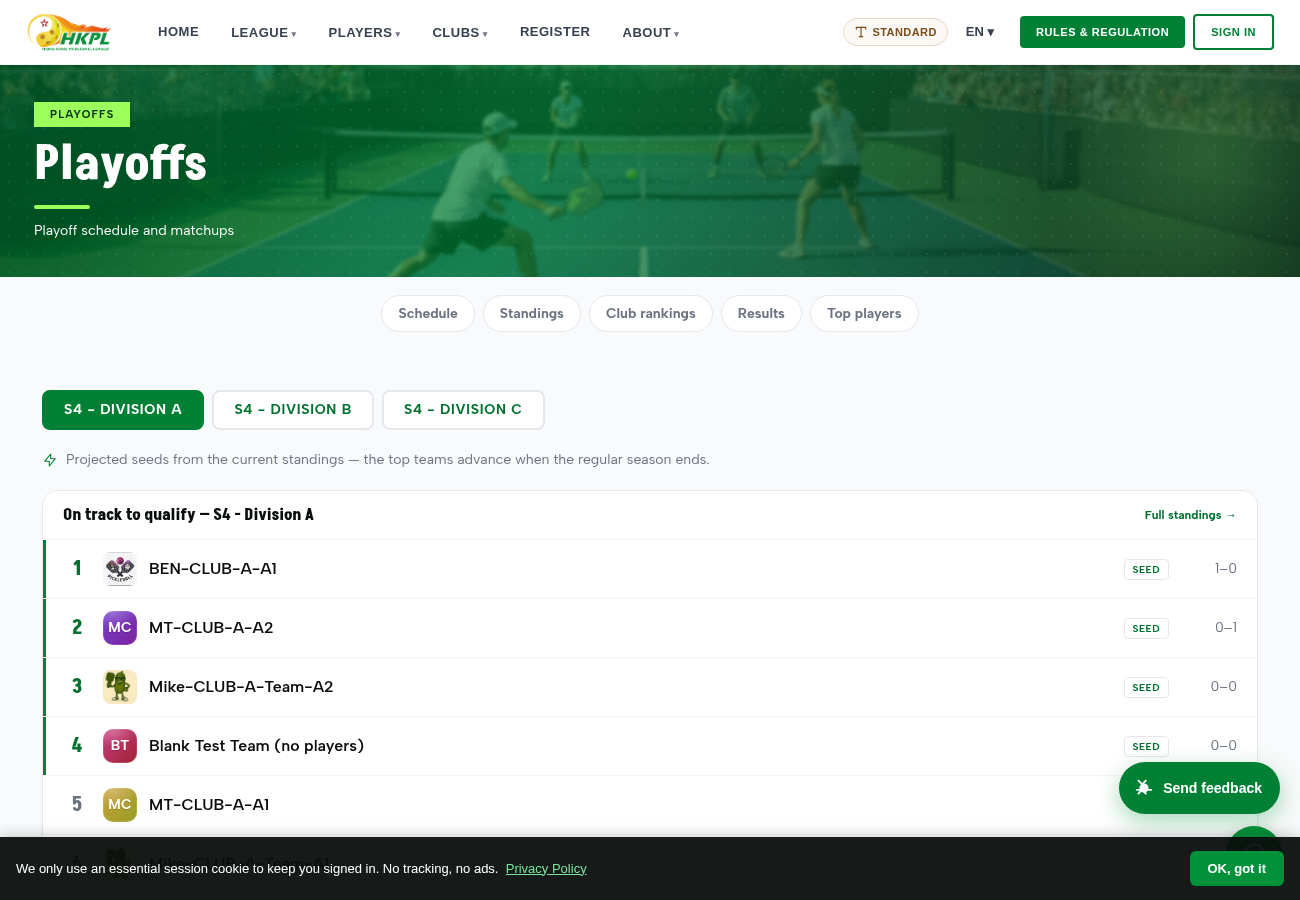
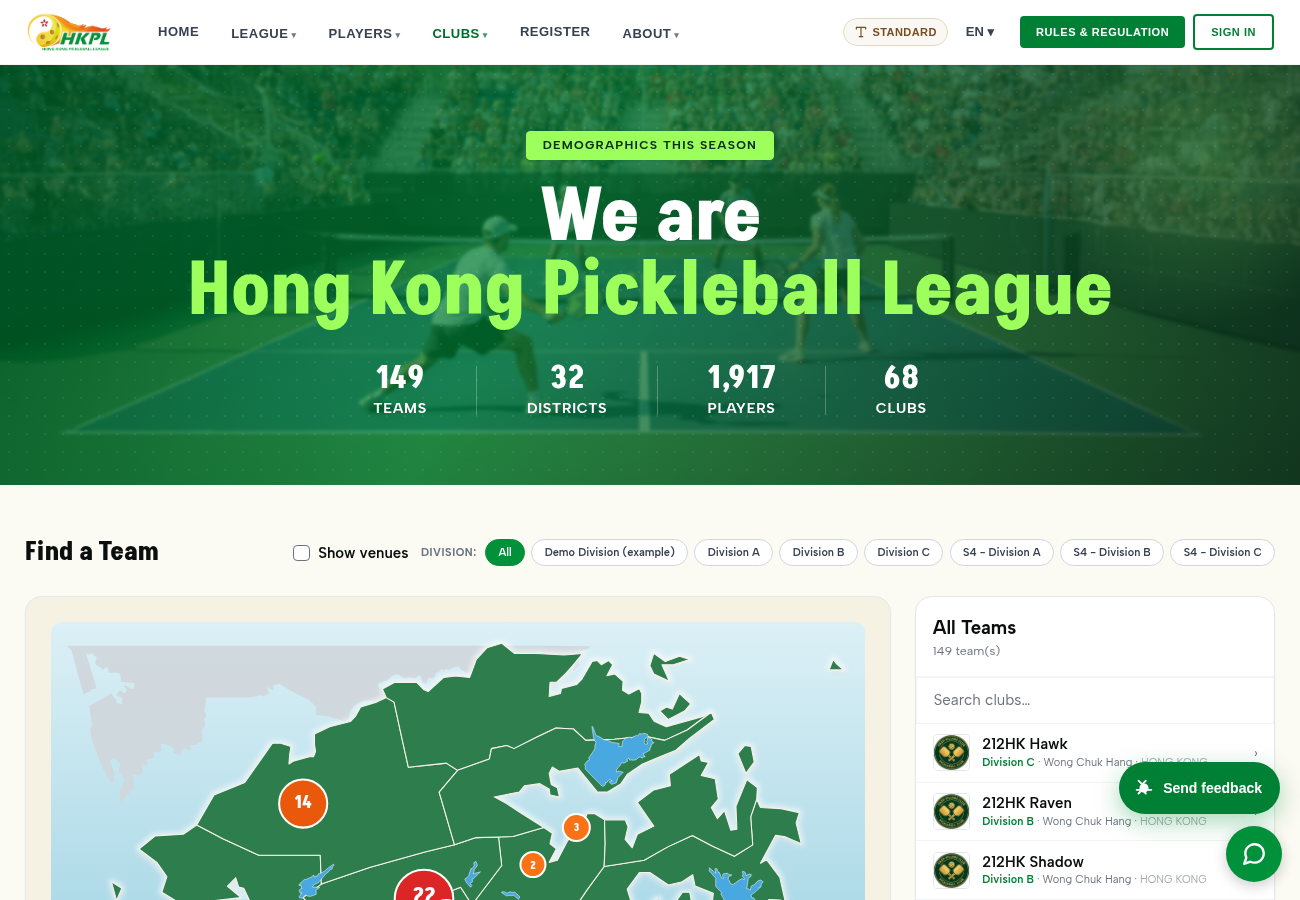
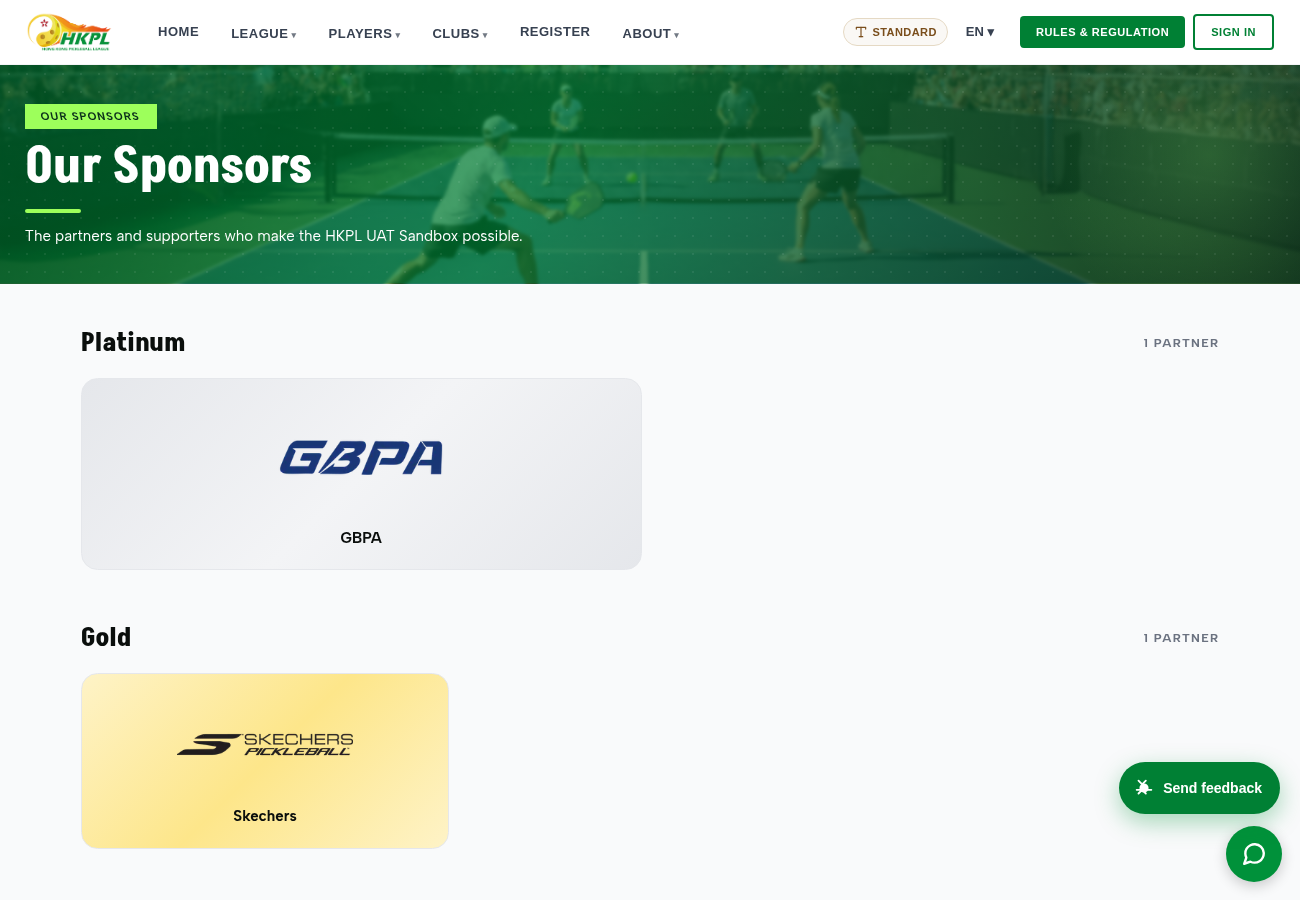
Cleaner, more consistent, more finishedThe latest theme (and the delight layer) is now the default. Pages fade instead of flashing; any team/club/player without a photo gets a clean colour-initials badge (no more broken images or stray numbers); the top menu is grouped into 6 clear headings; the footer is compact; a signed-in user gets a portal shortcut in the menu ("My Team" / "My Profile" / "Admin"). Below: the home page, the projected Playoff seeds, the tidied Clubs directory, and Sponsors back on the site.
🆕 Added 12 July — a second wave, all live now
Since this report first went out we kept building. Everything below is
new as of 12 July and already live on UAT — including the
committee's own oversight view we'd flagged at the bottom as "coming". Sign in from the
role picker to try any of it.
New — for the committeeRole picker → Oversight
Committee / board oversight — see everything, change nothingThe read-only oversight view we flagged at the bottom of this report is now built and live. Signing in as Oversight lets you see everything across every division, club and match — standings, rosters, scoresheets, admin data — but you cannot change anything: every edit, score submission or deletion is politely refused with a "read-only oversight account" message. It's the committee / board seat — full visibility, zero risk of touching live data.
VerifiedChecked end-to-end: an Oversight sign-in opens admin data and standings normally, while every attempt to change something is blocked on the server (not just hidden in the screen). Nothing to configure — it's ready to use.
→ Role picker · sign in as Oversight
NewReminders · activity feed · phone notifications
The app now reaches out to players — they don't have to keep checkingThree things that used to need a player to open the site now come to them: match reminders (a nudge 24 hours and 30 minutes before a match), a live activity feed that automatically posts match results, rating changes and milestones, and phone push notifications on both iPhone and Android. It's all wired and tested; the only remaining step is a player installing the app to receive the pushes.
VerifiedA reminder correctly creates a notification for both teams' players and never double-sends; the activity feed posts a proper result / rating entry; and the push pipeline is authenticated to both Apple and Google and ready to deliver the moment a device is registered.
New — wowProfiles · standings · matches · top players
A wave of player "wow" touchesLots of small, delightful things players will notice: recent-form dots on standings and schedules (the last few results at a glance); a rivalry card on profiles (your toughest opponent and your favourite match-up); a rating-change reveal after a match (watch your DUPR move — e.g. 3.66 → 3.50); a Share button on live matches and results; "Add to calendar" on your own matches; a "Climbers of the week" list of the most-improved players on the top-players page; availability flags right inside lineup planning (injured / away players marked); and a live "👀 N watching" count on a match in progress. None of it changes how the league runs — it just makes the everyday experience feel modern and alive.
NewProfile · sign-in — optional
Sign in with a password — if you want oneAlongside the emailed sign-in link, players can now set a password if they prefer the familiar way to log in. It's entirely optional — anyone who never sets one is completely unaffected and keeps using the email link. Set or remove it anytime from your profile.
PolishScoresheet · profiles · referee & live-score pages
Tap to score, plus a readability & polish passOn the digital scoresheet, scores can now be entered with big + / − tap buttons (typing still works) — much easier on a phone at courtside. Plus a round of polish: clearer player profiles (the big DUPR rating number is now easier to read), availability flags in lineup planning, and tidier back-navigation on the referee and live-score pages.
🚪 Now live for everyone — the real sign-in experience
A few things you tried through the role-picker weren't just a test trick, and a few tools you might have assumed weren't built yet were actually there — just not shown in the menu. This round we surfaced them properly, so they're the real, everyday experience for anyone who signs in normally. Screens below are live UAT captures.
NewSign in → your home
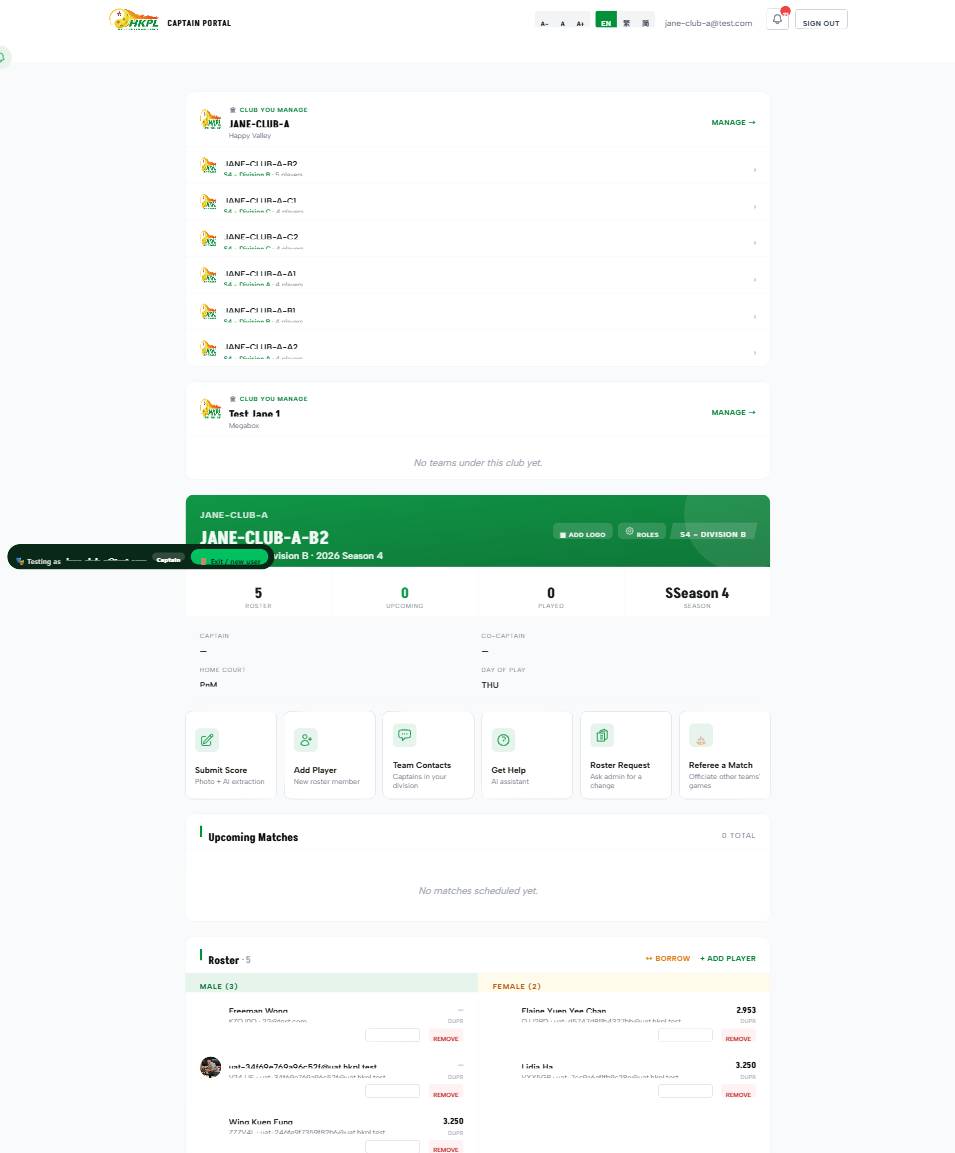
Signing in lands you in your own hubWhen you sign in with your email, you now arrive on a home that greets you and shows everything you run at a glance — how many teams you captain and clubs you manage — with your team switcher and managed-club shortcuts right there. Before, you were dropped straight inside one team with no sense of "this is my place." This is exactly what a normal email sign-in shows — nothing test-only about it.
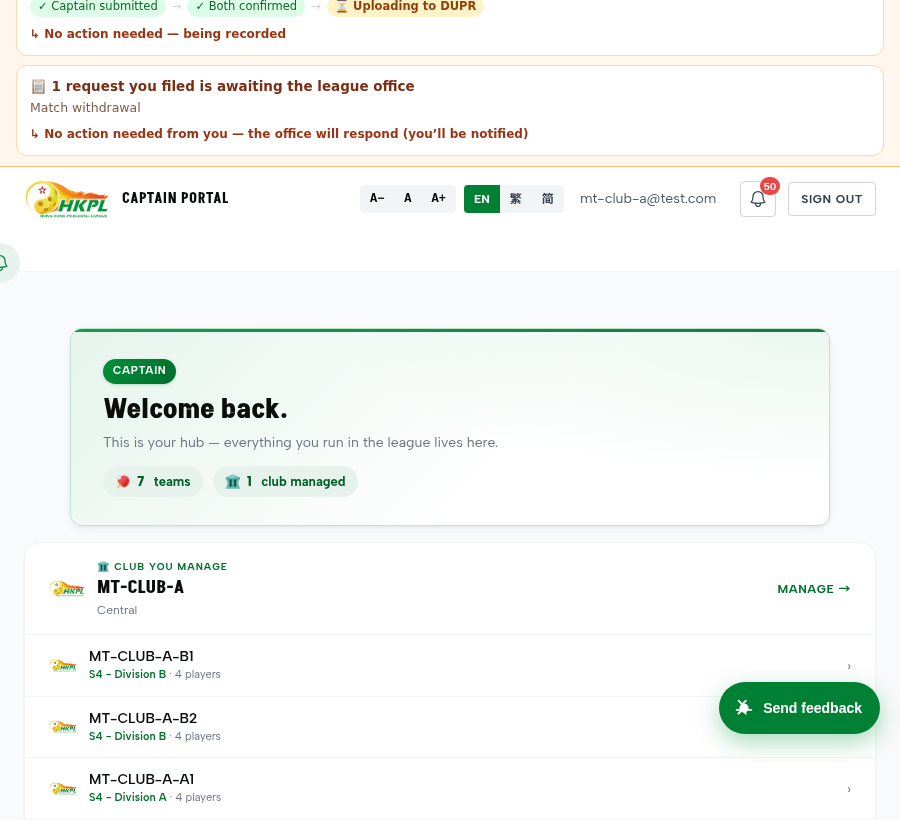
How to use
- Top menu → Sign In → enter your email → open the secure link we send (no password).
- You land on your hub: switch teams from the top bar, open a club you manage, or jump to any tool.
NewOne login — many teams / a whole club
Run several teams and a club from a single login — for realIf you captain several teams or manage a club, one normal sign-in now shows all of it: a switcher across your teams (grouped by club) and a "Club you manage" card that opens the club's page. This isn't a role-picker demo — it's the live experience for anyone the league sets up this way. And here's how it gets set: an admin assigns captain / co-captain / club-manager under Teams and Club Managers, and can promote or adjust anyone under the new Roles & Permissions menu (shown below).
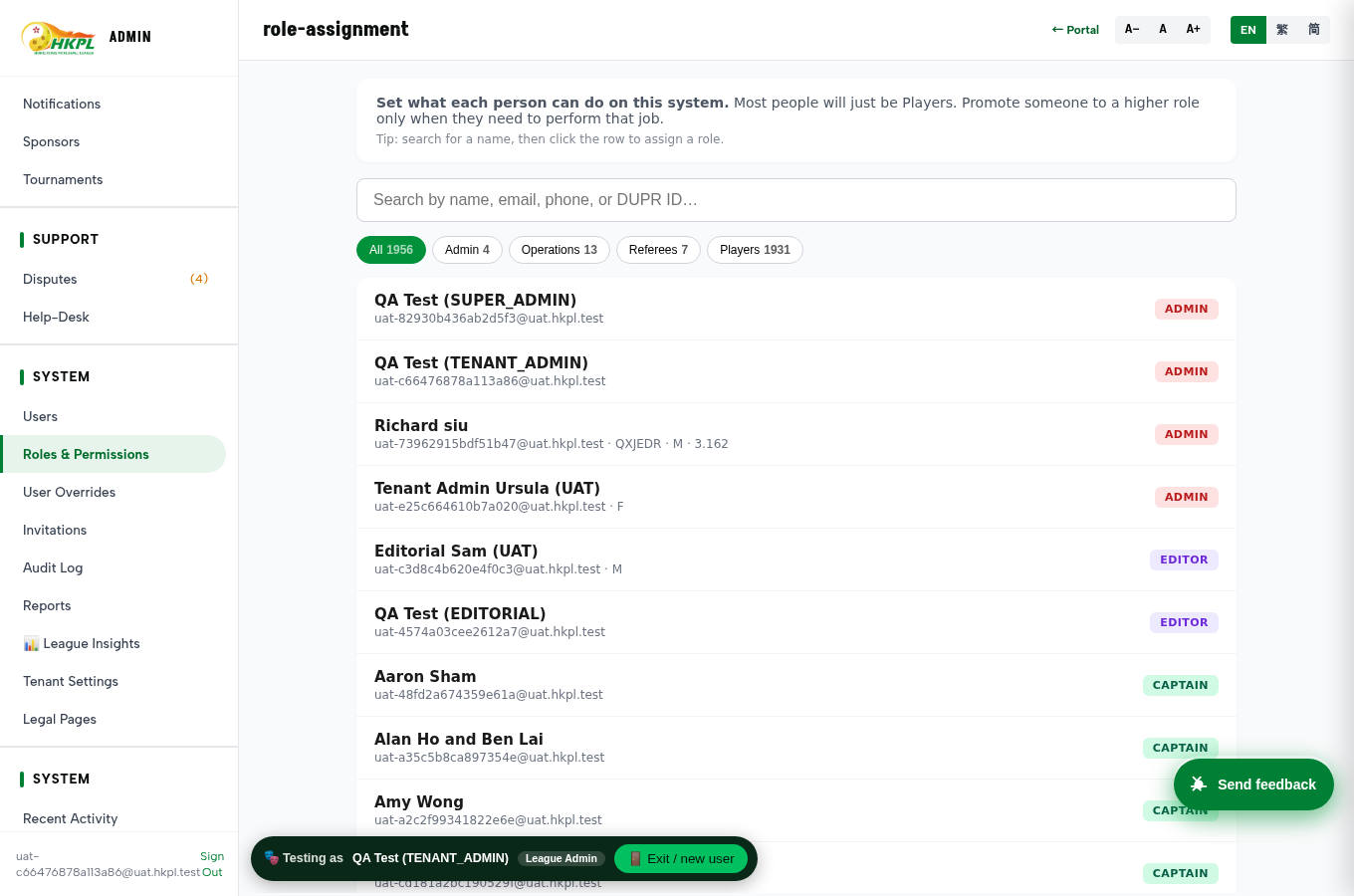
How to use
- As a club manager / multi-team captain: sign in → your hub shows the team switcher + "Club you manage" → tap Manage.
- As an admin (to set it up): Admin → Teams (assign captain/manager on a team) or Club Managers (assign a club's manager) or Roles & Permissions (change what a person can do).
→ Try it: sign in as a Captain
NewAdmin sidebar + committee reports
Nothing hidden — tools that existed are now findableA few powerful tools were built but only reachable by typing a hidden web address — so it looked like they weren't there. They're now proper menu items: Roles & Permissions (set who can do what), User Overrides, DUPR Operations, and LLM Rule Review. And every committee report — this one and each past round — now lives in one "All reports" page, linked from the role-picker, so you never need a URL from us to find them.
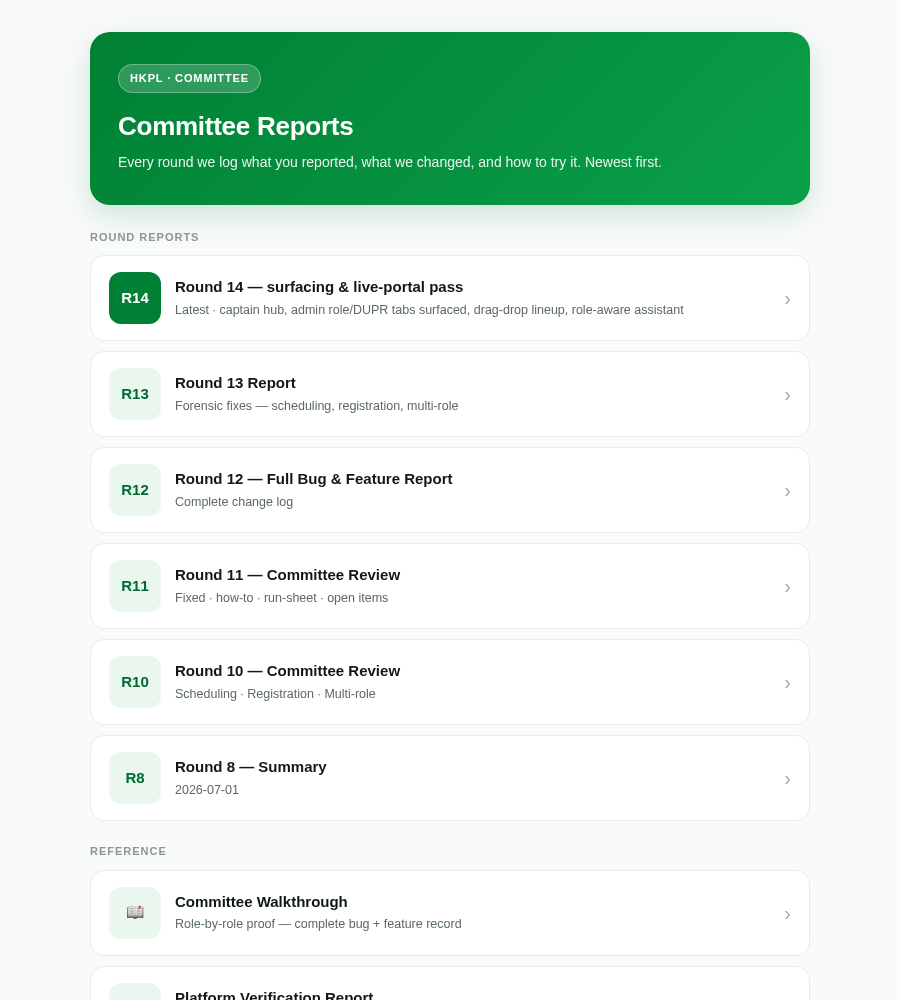
How to use
- Admin tools: Admin → System → Roles & Permissions / User Overrides, or Teams & People → DUPR Operations.
- All reports: open the role-picker → 📚 All reports (or go straight to /committee-archive.html).
→ Open the reports archive
🔧 Fixed & polished this round
Look & feel
- Team / club / player badges — any without a photo now get a clean colour-initials badge; no more broken images, green-filled boxes behind non-square logos, or stray numbers.
- Header consistency — the top bar was rendering un-styled on several info pages; it's now identical and correctly branded on every page.
- Smoother navigation — pages fade instead of the white flash/flicker between screens.
- Standings — team badges cleaned up and the section pill is visible again (was rendering dark).
- Sponsors — back on the home page (they'd silently dropped due to a season filter) and the sponsor page is tidier & more professional.
- Home page — Top-Players list fixed and the layout tightened (less wasted space).
- Clubs — proper hero banner; district now filters after region.
Flow & usability
- Registration — Day-of-play, home court, region, district and phone country-code are all drop-downs now (least typing, fewest errors); region → district cascades.
- Register while signed-in — no longer offers "register as a player / subscriber" to someone already in the league; it shows only Team / Club.
- Sign-in — passwordless with a clear Back button; the old UAT login panel removed (impersonation + real accounts replace it).
- Assistant — now hands you a clickable link (not "go to the top nav"), renders properly, and is role-aware (a visitor asking an admin question is guided to sign in, never handed internal steps).
- Feedback button no longer covers the chat button.
- Profiles — clicking a player never dead-ends on an error; a not-yet-synced profile guides + self-heals.
🏛️ Richard's requests — league & division management (old-system parity + beyond)
✅ BuiltRichard · Admin → Divisions · "do we have all these?"
[Two screenshots of the old system's division-management screen] — do we have all of these controls? I need to be able to close a season/division so the standings can't change after it's decided.
What we didWent through the old system's division screen control-by-control — we have full parity (division criteria, related divisions, rating band, registration deadlines, group/round settings) and then some. The one thing missing was a hard "End the division" — so we built it: an admin can lock a division's results, after which no score submission, edit, verify, or re-open can change the standings (enforced on all five write paths, server-side — not just hidden in the UI). It's fully reversible with a Reopen button if a correction is needed. Admin → Divisions → the division → Status.
Test proofLocked a division → a captain's score submit was rejected with a clear "results are final" message; Reopen restored write access. Verified on all five paths.
→ Admin · Divisions · Status
✅ BuiltRichard · division rules
Some divisions are women-only / men-only — the system should stop a captain adding an ineligible player to that division.
What we didAdded an eligible-gender setting to a division (Men-only · Women-only · Open). When set, the rules engine blocks adding a player of the wrong gender to a match in that division, with a plain-language reason — so it's caught at line-up time, not discovered later. Leave it "Open" and nothing changes. Admin → Divisions → the division → Eligible gender.
Test proofRan it through the live rules engine: a male player into a Women-only division comes back BLOCKED — "Women A is a women-only division — only female players can be added." A female player, or an Open division, passes. Verified & live on the league now.
→ Admin · Divisions
✅ BuiltRichard · player movement between divisions
Like tennis — if you played B you're B forever and can only move UP a division, never drop below your level, UNLESS there's a medical certificate. I also want to move individual players up a division, and force people to play up/down.
What we didBuilt the tennis-style division floor. Every division carries a ladder rank; a player's proven level becomes their floor, and the rules engine blocks adding them to any division below that floor — they move up freely but can't be dropped below their level. The one exception is exactly the one you named: an admin can grant a medical exemption (with a reason on file) that lets a specific player drop down. Moving a player up is a direct admin action. So both things you asked for — "up-only, floor-locked" and "override by medical cert" — are in.
Status — honestThe rule is built and switched on in the test league, and verified there (it's wired into the same live rules engine as the gender gate). By design it fails open: until you assign ladder ranks to the divisions, it blocks nobody — so it can't accidentally freeze anyone out before the ladder exists. To turn it on for the real league is two small steps: (1) set each division's ladder rank, (2) we enable the rule on the live league. Because it's a blocking rule we did not auto-enable it on production without your say-so — your call to flip it on. Medical exemption path is ready: Admin → the player → Division-floor exemption.
✅ BuiltRichard · promotion / relegation
At the end of a season the top teams go up and the bottom teams go down — the standings should show the promotion / relegation zones, and I want to see who's eligible to move up.
What we didA division now carries a promote count and relegate count. The standings table shades the promotion zone (top N) and relegation zone (bottom N) so everyone can see who's going up or down at a glance. We also added a "Promotion candidates" tool that lists the teams eligible to move up (made the play-off cut and played enough games) — derived from real match data, so it's accurate even before rosters are finalised.
How it worksConfirmed wired end-to-end: the standings API returns the division's promote/relegate counts and the standings table shades the top-N green (↑) and bottom-N red (↓) in the combined view; the Promotion-candidates tool lists teams that made the play-off cut and played enough games. Dormant until you set the counts on a division — then it shades automatically.
→ Admin · Divisions
✅ BuiltRichard · player profile
A player's profile should show only their HKPL games — not everything from their whole DUPR history.
What we didThe player profile now has an HKPL-only match history — it shows the games played inside this league, kept separate from any imported DUPR record. So a player's HKPL page reflects their HKPL play, exactly as you asked.
→ Player profile
🧑💻 New tester reports — read against the screenshot + page
⚡ Quick win10 Jul · #kw7kns · Ursula · admin → Players
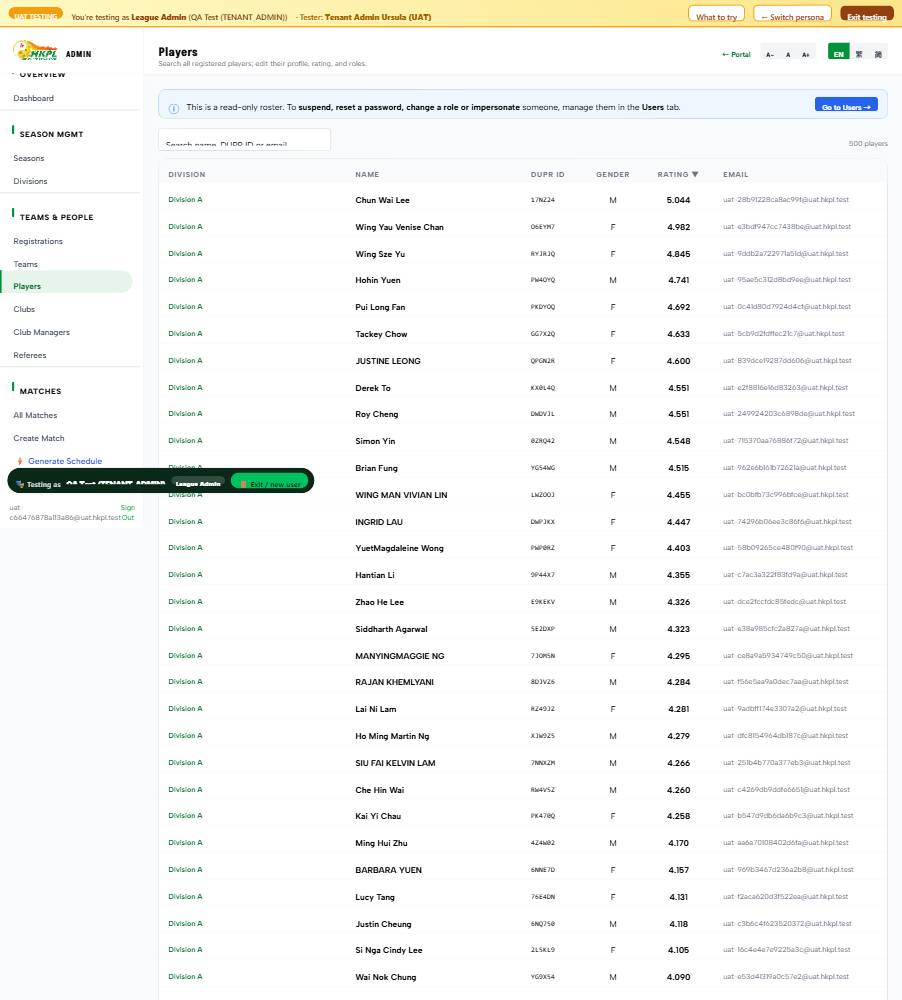
I need to display all players information including the phone.
What we didThe admin Players table showed Division · Name · DUPR ID · Gender · Rating · Email — but no phone. Added a Phone column (the number was already on file). Done & live.
→ Admin · Players
✅ Done10 Jul · #voc9fl · Ursula · admin → Clubs
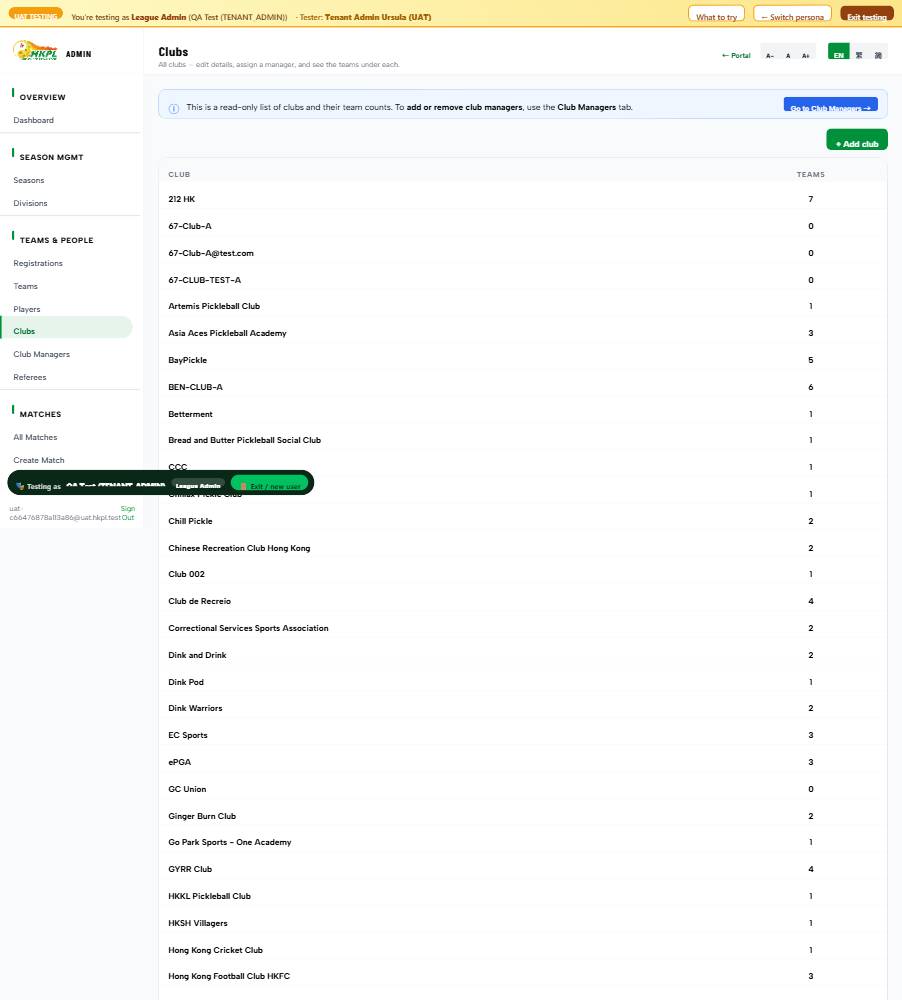
I want to sort the clubs here, so that I want the premium clubs to be displayed first in the website — maybe put a tick here to display first to distinguish which one coming first.
What we didAdded a ★ Featured tick to the admin Clubs list — tap the star to mark a club premium. Featured clubs are then pinned to the top of the public club listing (above the alphabetical rest). Exactly the "tick to display first" she asked for.
Test proofFeatured a club that was last alphabetically → it jumped to 1st on the public clubs page; un-ticking put it back. Verified.
→ Admin · Clubs · ★
✅ Done10 Jul · #d6af88 · Ursula · Tenant Settings
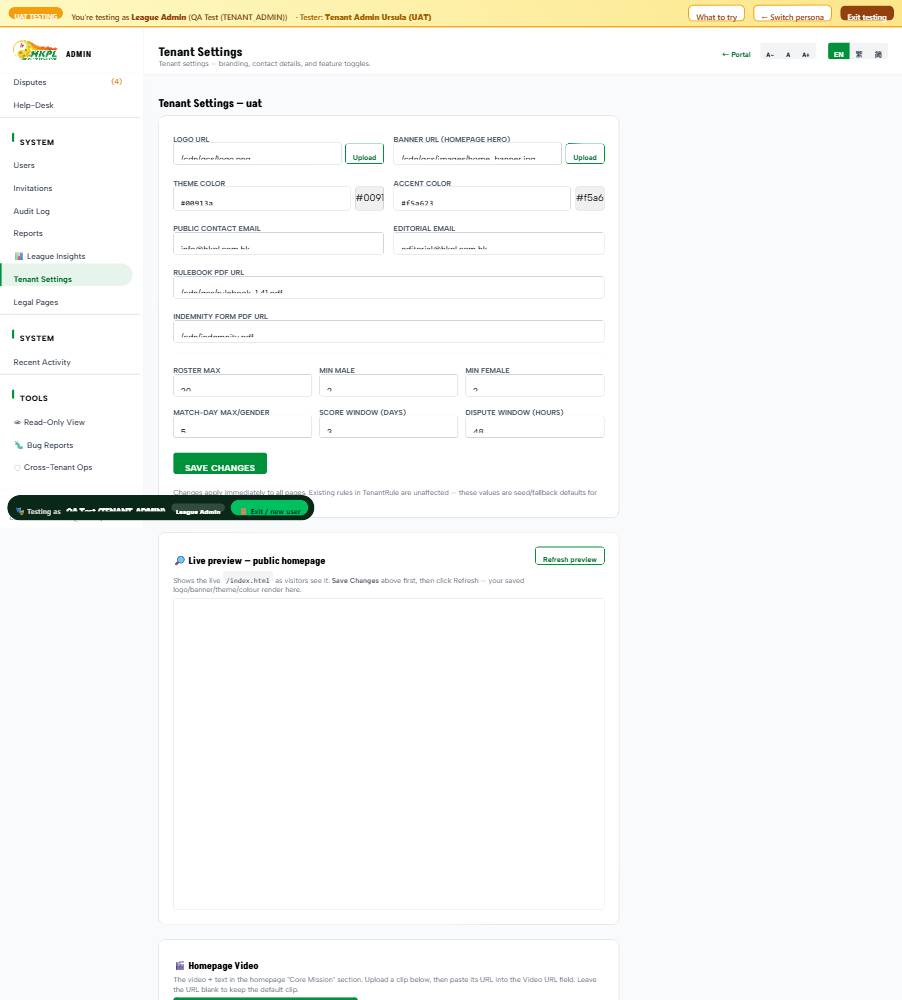
In future, only tenant admin can send feedback to Vincent. Please leave a back-door setting for this option. Other roles cannot send feedback when the system is launched.
What we didAdded a Feedback widget control in Tenant Settings with three choices — Everyone · Admins only · Off. At launch you set it to "Admins only" and the "Send feedback" button disappears for every other role (the widget already honoured this; it just had no switch). Fully reversible — that's your back door.
Test proofSet to "Admins only" → the visibility endpoint returned admin (widget hidden for non-admins); set back to "Everyone" → public. Verified.
→ Admin · Tenant Settings · Feedback widget
✅ Done10 Jul · #wfnrpj · Capt. Alice · scoresheet
Away Team Captain interface BEFORE MATCH should have MINIMAL controls, because the Home Captain is responsible for everything — e.g. setting match-date and location BEFORE the match, and inputting the scores AFTER. (This will help simplify.)
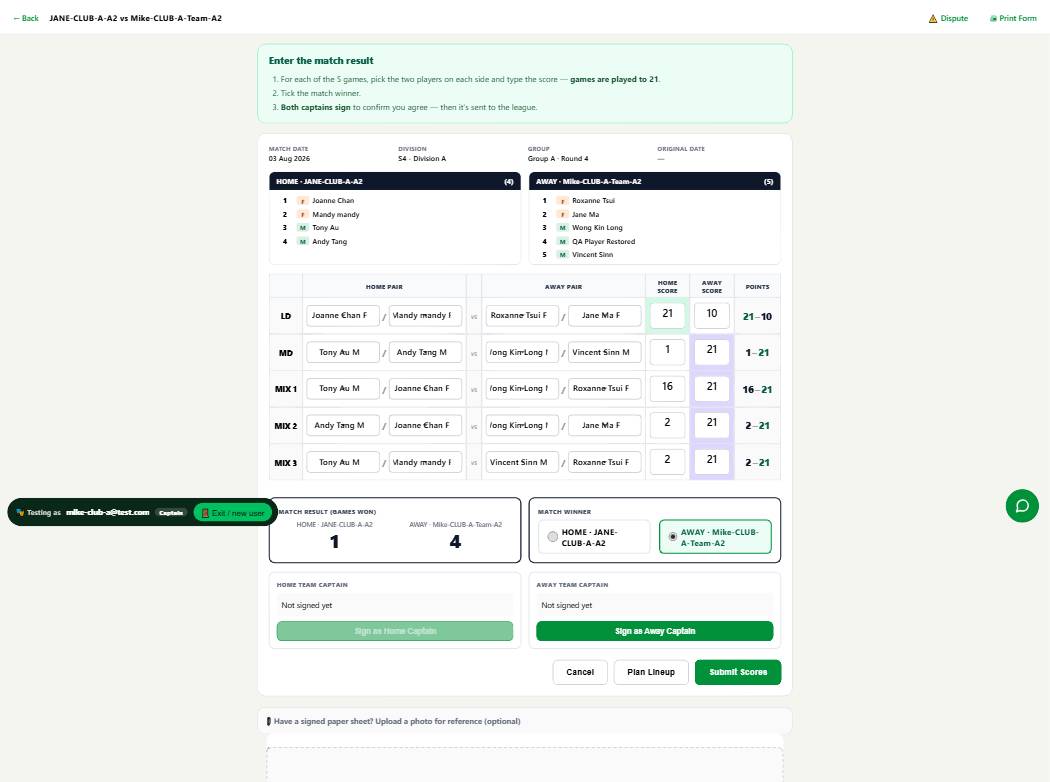
What we didThe scoresheet is now role-aware: the home captain enters the score; the away captain gets a clean read-only sheet and just reviews & signs (a blue note explains it). So the away captain isn't stuck with only "sign or refuse", we added a 💬 Discuss button that opens a per-match chat room — the two captains can go back and forth by text or voice (voice is auto-transcribed). If it's a real disagreement they hit ⚠️ Dispute, which routes it to the Division Rep / Registrar in the Dispute Panel with the whole conversation attached; a Tenant Admin can open any match's room anytime (a 💬 link in Admin → Matches) for oversight.
Test proofAll wired on pieces already built — the match:<id> chat channel, its permissions (captains + rep + admin), the voice + Gemini-transcript pipeline, and the Dispute Panel. Pages live; the permission model was already enforced server-side.
✅ Done10 Jul · #ge2gwi + #t4tg9h · captain / club-manager portal
1) Club Manager login should land on this page. 1.1) This page should only be for managing the CLUB. 2) Remove all teams from this page. […] (also the earlier "one captain, multiple teams — the view is so messy")
What we didConfirmed the data: one person really can captain many teams (up to 7) across multiple clubs. The portal used to stack every team on one page ("so messy"). Now it shows a club → team switcher at the top — your teams grouped by club, pick one, and only that team's dashboard shows. Each club has a "Manage club →" link to the club page (banners, colours, details), keeping club-management separate from teams — exactly the split she asked for. Purely a display change — no data touched.
Live & verifiedScreenshot-verified as a 3-team / 2-club captain: teams grouped by club, one selected, others one tap away. Upgraded to a
sticky "Switch ▾" bar that stays pinned as you scroll — so you can jump between teams/clubs from
anywhere on the page, not just the top.
→ Captain portal
A note on why this changedWe deliberately didn't allow this before. One person being the manager/captain of multiple clubs or teams was never anticipated, so it was kept restricted as a safety measure. Now that we can see it's a genuine, common need (a real club owner runs several teams), we've opened it up to 5 each — primary captain of up to 5 teams, primary manager of up to 5 clubs (co-captain / co-manager roles are unlimited; an admin can still assign beyond it). If you'd rather allow fewer, you can change the number yourself in Admin → Tenant Settings (Max teams / captain and Max clubs / manager). Verified: setting it lower takes effect immediately; a 7-team captain is blocked at the cap; anyone under it is unaffected.
🤖 Automated QA sweep — real glitches it caught
✅ Fixed10 Jul · #uj8mkk · app.html (captain dashboard)
A match listed under "Upcoming Matches" is labelled with a "COMPLETED" status — a direct logic contradiction.
What we did — FIXEDThe section actually lists a team's whole fixture list (upcoming + recent results, newest first), so a COMPLETED match legitimately appears — but the heading said "Upcoming," which read as a contradiction. Renamed it "Matches & results" so the label matches what it shows. Live.
✅ Fixed10 Jul · #tfoebs · app.html (dashboard stats)
The "SEASON" metric displays "$3" — looks truncated, a placeholder, or an incorrect unit.
What we did — FIXEDThe Season tile hard-coded an "S" in front of the season name, so "Season 4" became "SSeason 4" and "3" showed as "S3" (which the vision bot read as "$3"). Fixed the prefix logic — it now shows a clean "S3" or "Season 4", never doubled. Live.
✅ Fixed10 Jul · shared header (all pages)
Nav overlap / clipped "Rules & Regulation" — fixed
What we didRoot cause: on medium-desktop widths (1024–1180px) the top-nav items were crammed into one no-wrap row and collided ("REGULATION" cut off, Help overlapping the text-size button). Raised the point where the nav collapses into the clean hamburger menu from 1023 → 1180px, so it never overflows. Fixes it on every public page at once (it's the shared header). Screenshot-verified at 1100px. The remaining bot flags were long addresses being ellipsis-trimmed (by design) — nothing broken.
→ Any public page
⏳ A couple of notes — nothing is blocking your testing
Where things stand
- Player ratings are live now. Over 1,700 players already have their real doubles rating + DUPR ID loaded (carried over from the existing HKPL data), so ratings show on profiles and in the directory today. From here they refresh from DUPR — the connection is working now and photos + full match history keep filling in; DUPR's production key later just makes that refresh completely hands-off. You can test with real ratings today.
- Club Managers already work. A club's manager edits the club page and oversees its teams from their dashboard ("Manage club →"). And the higher committee / board oversight view is now built and live — a simple read-only Oversight role (see everything across all divisions, change nothing). Sign in as Oversight from the role picker (see "Added 12 July" above); tell us what to tweak once you've used it.