① The season schedule all 5 requests done
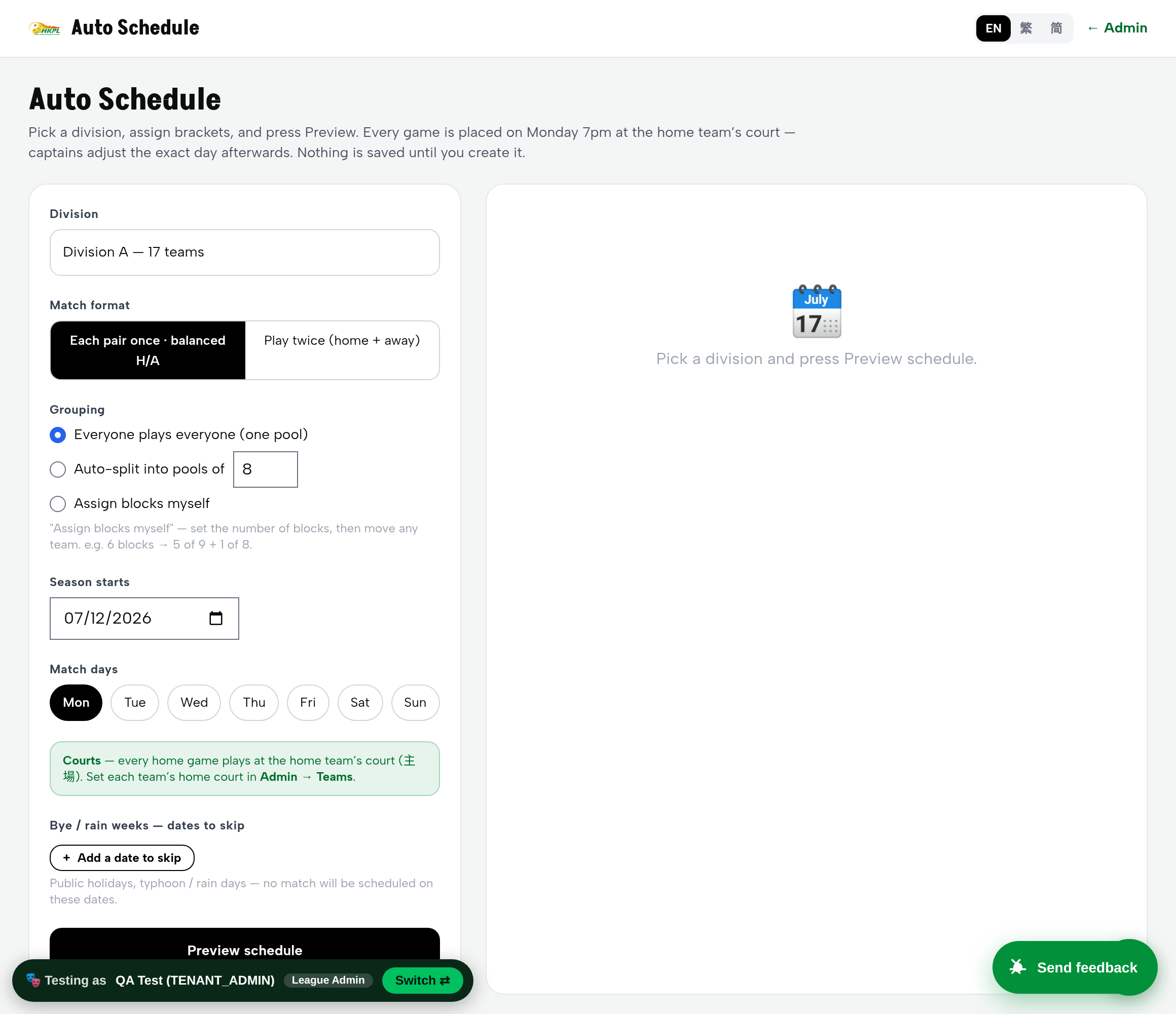
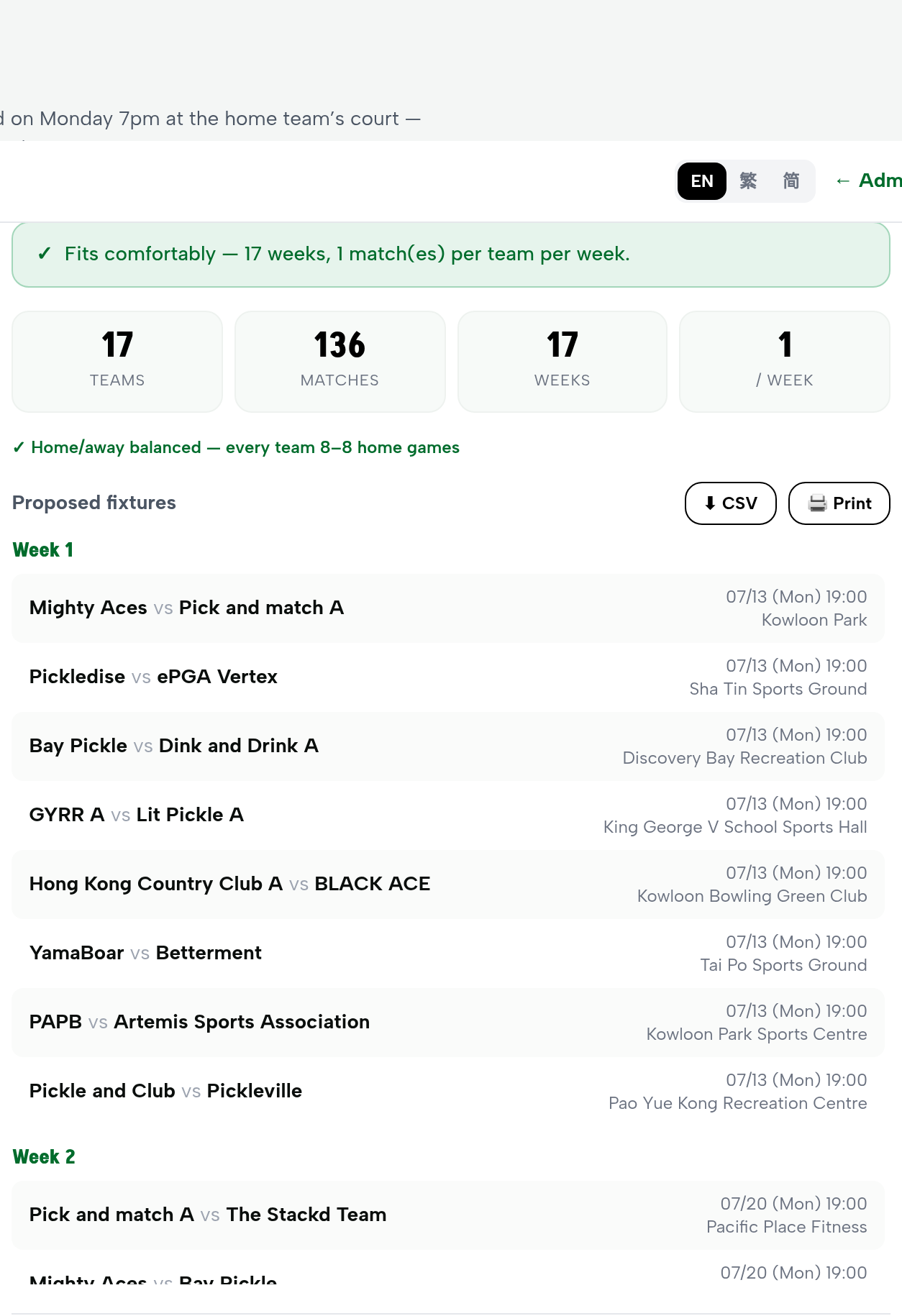
You said: once teams are assigned to their brackets, on Day 1 every team should see all their games — half home, half away — all defaulted to Monday 7pm, with every home game at the team's home court, and captains adjusting the exact day later. That is exactly what it now does.
| What you asked for | What it does now | Status | |
|---|---|---|---|
| ① | Half home, half away for every team | Single round-robin with a balance pass — proven on Division A: every team gets exactly 8 home / 8 away | Built ✓ |
| ② | Amendable brackets (e.g. 5×9 + 1×8) | One pool, auto-split into pools of N, or hand-assign each team to a block — re-preview freely before saving | Built ✓ |
| ③ | Skip bye weeks & rain weeks | “Bye / rain weeks — dates to skip”: any Monday you block is left empty and the calendar slides on | Built ✓ |
| ④ | Default ALL games to Monday 7pm | Every game is stamped Monday 19:00 by default; captains amend the exact day afterwards | Built ✓ |
| ⑤ | Home games at the team's home court | Every home game is placed at the home team's court. We've now set a home court for all 131 teams, so it works on Day 1 | Built ✓ |
Verified by actually committing a schedule: we generated and saved a full division schedule, then read the saved games straight from the database — all games landed on a Monday, every venue matched the home team's court, and the home/away split was balanced. Not “the button returned OK” — the actual saved rows.
② Player registration clarified + made obvious
You were worried the player-registration workflow wasn't there. Here's the honest picture — and the correct way it works now.
Why it looked missing
The register page led with Register a Club and Register a Team. A single player who just wanted to join didn't have an obvious front door — so it felt like players couldn't register at all.
What we changed
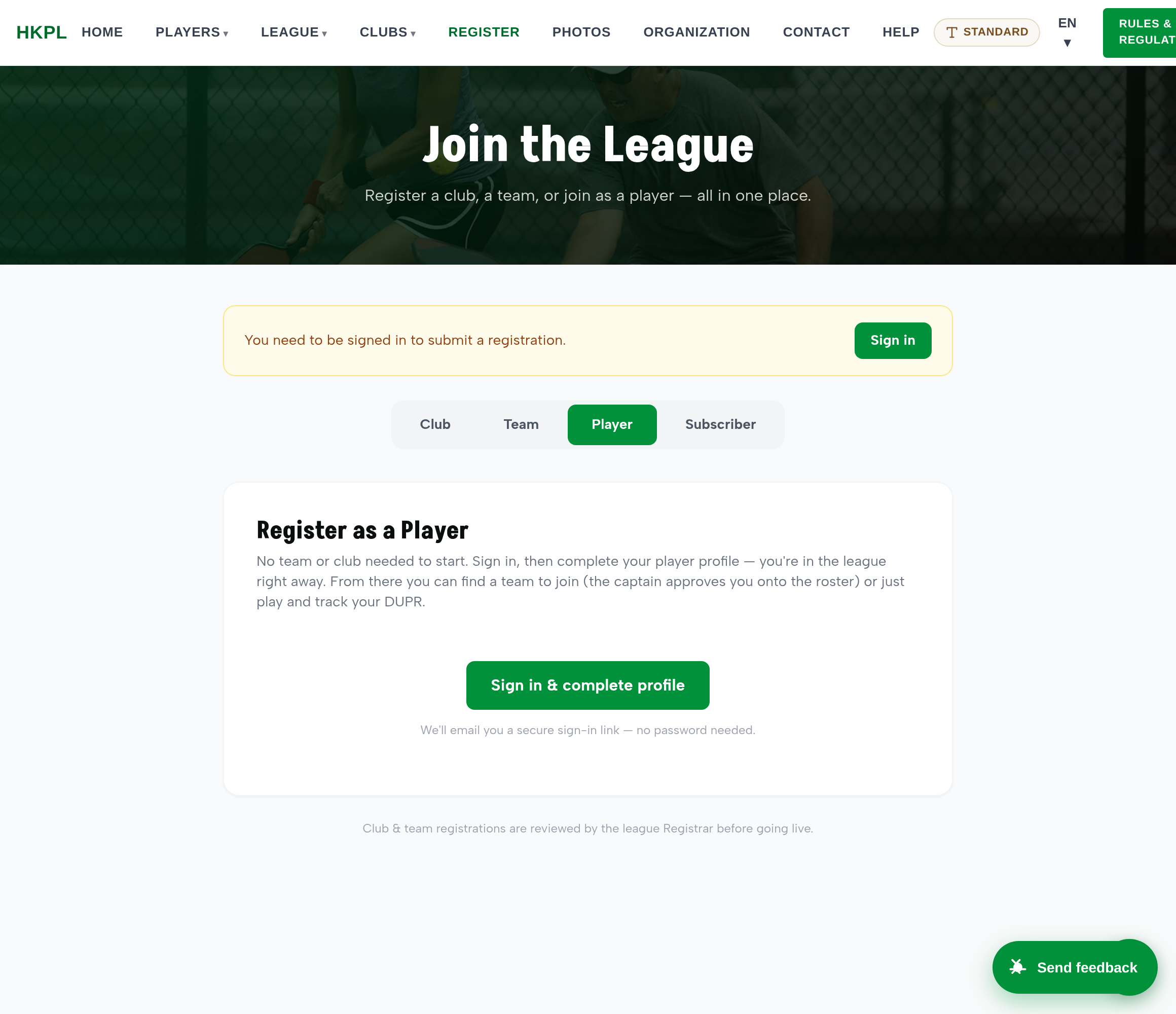
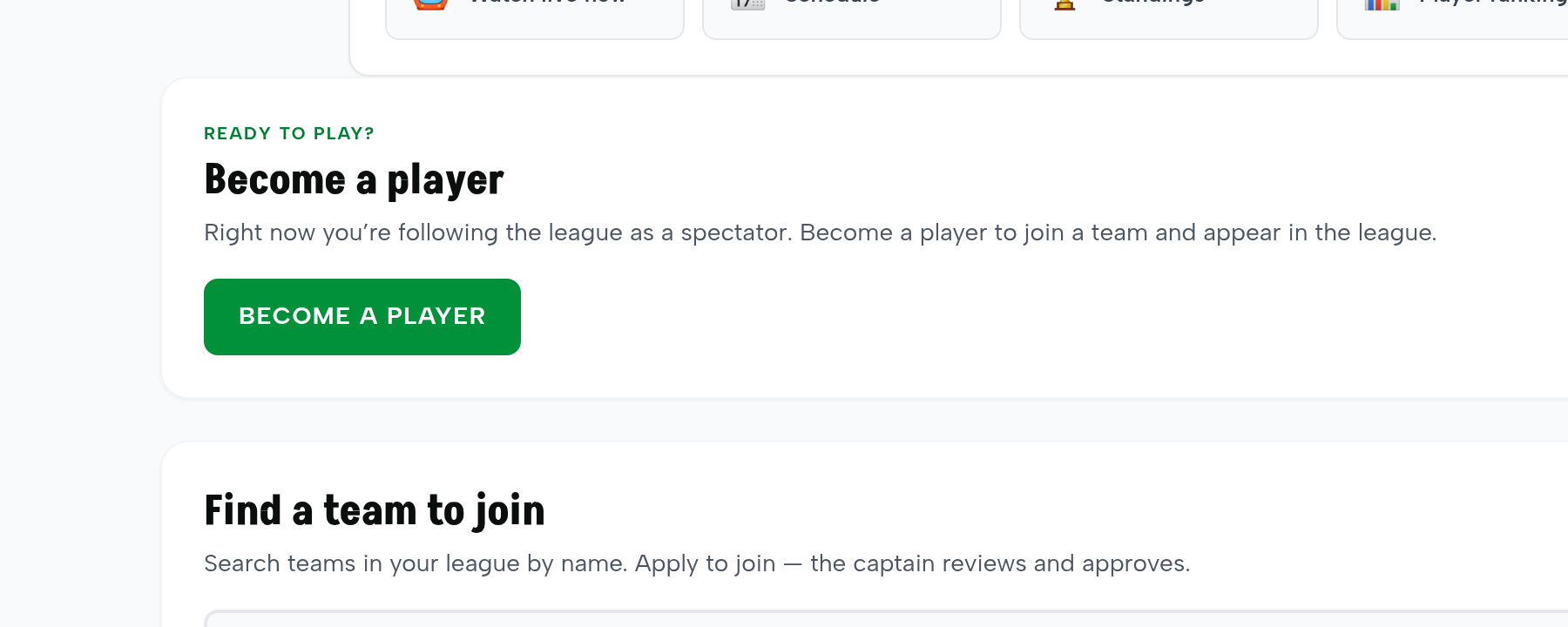
We added two clear front doors for players: a dedicated “Register as a Player” tab on the public page, and a one-tap “Become a player” button for anyone already following the league. Nothing about captains or clubs is required to start.
The correct flow, start to finish
- Sign up as a player. Register page → Player tab (or “Become a player” if you're already following). Sign in with a secure email link — no password.
- Complete your profile. Add your name and your DUPR. You're now a player in the league and can appear in standings and results.
- Find a team. Search teams by name and apply to join the one you want.
- The captain approves you. Your application lands in that captain's queue. When they approve, you're on the roster.
The important part — rosters stay controlled. Registering as a player gets you into the league on your own, but getting onto a specific team's roster still goes through the captain's approval. So players can self-serve, and captains keep full control of who's on their team.
Verified end to end: we drove the whole path on the sandbox — a spectator tapped “Become a player” (and their account really became a Player), applied to a team (the request was saved as pending), and the captain approved it (the player really landed on the roster). Every step checked against the saved record.
③ One person, more than one job new
Some people wear two hats — a captain who also referees, an organiser who also runs a club. Rather than juggle two accounts, one person keeps one login and simply switches view.

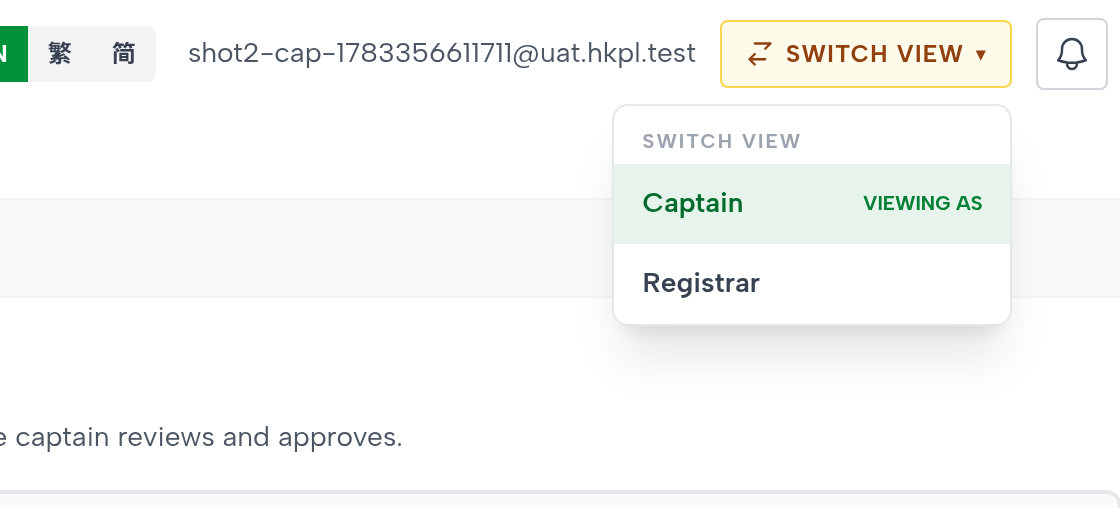
Safe by design, and verified: only an admin can grant a role, and admin-level roles can't be handed out this way. A person can only switch into their own linked views — we tried to switch into a stranger's account and it was correctly refused. Removing a role instantly disables it. All confirmed against the live database.
What else we fixed this round
Alongside the three big pieces, we closed the smaller things surfaced in your testing and cleaned up the rough edges around them.
| Area | Fix |
|---|---|
| Schedule | Set a home court for all 131 teams so a schedule can be generated on any division immediately — no “missing home court” dead-end. |
| Schedule | Removed a misleading “not enough court-slots per week” warning that didn't apply once games play at each team's own home court. |
| Schedule | Renamed the confusing format labels to plain English: “Each pair once · balanced H/A” and “Play twice (home + away).” |
| Feedback | The “Send feedback” button is now on every page — including the Auto Schedule screen where it was missing — so you can flag anything from anywhere. |
| Registration | Added the dedicated “Register as a Player” path and the spectator “Become a player” entry, plus a clear “Find a team to join” search. |
| Roles | Built the whole “Also acts as…” / “Switch view” multi-job capability described above. |
These sit on top of the ~30 reports from your earlier testing rounds that were already closed and summarised in the Round 8 review.
How we tested — the honest standard
A page loading is not proof it works. For everything in this document we held to one rule: drive the real action a real user would, then read the saved record to confirm it actually happened.
- Schedule: generated and saved a real division's season, then read the games back from the database — confirmed every game is on a Monday, at the home team's court, with a balanced home/away split.
- Registration: ran a spectator through become-a-player → apply-to-team → captain-approves, checking at each step that the account, the pending request, and the roster row were really written.
- Multi-role: granted an extra role through the actual admin screen and confirmed the linked account was created; switched views as the person; and confirmed a stranger's account cannot be entered.
Try it yourself
Everything here is on the sandbox at uat.silkvo.com. Use the one-click role picker to sign in as any role, and the “Send feedback” button (bottom-right of every page) to flag anything you find — it comes straight to us.
Schedule: sign in as League Admin → Auto Schedule → pick a division → Preview.
Registration: open /register.html → Player tab; or sign in as a Spectator and tap “Become a player.”
Multi-role: sign in as League Admin → Users → “+ Add role” on any person → then that person sees “Switch view.”